Category: Instagram

  • Instagram for Shy People: How to Share Without Fear

    Instagram for Shy People: How to Share Without Fear

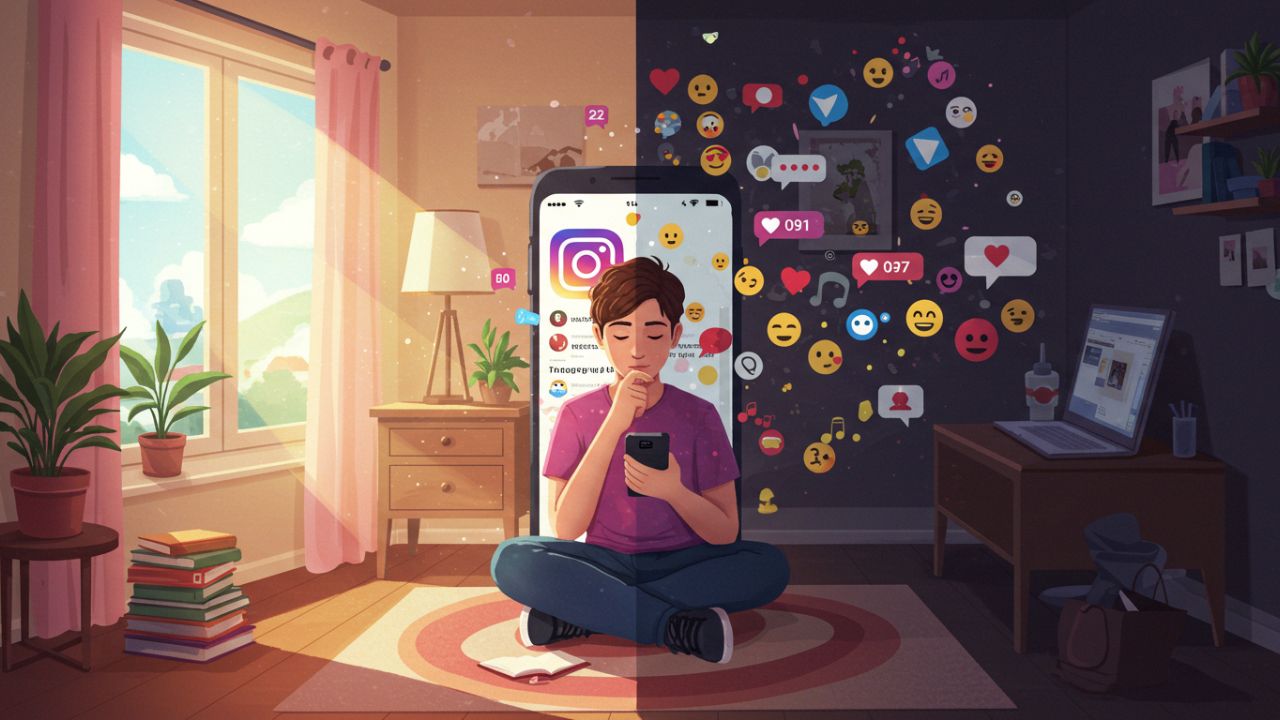
    In a world where digital expression is often mistaken for extroversion, Instagram can feel like a daunting space for shy or introverted individuals. The pressure to appear picture-perfect, the fear of judgment, and the overwhelming nature of sharing personal thoughts or images publicly can make even the most well-intentioned user retreat from the app. But Instagram doesnโ€™t have to be a spotlight; it can be a warm campfire where you choose who gathers around. This guide is designed to help shy people find their voice and confidence on Instagramโ€”without changing who they are.


    1. Understanding Instagram’s Landscape for Introverts

    Instagram is not one-size-fits-all. While some users thrive on reels and viral challenges, others prefer quieter, more curated spaces. As an introvert, you might lean toward observing, appreciating others’ creativity, and expressing yourself thoughtfully. Embrace that.

    • You donโ€™t need to post daily.
    • Your feed doesnโ€™t have to be aesthetic in the traditional sense.
    • You have the right to be authentic and minimal.

    2. Setting Boundaries and Privacy Controls

    Before diving in, take time to configure your account to match your comfort level:

    • Switch to a private account to control who follows you.
    • Use Close Friends for Stories that are more personal.
    • Turn off comments or restrict users if you’re worried about feedback.
    • Hide Like counts to reduce performance pressure.

    By controlling the environment, you reduce the stress that can come from openness.


    3. Start with Observation

    If youโ€™re new or returning to Instagram, start by observing. Follow accounts that inspire you. Create a saved folder of posts that you find comforting or relatable. You don’t need to create content immediatelyโ€”just engage passively to understand your tastes.

    Observation is not passivity; it’s preparing yourself thoughtfully for your own style of sharing.


    4. Low-Pressure Sharing: Creative and Quiet Ways to Post

    There are many ways to be present on Instagram without oversharing:

    • Post photography without people in it: nature, street scenes, abstract details.
    • Use Stories to share thoughts through music, quotes, or anonymous polls.
    • Try anonymous or pseudonymous accounts if that removes pressure.
    • Make carousels with subtle commentary instead of long captions.
    • Share creative work like drawings, poetry, or journal snippets.

    All these allow for creative self-expression with boundaries intact.


    5. Reframe the Fear of Judgment

    Shy people often fear being misunderstood or judged. This fear is valid but can be managed with mindset shifts:

    • Your audience is not a jury; theyโ€™re people with their own insecurities.
    • Not everyone will like your content, and that’s okay. Your goal isnโ€™t to please everyone.
    • Silent appreciation exists; many people enjoy content without commenting.
    • Quality over quantity mattersโ€”you donโ€™t need 10,000 likes to be validated.

    Focus on what feels right for you, not on othersโ€™ metrics.


    6. Building a Safe and Supportive Circle

    Cultivate a feed and following list that uplifts you:

    • Unfollow or mute any account that makes you feel anxious.
    • Follow creators who share honestly, embrace vulnerability, or celebrate quiet lives.
    • Engage in DMs or comments with kindnessโ€”youโ€™ll often receive the same.
    • Connect through shared hashtags that align with your interests (#introvertlife, #quietmoments, #slowcontent).

    Your feed can become a sanctuary rather than a source of stress.


    7. Developing a Sharing Routine That Works for You

    Find a rhythm that doesn’t feel like pressure:

    • Once a week, post a story or image.
    • Every month, reflect and share something meaningful.
    • Or simply stay silent for a while.

    Thereโ€™s no algorithm police enforcing creativity. You get to define your cadence.


    8. Use Tools to Support Your Comfort

    Leverage the appโ€™s features to make your experience more peaceful:

    • Use archive and draft features to save posts before deciding to publish.
    • Use third-party scheduling apps so you can post without being online.
    • Turn off notifications so you’re not overwhelmed.
    • Use filters or avatars to abstract your identity in Stories.

    Technology can be your ally in creating safe expression spaces.


    9. Telling Your Story Without Telling Too Much

    Shy doesnโ€™t mean silent. If you want to share your life, you can do so selectively:

    • Share a photo of your workspace, not your face.
    • Write a caption about your feelings, without giving away personal history.
    • Share memories or routines that bring comfort.

    Being vulnerable doesnโ€™t mean being exposed. You can share edges of your world, not the core.


    10. Dealing with Negative Reactions

    Sometimes, despite best efforts, negative reactions may appear:

    • Block or restrict users without guilt.
    • Donโ€™t respond to trollsโ€”silence is powerful.
    • Reflect on any valid feedback, but discard what feels off-base.

    Remember: Not every comment deserves your energy.


    11. Celebrate Quiet Wins

    Progress for a shy person looks different. Celebrate:

    • Posting your first photo.
    • Receiving a kind DM.
    • Sharing something personal.
    • Creating something just for you.

    These are victories. Honor them.


    12. Let Instagram Serve You, Not the Other Way Around

    Ultimately, Instagram is a tool. Use it for your benefit:

    • As a creative journal.
    • As a gallery of things you love.
    • As a space to connect with kindred spirits.

    If it ever feels like a burden, step away. The app will be there when you return.


    Conclusion: Be Quietly Bold

    Instagram doesnโ€™t belong to extroverts. It belongs to everyone. You donโ€™t have to shout to be heard or show your face to be seen. You just need the courage to share in your way. Whether it’s one photo a month or a quiet story with a quote that matters to youโ€”that counts. Thatโ€™s you, showing up.

    So go ahead. Share without fear. The world needs your quiet voice.

  • How to Use the Explore Page to Discover Relevant Content

    How to Use the Explore Page to Discover Relevant Content

    1. Introduction

    Discovering new content on Instagram used to mean endlessly scrolling through accounts you already followโ€”until the Explore page changed the game. Instagramโ€™s Explore page curates posts, Reels, and Stories that you havenโ€™t seen before but are likely to love, all based on your past activity, interests, and engagement patterns. Properly leveraging Explore can help you:

    • Find fresh inspiration. Whether youโ€™re an artist, foodie, or traveler, Explore surfaces the latest trends and ideas.
    • Grow your audience. For brands and creators, being featured in Explore can drive massive new follower growth and engagement.
    • Stay up to date. From breaking news to viral memes, Explore keeps you on the cutting edge of cultural moments.

    This guide covers every angleโ€”so dive in and start unlocking the full power of Instagramโ€™s Explore page.


    2. What Is the Explore Page?

    The Explore page is Instagramโ€™s content discovery hub. Unlike your Home feedโ€”which shows posts from people you followโ€”Explore delivers a mosaic of photos, videos, Reels, and Shopping posts you havenโ€™t seen, handโ€‘picked by Instagramโ€™s algorithm. It adapts in real time, updating every time you engage with content, search for new topics, or explore different tabs.

    Key features of Explore include:

    • Personalized Content Grid. A dynamic grid of images and video thumbnails personalized for you.
    • Search Bar. Unified search across accounts, hashtags, locations, and keywords.
    • Category Tabs. Easily switch between thematic channels like Food, Travel, Art, and more.
    • Contextual Recommendations. โ€œSuggested for Youโ€ carousels that deepen your discovery experience.

    By understanding each component, you can more effectively shape what appears and uncover truly relevant content.


    3. Understanding the Explore Algorithm

    Signals Instagram Tracks

    Instagramโ€™s Explore algorithm evaluates dozens of signals to decide which posts to show you. The most influential include:

    • Your Past Engagement: Likes, comments, shares, saves, and watch time on Reels indicate topics you care about most.
    • Accounts You Follow: The interests and behaviors of your network can nudge the algorithm toward similar content.
    • Content Popularity: Posts that are trendingโ€”based on rapid engagement spikesโ€”are more likely to surface.
    • Post Recency: Fresh content often gets a boost, so you see the latest photos, videos, and Stories.
    • Post Format: If you frequently watch Reels endโ€‘toโ€‘end, the algorithm will show you more Reels.

    Content Ranking and Personalization

    After gathering signals, Instagram assigns each candidate post a relevance score. Posts with the highest scores appear at the top of your Explore grid. As you scroll and interact, the algorithm refines its understanding of your preferences in real time.

    Keep in mind: your Explore page will never be identical to anyone elseโ€™s. This hyperโ€‘personalization means that two usersโ€”even with overlapping interestsโ€”will have unique discovery journeys.


    4. Setting Up Your Profile for Optimal Exploration

    Before diving into Explore, make sure your profile settings support accurate personalization:

    1. Switch to a Professional Account (Optional). If youโ€™re a creator or business, this unlocks insights on how people discover you.
    2. Clean Up Your Follow List. Unfollow accounts you no longer engage with to sharpen the algorithmโ€™s view of your true interests.
    3. Engage Thoughtfully. Like, save, and watch until the end content you genuinely enjoy; avoid random taps that may confuse the algorithm.
    4. Update Your Interests. Follow new accounts and interact intentionally whenever your passions shift.

    These steps help Instagram make better content matches, ensuring your Explore page stays relevant.


    5. Exploring Categories and Channels

    The Explore page is divided into thematic โ€œchannelsโ€ that let you zoom in on specific interests. Common channels include:

    • For You. A general mix based on your overall activity.
    • Reels. A endless scrollable feed of shortโ€‘form videos tailored to your tastes.
    • Shop. Products and brands personalized to your shopping behavior.
    • Topic Channels. Specialized feeds like Travel, Art, Sports, Food, and more.

    Topic Channels

    Tap the search icon and then tap any category label to dive into topicโ€‘specific streams. Browsing a dedicated channel gives the algorithm additional context, refining future recommendations for that category.

    Reels, Videos, and Shopping Tabs

    Switch between content formats to tell Instagram what you craveโ€”more video, more still images, or more shopping posts. This signals your preferred medium and tweaks your Explore mix accordingly.


    6. Using Search Filters and Keywords

    At the top of Explore sits the search bar, which offers powerful filtering capabilities:

    • Accounts. Discover creators and brands by name.
    • Tags. Find recent posts under specific hashtags.
    • Places. Locate posts tagged with particular locations (cities, landmarks, businesses).
    • Keywords. Search for captions containing phrases or keywords.

    Pro Tip: Use multiโ€‘keyword searches (e.g., โ€œvegan dessert recipesโ€) to surface highly targeted posts that might otherwise remain buried.


    7. Leveraging Hashtags and Location Tags

    Hashtags and location tags arenโ€™t just for your own postsโ€”theyโ€™re vital tools for discovery:

    • Hashtag Pages. Each tag has its own miniโ€‘Explore page of trending and recent posts.
    • Geotag Pages. Explore posts tagged at specific venues or locales to get hyperโ€‘local content.

    When you land on a hashtag or location page, tap โ€œFollowโ€ to integrate that tag into your ongoing Explore personalization.


    8. Engaging to Refine Your Explore Feed

    Every like, comment, share, and save teaches the algorithm more about you. To continuously refine your Explore page:

    1. Like or Save What You Love. These are the strongest signals.
    2. Comment Thoughtfully. A genuine comment carries more weight than a quick tap of the heart.
    3. Share to Stories or DMs. Sharing content indicates high interest in that topic.
    4. Swipe Past Irrelevant Posts. Avoid interacting with content you donโ€™t want more ofโ€”silence is a signal too.

    By engaging consistently with content you enjoy, youโ€™ll guide Explore toward everโ€‘better suggestions.


    9. Saving Posts and Collections

    The Save feature is a hidden weapon for discovery:

    • Save Posts. When you save a post, it signals deep interestโ€”Instagram will show you more similar content.
    • Collections. Organize saved posts into themed folders (e.g., โ€œHome Decor Inspo,โ€ โ€œArt Tutorialsโ€). Review these collections periodically: exploring related posts often introduces new accounts and hashtags.

    Use your Collections as springboards for manual exploration sessions: open a collection, note which hashtags recur, then search those tags in Explore.


    10. Utilizing โ€œSuggested For Youโ€

    Within Explore, youโ€™ll see โ€œSuggested For Youโ€ carouselsโ€”groups of related posts under a unifying theme. These are curated based on a single post or account you recently engaged with.

    • Tip: If you find a โ€œSuggested For Youโ€ topic appealing, tap through the entire carousel and engage with multiple posts. This dramatically boosts the algorithmโ€™s confidence in that topic.

    11. Exploring Niche Interests and Communities

    Beyond broad categories, Instagram hosts thousands of microโ€‘communities:

    • Niche Hashtags. Look for highly targeted tags (e.g., #UrbanSketchersBrazil, #MinimalistKitchenDesign).
    • Fan Pages & Microโ€‘Influencers. These accounts often share tightly focused content not found elsewhere.
    • Instagram Guides. Curated lists of posts around a niche themeโ€”excellent for deep dives.

    Search communityโ€‘specific hashtags or keywords in the Explore search bar to tap into passionate, engaged audiences.


    12. Best Practices for Brands and Creators

    If youโ€™re aiming to get featured on Exploreโ€”or deepen what your followers seeโ€”follow these guidelines:

    1. Post Highโ€‘Quality Visuals. Sharp, vibrant images and wellโ€‘edited videos generally perform better.
    2. Use Relevant Hashtags. Combine broad tags (#Travel) with niche tags (#VanLifeWomen) to reach multiple audiences.
    3. Engage Quickly. Respond to comments and DMs promptly to boost post engagement velocity.
    4. Encourage Saves & Shares. Ask followers to save for later or share with friends to strengthen your signals.
    5. Experiment with Formats. Publish both feed posts and Reels; crossโ€‘format success signals versatility.

    Analyzing your insightsโ€”especially reach and discovery metricsโ€”helps you understand which tactics trigger Explore appearances.


    13. Advanced Tactics: Thirdโ€‘Party Tools & Analytics

    Several tools can augment your Explore strategy:

    • Social Listening Platforms. Tools like Sprout Social or Hootsuite let you track emerging hashtags and topics in real time.
    • Hashtag Generators. Apps such as Hashtag Expert analyze your caption and suggest topโ€‘performing tags.
    • Competitive Analysis. Tools that show which posts from similar accounts have reached Explore, informing your own content planning.

    By combining Instagramโ€™s native analytics with thirdโ€‘party insights, you can pinpoint exactly which elements (timing, hashtags, format) drive Explore success.


    14. Avoiding Pitfalls and Staying Secure

    While Explore is great for discovery, be mindful of:

    • Misinformation. Always verify factsโ€”viral posts arenโ€™t always accurate.
    • Echo Chambers. Overโ€‘personalization can limit exposure to diverse viewpoints. Deliberately explore outside your comfort zone occasionally.
    • Privacy Risks. Donโ€™t engage with suspicious accounts or click untrusted links in Explore posts.

    Balance algorithmic suggestions with conscious exploration to stay informed, creative, and safe.


    15. Case Studies: Realโ€‘World Success Stories

    Case Study A: Travel Blogger Takes Off

    A travel blogger focusing on ecoโ€‘tourism implemented targeted hashtags (#SustainableTravel) and posted 15โ€‘second Reels showcasing offโ€‘theโ€‘grid destinations. Within three weeks, her Reels consistently appeared in the Explore โ€œTravelโ€ channel, resulting in a 120% growth in followers.

    Case Study B: Independent Artist Breaks Through

    An illustrator posted timeโ€‘lapse videos of sketches under niche hashtags (#WatercolorWizards). By saving similar artistsโ€™ posts daily and commenting thoughtfully, she nudged the algorithm to show her work in artโ€‘lover feedsโ€”tripling her engagement rate.

    These examples highlight how deliberate, dataโ€‘driven approaches to Explore can deliver rapid growth.


    16. Measuring Impact and Adjusting Strategy

    To track how well youโ€™re leveraging Explore:

    • Insights > Content You Shared. Look for โ€œDiscoveryโ€ metrics: Reach vs. Follower Reach.
    • Top Posts. Identify which posts attracted the most unique accounts outside your followers.
    • Reel Analytics. Check how many plays came from Explore (usually labeled as โ€œFrom Exploreโ€ in analytics).

    Set monthly goals (e.g., increase Explore reach by 25%), run A/B tests on hashtags and posting times, then iterate based on performance.


    17. Future Trends: Whatโ€™s Next for Explore

    Instagram continuously evolves Explore with features like:

    • AIโ€‘Powered Topic Hubs. Even more granular category feeds.
    • Augmented Reality Previews. Try on products or view 3D content directly in Explore.
    • Crossโ€‘Platform Integration. Seamless discovery of Instagram content from Facebook or Threads.

    Staying informed about upcoming changes (via Instagramโ€™s @creators account and tech news sites) ensures you remain ahead of the curve.


    18. Frequently Asked Questions (FAQ)

    Q: Why am I not seeing new content in Explore?
    A: If youโ€™ve stopped engaging, the algorithm may be confused. Start liking or saving a few posts in your area of interest to jumpโ€‘start personalization.

    Q: Can anyone get featured on Explore?
    A: Yesโ€”quality content, strategic hashtags, and strong engagement are key. Thereโ€™s no minimum follower count for Explore inclusion.

    Q: How often does Explore update?
    A: In real time. Each like, comment, or search refines your feed.


    19. Conclusion

    Instagramโ€™s Explore page is more than just a feedโ€”itโ€™s a dynamic, personalized discovery engine that can fuel your creativity, expand your network, and keep you on top of trends. By understanding the underlying algorithm, engaging thoughtfully, and leveraging advanced tactics, youโ€™ll unlock a world of relevant content right at your fingertips. Experiment regularly, monitor your analytics, and most importantly, enjoy the journey of discovery!

    20. Further Resources

  • What to Post on Your First Day on Instagram?

    What to Post on Your First Day on Instagram?

    Embarking on your Instagram journey can be both exhilarating and a bit nerve-wracking. After all, you want to make a memorable first impression, grow your audience, and set the tone for your brand or personal account. Whether youโ€™re a small business, a creative professional, or simply an individual looking to share your experiences, having a clear, step-by-step plan for your first-day posts can significantly boost your confidence and impact. This comprehensive guide (over 3,000 words!) will walk you through exactly what to post on day one of your Instagram account, from crafting your bio to sharing your very first photo, plus a detailed checklist to keep you on track.

    1. Setting the Stage: Before You Post

    1.1 Define Your Instagram Goals

    Before you hit โ€œPublish,โ€ itโ€™s crucial to clarify why youโ€™re on Instagram:

    • Brand Awareness: Are you looking to introduce your new business or personal brand?
    • Community Building: Do you want to foster meaningful connections with like-minded people?
    • Lead Generation: Is your goal to drive website visits or collect email subscribers?
    • Direct Sales: Will you sell products or services directly through Instagram features (Shop, DMs)?

    Having clear objectives will inform everything from your visual style to the call-to-action (CTA) in each post.

    1.2 Identify Your Target Audience

    Knowing who youโ€™re talking to helps you speak their language and solve their problems. Build an audience persona that outlines:

    • Demographics: Age range, location, gender, education level
    • Interests: Hobbies, related Instagram accounts they follow
    • Pain Points: Challenges or questions they seek answers for
    • Content Preferences: Photos, videos, infographics, quotes

    1.3 Research Competitors and Inspirations

    Scan 5โ€“10 accounts in your niche:

    • Note their post formats (single photo, carousel, video, reel)
    • Analyze which posts get the most engagement (likes, comments, shares)
    • Identify gapsโ€”whatโ€™s missing that you can offer uniquely?
    • Save inspirational graphics and caption styles in a private โ€œSavedโ€ folder

    2. Creating a Cohesive Profile

    2.1 Profile Photo and Username

    • Profile Photo: Use a clear, high-resolution image. For personal accounts, a friendly headshot with good lighting. For brands, a simplified logo on a clean background.
    • Username (@handle): Keep it short, easy to spell, and matching your brand name or keywords. Avoid numbers or underscores if possible, unless itโ€™s part of your brand identity.

    2.2 Writing Your Bio

    Your bio is a 150-character billboard:

    1. Who You Are: A brief descriptor (e.g., โ€œTravel Photographer,โ€ โ€œPlant-Based Chef,โ€ โ€œDigital Marketing Mentorโ€).
    2. What You Do: The benefit or transformation (e.g., โ€œHelping entrepreneurs grow online,โ€ โ€œDelicious vegan recipes weeklyโ€).
    3. Call-to-Action: Link to freebie, store, or newsletter (โ€œDownload my free e-book โฌ‡๏ธโ€).

    Example Bio:

    Plant-Powered Chef ๐Ÿฅ‘
    Easy vegan recipes for busy homes ๐Ÿ‘ฉโ€๐Ÿณ
    Get my 5-ingredient meal plan โฌ‡๏ธ

    2.3 Link in Bio: Best Practices

    • Use a URL shortener or link-in-bio tool (e.g., Linktree, Laterโ€™s Linkin.bio) for multiple destinations.
    • Ensure the landing page matches your Instagram aesthetic.
    • Track clicks with UTM parameters for analytics.

    2.4 Story Highlights Setup

    Even before you have stories, create Highlight covers:

    1. Design 4โ€“6 branded icons (use consistent colors/design).
    2. Label each (e.g., About, FAQ, Tutorials, Testimonials).
    3. As you post Stories, archive relevant ones into Highlights.

    3. Crafting Your Content Strategy

    3.1 Content Pillars

    Select 3โ€“5 core themes youโ€™ll post about consistently. Examples for a fitness coach:

    1. Workout Tips
    2. Healthy Recipes
    3. Client Transformations
    4. Motivational Quotes
    5. Behind-the-Scenes

    Having clear pillars keeps your feed focused and prevents topic drift.

    3.2 Visual Style and Aesthetics

    Decide on:

    • Color Palette: 3โ€“5 complementing colors.
    • Typography: Use the same 1โ€“2 fonts in graphics.
    • Filters or Presets: Custom Lightroom presets for consistent photo tones.
    • Layout Patterns: Checkerboard photo-quote, row-by-row theme, or a repeating color block.

    3.3 Posting Frequency and Schedule

    For a new account, aim for:

    • Feed Posts: 3โ€“5 times per week.
    • Stories: Daily, even if quick behind-the-scenes clips.
    • Reels: 1โ€“2 times per week (high reach potential).

    Use a content calendar (e.g., Google Sheets, Trello) to map topics and dates.


    4. Day-One Post Ideas (Checklist)

    On your very first day, publish a mini โ€œlaunch sequenceโ€ of 3โ€“5 posts to give visitors multiple touchpoints. Hereโ€™s what to include:

    4.1 Welcome & Introduction Post

    • Format: Single photo or carousel.
    • Content:
      • A warm greeting (โ€œHello, Instagram! Weโ€™re [Your Brand Name]โ€).
      • Brief backstory (why you started, your mission).
      • Photo of you/your team or brand logo in context (office, product photo).
    • Caption CTA: โ€œTell us where youโ€™re from!โ€ or โ€œTag a friend whoโ€™d love this.โ€

    4.2 โ€œBehind the Scenesโ€ Teaser

    • Format: Story-series or short Reel (15โ€“30 seconds).
    • Content: Show your workspace, brainstorming session, product creation, or daily routine.
    • Purpose: Build authenticity and anticipation.
    • Caption/Sticker: โ€œStay tunedโ€”big things are coming!โ€

    4.3 Value-Packed Carousel or Infographic

    • Format: 3โ€“5 slide carousel.
    • Content:
      • Educational tips or quick tutorial related to your niche.
      • Example: โ€œ5 Hacks for Better Food Photography,โ€ โ€œ3 Steps to a Stress-Free Morning Routine.โ€
    • Why Carousel: Encourages swipes, higher engagement, saves.
    • Caption CTA: โ€œSave this post for later!โ€

    4.4 User Engagement Question or Poll

    • Format: Feed graphic or Instagram Story poll.
    • Content: Ask your audienceโ€™s opinion or preferences. Examples:
      • โ€œWhich flavor should we launch next: Mango or Raspberry?โ€
      • โ€œDo you prefer morning or evening workouts?โ€
    • Purpose: Kickstart conversations and gather market insights.

    4.5 Tease Future Content or Launch

    • Format: Reel, Story, or feed post.
    • Content: Hint at an upcoming product, event, or giveaway.
    • Example Caption: โ€œWeโ€™ve got a surprise dropping next weekโ€”any guesses? ๐Ÿ‘€โ€
    • CTA: โ€œTurn on post notifications!โ€

    4.6 Hashtag and Tag Strategy

    • Research: 10โ€“15 niche hashtags plus 5 branded hashtags.
    • Mix: Popular (100Kโ€“500K posts), moderate (10Kโ€“100K), and small (<10K).
    • Location Tag: Add your city or neighborhood for local discovery.
    • Mentions: Tag collaborators, suppliers, or featured clients.

    5. Execution: Crafting and Publishing Your First Posts

    5.1 Photo & Video Quality Tips

    • Lighting: Use natural light or continuous LED panels.
    • Composition: Apply the rule of thirds; keep backgrounds clutter-free.
    • Resolution: Export images at 1080 ร— 1080 px for square, 1080 ร— 1350 px for portrait.
    • Editing Apps: Lightroom, VSCO, Snapseed; maintain consistency with presets.
    • Reels Tips:
      • Keep clips shortโ€”2โ€“5 seconds each.
      • Use trending yet relevant music.
      • Add clear on-screen text or captions.

    5.2 Writing Captions That Convert

    • Hook (First Line): Grab attention within 125 characters.
    • Body: Provide valueโ€”story, tips, or insights.
    • Call-to-Action: Ask a question, encourage saves/shares, direct to link in bio.
    • Emoji Use: 3โ€“5 relevant emojis to break up text.
    • Line Breaks: Use returns or placeholders (dots, dashes) for readability.

    5.3 Optimal Posting Times

    • General Benchmarks:
      • Weekdays: 9โ€ฏAMโ€“11โ€ฏAM and 6โ€ฏPMโ€“9โ€ฏPM (local time).
      • Weekends: 10โ€ฏAMโ€“1โ€ฏPM.
    • Tip: Check Instagram Insights (once available) to fine-tune.

    5.4 Engaging with Early Commenters

    • Respond Promptly: Like and reply to every comment in first hour.
    • Use Their Names: Personalize replies to build rapport.
    • Follow Back: If theyโ€™re your target audience, follow them and engage on their posts.

    6. Building Momentum After Day One

    6.1 Following and Engaging with Others

    • Strategic Follows: 20โ€“30 accounts in your niche or local community.
    • Meaningful Comments: Leave 2โ€“3 thoughtful comments per day on potential follower posts.
    • DM Introductions: Send a friendly message to new followers, thanking them and asking a simple question.

    6.2 Stories, Reels, and Live Content

    • Stories: Polls, Q&As, countdowns to upcoming posts.
    • Reels: Repurpose popular TikTok trends, transform blog snippets into short videos.
    • Lives: Host a 10-minute โ€œAsk Me Anythingโ€ to celebrate launch week.

    6.3 Tracking Metrics & Adjusting Strategy

    • Key Metrics: Reach, impressions, profile visits, website clicks, saves, shares.
    • Weekly Review: Identify top-performing content and replicate formats.
    • A/B Testing: Experiment with different hooks, image styles, and CTAs.

    7. Full Day-One Checklist

    Use this checklist to ensure you hit every milestone:

    TaskDone โœ”
    Define clear Instagram goals
    Identify target audience persona
    Research 5โ€“10 competitor/inspiration accounts
    Select profile photo and finalize username
    Write a concise, benefit-driven bio
    Set up link in bio (Linktree or equivalent)
    Design 4โ€“6 Story Highlight cover icons
    Choose 3โ€“5 content pillars
    Finalize brand color palette, fonts, and presets
    Plan posting frequency and create a simple content calendar
    Draft Welcome & Introduction post (photo + caption + CTAs)
    Create Behind the Scenes teaser (Story or Reel)
    Develop value-packed carousel/infographic with tips
    Design engagement question/poll post
    Tease upcoming content or launch
    Research and compile 15โ€“20 relevant hashtags
    Prepare location tag and mentions list
    Edit photos/videos to match preset/style
    Write captions with strong hook, body, emojis, line breaks
    Schedule or manually post at optimal local times
    Respond to all early comments within first hour
    Follow & engage with 20โ€“30 niche or local accounts

    8. Conclusion and Next Steps

    Congratulations on completing your first day on Instagram! Youโ€™ve laid a strong foundation by:

    • Clearly defining your brandโ€™s voice and visual style
    • Publishing a strategic mix of posts designed to introduce, educate, and engage
    • Equipping yourself with a roadmap and checklist for consistent growth

    Next Steps:

    1. Monitor Your Insights: Review analytics 48โ€“72 hours after posting to see which content resonates best.
    2. Refine Your Strategy: Double down on high-performing formats and topics.
    3. Expand Your Reach: Collaborate with micro-influencers, run a small giveaway, or invest in a targeted ad.
    4. Commit to Consistency: Use your content pillars and calendar to post regularly and authentically.

    By following this roadmap and checklist, youโ€™re well on your way to building a vibrant, engaged Instagram community. Now go forth, post confidently, and watch your account flourish!

  • How to Follow People Without Looking Like a Bot or Spammer

    How to Follow People Without Looking Like a Bot or Spammer

    In todayโ€™s hyperconnected digital ecosystem, the act of following someone on social media may seem trivial, but it actually carries significant weight. Followers represent audiences, potential customers, collaborators, or simply friendsโ€”so choosing how and when to follow someone matters. When done poorly, mass following or impersonal outreach can backfire, making you appear automated, insincere, or even downright spammy. On the other hand, a thoughtful, genuine approach to following can foster meaningful relationships, grow your personal brand, and expand your network in authentic ways.

    This article will dive deep into proven strategies for following people without triggering the dreaded โ€œbotโ€ or โ€œspammerโ€ label. Weโ€™ll explore the psychology behind first impressions online, walk through step-by-step guidelines for researching profiles, personalizing outreach, pacing your follows, and engaging with content. Weโ€™ll also highlight common pitfalls to avoid, illustrate real-world examples of both ineffective and effective tactics, and provide a handy checklist you can reference before hitting that follow button. By the end of this guide, youโ€™ll have a clear blueprint for curating a genuine network of connections that benefits both you and your community.

    1. Why Following Thoughtfully Matters

    Building Authentic Relationships. At its core, following someone on social media is an invitation. It signals interest in their content, respect for their expertise, or curiosity about their life. Just like in offline networking, first impressions count online. A thoughtful follow shows you care about the person behind the profile, not just the quantity of followers.

    Quality Over Quantity. While some growth hacks tout following hundreds or thousands of accounts each day, real influence comes from engagement, not sheer numbers. Social media platforms increasingly penalize inauthentic behavior, hiding or limiting accounts that indiscriminately follow or unfollow en masse. A smaller but engaged following will yield more clicks, comments, and direct messages than a bloated audience of passive or fake accounts.

    Personal Branding and Reputation. Your follow list and activity are visible cues. Brands, recruiters, and peers often scrutinize mutual connections and engagement patterns. Following that notorious viral prankster one day and a thought leader the next could send mixed messages. A deliberate follow strategy helps you cultivate a consistent, professional, or niche-aligned brand identity.


    2. Understanding the Algorithmic and Social Signals

    Algorithmic Flags. Platforms like Instagram, Twitter (X), LinkedIn, and TikTok rely on algorithms to detect unusual follow patterns. Rapid-fire following, followed by swift unfollowing, triggers automated anti-spam measures. Your follow-to-unfollow ratio, the time interval between actions, and the platformโ€™s overall spam-detection thresholds all play a role. If flagged, your account may face temporary action blocks or permanent restrictions.

    Social Signals. Beyond algorithms, real people will notice spammy behavior. Imagine you get a follow notification from an account with zero posts and zero followers. You may suspect a bot and either ignore or block it. Conversely, when someone takes a moment to like your post or comment thoughtfully before following, youโ€™re more inclined to click back.

    Reciprocal Benefits. Genuine follows often lead to mutual engagement. By letting the person know you appreciate their content, you open doors for future collaboration, guest contributions, or direct business opportunities. The algorithm also rewards mutual follows by boosting content visibility in each otherโ€™s feeds.


    3. Research First, Follow Second

    Before you follow, gather context. Hereโ€™s how:

    1. Profile Audit. Read their bio. Look for common interests, affiliations, location, or notable achievements. Are they an active speaker, an industry expert, or an artist?
    2. Content Scan. Scroll through recent posts. Identify consistent themes: Are they posting work tips, personal travel photos, motivational quotes, or financial advice? Notice toneโ€”humorous, serious, inspirational.
    3. Engagement Assessment. How do they interact with their followers? Do they reply to comments, like user content, or host live Q&A sessions? These are signs they value community.
    4. Mutual Connections. Check any shared followers or groups. A mutual friend or group membership can serve as an ice-breaker for customized messaging.

    Equipped with this knowledge, you can craft a follow request that aligns with their style and interests.


    4. How to Personalize Your Follow Requests

    Ready to hit โ€˜Followโ€™? Pause and personalize:

    • Reply or Like a Post. A quick commentโ€””Loved your take on remote work flexibility!”โ€”or a like shows youโ€™ve viewed their content.
    • Mention a Specific Piece of Content. “Your article on eco-friendly packaging really resonated with meโ€”I just implemented a similar strategy at my startup.”
    • Offer Value. Instead of asking for something, propose: “If you ever explore a case study on sustainable business models in Asia, Iโ€™d love to share insights from my experience.”
    • Use Their Name. Even in a short message, addressing them directly humanizes your invite: “Hi Alex, I enjoyed your postโ€ฆ”

    While not all platforms allow direct personalized follow requests, you can often use the first few seconds after following to drop a DM or tweet mentioning their handle.


    5. The Importance of Pacing: Timing and Limits

    Daily Follow Caps. Limit new follows to a reasonable numberโ€”between 20 and 50 per day, depending on platform guidelines. Exceeding these may trigger temporary blocks.

    Time Intervals. Space out follows. A gap of 2โ€“5 minutes between actions mimics natural browsing. Use built-in app timers or third-party social media management tools (e.g., Buffer, Hootsuite) to schedule follows and interactions.

    Growth Phases. If youโ€™re new, start slowโ€”10 follows per day for the first week. As your engagement grows and the algorithm recognizes you as genuine, you can cautiously increase volume.

    Week vs. Weekend. Activity peaks mid-week on business-focused networks like LinkedIn, whereas Instagram engagement spikes on weekends. Tailor your follow sessions to when the person is likely online to notice your activity.


    6. Engaging Before and After the Follow

    Before the Follow:

    • Comment Strategically. Leave thoughtful comments on recent posts. Avoid one-word compliments; instead, ask questions or share perspectives.
    • Share Their Content. Repost or retweet with a credit-enabled caption. “Great insights on microfinance from @JordanSmithโ€”must-read for aspiring entrepreneurs!”

    After the Follow:

    • DM Introductions. If they accept your follow back, send a brief thank-you message. Keep it conversational: “Thanks for connecting, Taylor! Iโ€™m inspired by your climate tech initiativesโ€”would love to stay in touch.”
    • Regular Check-Ins. Every 2โ€“3 weeks, interact again: congratulate them on new milestones, share relevant articles, or comment on fresh content.

    Continuous engagement signals respect and reinforces that youโ€™re not merely collecting followers but nurturing relationships.


    7. Crafting Meaningful Introductions and DMs

    A direct message (DM) can accelerate trustโ€”but only if done right.

    Structure of a Good DM:

    1. Greeting and Context. “Hello Priya, Iโ€™m a freelance UX designerโ€ฆ”
    2. Reason for Reaching Out. “I noticed your post on inclusive design and was impressedโ€ฆ”
    3. Mutual Benefit or Offer. “I recently wrote a case study on accessible interfacesโ€”happy to share it.”
    4. Call to Action (CTA). “Would you be open to a quick 10-minute chat next week?”

    Tone Tips: Keep it concise (100โ€“150 words max), respectful, and avoid sales pitches in the first message. Make your CTA easy to accept or decline.


    8. Avoiding Bot-Like Behavior

    Donโ€™t Over-Automate. While automation tools promise rapid growth, they often execute generic comments (โ€œNice!โ€) or mass follows that erode authenticity. Use automation sparingly, primarily for scheduling content, not initiating connections.

    Diversify Engagement. Use a mix of likes, comments, shares, saves, and DMs. Bots typically stick to repetitive actions.

    Profile Completeness. Fill out your bio, add a profile photo, and include a few posts before following. Blank accounts with no content scream bot.

    Language and Emojis. Too many emojis or hashtags in your bio or messages can look forced and inauthentic. Use them judiciously.


    9. Measuring Success and Adjusting Tactics

    Set measurable KPIs to refine your approach:

    • Follow-Back Rate. Percentage of people who follow you back within 48 hours.
    • Response Rate. DM replies or comment exchanges initiated.
    • Engagement Depth. Average number of interactions per new follow.
    • Quality Leads. Contacts that lead to meaningful conversations, collaborations, or conversions.

    Regularly audit your actions: if your follow-back rate dips below 20%, reevaluate your personalization strategy or pacing. A/B test different opening lines or engagement sequences.


    10. Real-World Case Studies

    Case Study 1: Tech Startup Founder. Marina, founder of a SaaS analytics platform, grew her network from 500 to 5,000 quality followers in six months by:

    • Commenting on early adopter forums before following.
    • Sending personalized follow-up DMs with product insights.
    • Hosting bi-weekly Twitter Spaces on industry trends.

    Case Study 2: Creative Freelancer. Jamal, a graphic designer, attracted 2,500 engaged Instagram followers by:

    • Sharing sketch tutorials related to niche communities.
    • Engaging with specific hashtags and following artists who used them.
    • Offering free design templates to new followers via DM.

    11. Tools and Resources for Smarter Following

    • Social Listening Platforms: Brandwatch, Mention, Sprout Social. Track mentions and engage in real time.
    • CRM for Social Media: Nimble, HubSpot CRM. Manage follow-ups, record notes, and schedule reminders.
    • Browser Extensions: Ghostify (to view in-feed without exposing your account), RiteKit (hashtag suggestions).

    12. Common Mistakes to Steer Clear Of

    1. Mass-Following Influencer Audiences. Rather than targeting broad fan lists, focus on niche or industry-specific profiles.
    2. Generic Comments. Avoid single-word compliments like “Amazing!”; aim for substance.
    3. Immediate Sales Pitches. Building trust takes timeโ€”prioritize value.
    4. Ignoring Platform Rules. Each social network has daily action limits. Exceeding them triggers blocks.
    5. Neglecting Follow-Through. A follow without any engagement is a missed opportunity.

    13. Frequently Asked Questions (FAQ)

    Q1. How many accounts can I follow on Instagram per hour without being flagged?
    Instagramโ€™s limits vary by account age and activity, but a good rule of thumb is 20โ€“30 follows per hour for established accounts, and less than 10 per hour for new ones.

    Q2. Should I unfollow accounts that donโ€™t follow me back?
    Unfollowing solely based on follow-backs can trigger spam filters if done in bulk. Instead, manually unfollow a handful per day, focusing on accounts no longer relevant to your interests.

    Q3. Is it better to send a DM or a tweet mention on Twitter?
    Start with a public mention if the subject matter is general. Use DMs for private, personalized conversations once youโ€™ve established initial rapport.


    14. Conclusion and Action Plan

    Growing a genuine follower base is not a sprint but a marathon. By researching profiles, personalizing your outreach, pacing your actions, and engaging thoughtfully, youโ€™ll avoid the spam label and build meaningful connections. Hereโ€™s your 3-step action plan:

    1. Audit & Prep: Complete your profile, gather a list of 20 target accounts based on mutual interests.
    2. Engage First: Like or comment on one post per target account.
    3. Follow & Reach Out: Follow each account with a personalized message or mention, then track responses and maintain consistent follow-up.

    Implement these strategies over the next 30 days and track your KPIs. Youโ€™ll soon see that quality engagement and genuine following practices outperform any automated growth hack.

    Now, open your favorite social media app, and start building authentic connectionsโ€”one thoughtful follow at a time!

  • The Perfect Bio: Examples and Phrases That Attract Followers

    The Perfect Bio: Examples and Phrases That Attract Followers

    In the digital age, your online bio is the first impression you make on potential followers, collaborators, and customers. Whether youโ€™re on Instagram, Twitter, LinkedIn, TikTok, or any other platform, your bio is your calling cardโ€”one glance and a reader should understand who you are, what you stand for, and why they should care. A compelling bio can transform passive visitors into active followers, boosting your engagement, credibility, and influence. In this comprehensive guide, youโ€™ll discover why an optimized bio matters, the core elements every bio needs, proven examples and templates, powerful phrases to include, common mistakes to avoid, and actionable tips to craft a perfect bio that resonates with your audience.

    Why Your Bio Matters

    In a world drowning in content, attention is the scarcest commodity. A well-crafted bio captures that attention, establishing credibility and encouraging engagement within seconds. Hereโ€™s why your bio matters:

    1. First Impressions Count: Studies suggest people form first impressions in as little as 50 milliseconds. Your bio is often the first thing visitors seeโ€”make it count.
    2. Sets Expectations: A clear bio tells readers what to expect from your content, saving them time and increasing the chance they stick around.
    3. Boosts Discoverability: By including relevant keywords and hashtags, you improve your chances of surfacing in searches and explores.
    4. Builds Trust: A professional, concise bio conveys authority and trust, leading to higher follow rates and potential business inquiries.
    5. Guides Action: A strong call to action (CTA) directs followers toward desired outcomesโ€”click a link, read your blog, shop your store, or DM for collabs.

    Core Elements of a Perfect Bio

    While creativity and personality vary across niches, every killer bio includes the following elements:

    A. Clarity and Specificity

    • Who You Are: Clearly state your name or brand identity.
    • What You Do: Highlight your profession, niche, or unique value proposition.
    • Your Audience: If possible, speak directly to your ideal followers (e.g., โ€œHelping busy momsโ€ฆโ€).

    Why It Works

    Clarity removes friction. When people instantly understand what you do, theyโ€™re more likely to follow.

    B. Personality and Tone

    • Authentic Voice: Use a tone that reflects your brandโ€”fun, formal, witty, or supportive.
    • Unique Touch: A well-chosen emoji or a playful adjective can set you apart.

    Why It Works

    Personality forges emotional connections. A bio that feels human invites engagement.

    C. Value Proposition

    • Core Offer: What problem do you solve or benefit do you provide?
    • Proof or Social Proof: Mention awards, certifications, or follower milestones (if impressive).

    Why It Works

    People follow accounts that add valueโ€”whether itโ€™s entertainment, education, or inspiration.

    D. Keywords and Hashtags

    • Keyword Placement: Integrate 1โ€“3 relevant keywords naturally.
    • Branded Hashtags: Include a signature hashtag to encourage user-generated content.

    Why It Works

    Algorithms and user searches rely on keywordsโ€”optimize to be found.

    E. Call to Action (CTA)

    • Single, Clear CTA: Direct readers: โ€œClick the link,โ€ โ€œDM me,โ€ or โ€œUse code โ€˜WELCOME10โ€™.โ€
    • Link Optimization: Use link services (Linktree, Beacons) or a custom landing page.

    Why It Works

    A CTA guides behaviorโ€”without it, followers might enjoy your content but never take the next step.

    F. Visual Elements (Emojis, Line Breaks)

    • Emojis: Use 1โ€“3 thematically relevant emojis to draw the eye.
    • Line Breaks: Organize information into digestible chunks for easy scanning.

    Why It Works

    Visual cues improve readability, emphasize key points, and maintain viewer attention.


    Examples of Perfect Bios Across Niches

    Below are real-worldโ€“inspired examples of effective bios to spark your own creativity.

    A. Personal Branding

    John Doe | UX Designer
    Crafting intuitive digital experiences for startups ๐Ÿš€
    10k+ products shipped
    DM for freelance inquiries ๐Ÿ‘‡
    Linktr.ee/johndoe

    Why It Works: John clearly states his role, quantifies achievements, and invites collaboration.

    B. Business and Brands

    EcoGlow Skincare
    Sustainable beauty made in Austin, TX ๐ŸŒฑ
    100% vegan, cruelty-free
    Join our community #GlowWithEco
    Shop below ๐Ÿ‘‡

    Why It Works: Highlights values (sustainability), social proof (vegan, cruelty-free), and branded hashtag.

    C. Creators and Influencers

    @FitWithAna
    Fitness coach + nutrition nerd ๐Ÿค“
    Transforming lives one rep at a time
    50K strong community ๐Ÿ’ช
    Free 7-day challenge โ†“

    Why It Works: Emphasizes expertise, community size, and a free resource to drive engagement.

    D. Coaches and Consultants

    Sarah Lee | Career Coach
    Helping mid-level pros break the glass ceiling โœจ
    Certified PCC | 200+ clients placed
    Book a free consult ๐Ÿ‘‡

    Why It Works: Specifies target audience, credentials, results, and a clear next step.

    E. Nonprofits and Causes

    Clean Oceans Initiative
    Fighting plastic pollution one beach at a time ๐ŸŒŠ
    50k volunteers worldwide
    Join us: #WaveOfChange
    Donate โ†“

    Why It Works: Mission-driven, social proof, hashtag for community building, and donation CTA.

    F. Ecommerce and Retail

    The Gadget Stop
    Your daily dose of tech gadgets โš™๏ธ
    Free shipping on orders $50+
    5k+ 5-star reviews
    Shop the drop ๐Ÿ‘‡

    Why It Works: Communicates product niche, offer, social proof, and CTA.


    Powerful Phrases and Templates You Can Copy

    Use these proven phrases to craft your own bio. Combine and tailor as needed.

    PurposePhrases
    Introducing Yourselfโ€œHi, Iโ€™m [Name],โ€ โ€œYour friendly neighborhood [Profession]โ€
    Highlighting Expertiseโ€œSpecializing in,โ€ โ€œExpert in,โ€ โ€œCertified [Title]โ€
    Clarifying Audienceโ€œFor [Target Audience],โ€ โ€œHelping [Group]โ€
    Stating Benefitsโ€œTransforming,โ€ โ€œEmpowering,โ€ โ€œInspiring,โ€ โ€œBoostingโ€
    Quantifying Successโ€œ10k+ served,โ€ โ€œOver [X] years of experience,โ€ โ€œ[X] products soldโ€
    Encouraging Actionโ€œDM for collabs,โ€ โ€œLink below,โ€ โ€œJoin the communityโ€
    Adding Personalityโ€œCoffee addict โ˜•,โ€ โ€œAdventure seeker ๐ŸŒ,โ€ โ€œPlant parent ๐ŸŒตโ€
    Social Proofโ€œ[X] followers strong,โ€ โ€œFeatured in [Publication],โ€ โ€œTop [Platform]โ€

    Templates

    1. General Professional
      โ€ข [Name] | [Role]
      โ€ข [What you do in one sentence]
      โ€ข [Key achievement/statistic]
      โ€ข [CTA] + [Link]
    2. Niche Creator
      โ€ข Helping [Audience] [Achieve Goal]
      โ€ข [Value proposition + emoji]
      โ€ข [Community size or proof]
      โ€ข [Freebie/CTA]
    3. Lifestyle Brand
      โ€ข [Brand Name]
      โ€ข [Unique selling point + emoji]
      โ€ข [Offer or benefit]
      โ€ข Shop โ†“ / Link in bio

    Common Mistakes to Avoid

    Even experienced creators can stumble when writing bios. Watch out for these pitfalls:

    1. Too Vague: Bios like โ€œI love fashionโ€ or โ€œDigital marketerโ€ offer no unique value.
    2. No CTA: Leaving out an action step wastes the opportunity to convert followers.
    3. Overstuffed Keywords: Keyword stuffing hurts readability and may trigger spam filters.
    4. Lack of Personality: A dry, robotic bio fails to engage emotionally.
    5. Broken Links: An outdated or missing link frustrates followers and erodes trust.
    6. Excessive Emojis: Overuse can appear unprofessional and distract from your message.

    Step-by-Step Guide to Crafting Your Bio

    1. Brainstorm Core Message: Write down who you are, whom you serve, and what you offer.
    2. Select Tone and Voice: Decide if your brand is playful, formal, motivational, or edgy.
    3. Pick Keywords: Identify 2โ€“3 high-impact keywords relevant to your niche.
    4. Write a First Draft: Combine elements into sentences, keeping it under the character limit.
    5. Add Visual Cues: Insert emojis and line breaks for readability.
    6. Include a Clear CTA: Link to your top priorityโ€”website, lead magnet, shop, or DM.
    7. Review and Refine: Remove fluff, ensure clarity, and check for typos.
    8. Test with Peers: Ask friends or colleagues for feedback on tone and clarity.

    Testing and Optimizing Your Bio

    • A/B Testing: Switch between two versions every few weeks to gauge follower growth and engagement.
    • Engagement Metrics: Monitor link clicks, DM inquiries, and follower growth spikes after changes.
    • Heatmap Tools: Use analytics platforms to see where users tap most in your bio.
    • Seasonal Updates: Refresh your bio for holidays, product launches, or special events.

    Conclusion

    Your bio is your digital handshakeโ€”make it firm, friendly, and unforgettable. By combining clarity, personality, and strategic CTAs, youโ€™ll convert casual visitors into loyal followers and engaged community members. Use the examples, phrases, and templates in this guide to refine your own bio, then test, optimize, and watch your influence grow.

  • How to Choose a Username That Reflects Your Brand

    How to Choose a Username That Reflects Your Brand

    In todayโ€™s digital landscape, your username is more than just a handleโ€”itโ€™s a crucial element of your brand identity. Whether youโ€™re launching a personal blog, building a startup, or marketing your freelance services, the username you choose can significantly influence how your audience perceives you. A well-crafted username not only makes you memorable but also communicates your brandโ€™s personality, values, and industry focus. This comprehensive guide will walk you through every step of the process, from defining your brand identity to testing your final choice. By the end, youโ€™ll have an actionable framework to create a username that truly reflects your brand.

    1. Understanding the Importance of a Brand-Aligned Username

    Your username often serves as your first impression. Whether someone finds you through search, social media mentions, or word-of-mouth referrals, the username is the anchor they use to connect with your content and your brand. A strong username:

    • Enhances Memorability: A concise, catchy username makes it easier for users to remember and revisit your profile.
    • Communicates Brand Essence: It gives a snapshot of your brandโ€™s niche, personality, and values.
    • Aids Discoverability: Effective use of keywords and brand elements can improve search rankings on social and search engines.
    • Establishes Trust: A professional, consistent username signifies reliability and credibility.

    Conversely, a poorly chosen username can lead to confusion, missed opportunities, and a lack of cohesion across your online presence.

    2. Defining Your Brand Identity

    Before brainstorming usernames, you need a clear understanding of your brand identity. This involves three key components:

    Core Values and Mission

    1. Identify Your Core Values: What principles guide your brandโ€™s decisions? Integrity, innovation, community, sustainabilityโ€”pinpoint the top five values.
    2. Craft Your Mission Statement: Summarize your brandโ€™s purpose in one or two sentences. For example, “Empowering small businesses to thrive in a digital-first world.” This statement will serve as your north star for all branding decisions, including your username.

    Target Audience

    1. Demographics: Age, gender, location, income level.
    2. Psychographics: Interests, pain points, values, online behavior.
    3. User Journey: How do potential customers find you? What problems do you solve for them?

    Understanding your audience ensures that your username resonates with the people you want to attract.

    Brand Personality and Tone

    1. Define Adjectives: Friendly, professional, edgy, whimsical, authoritativeโ€”choose three to five words that describe your brandโ€™s personality.
    2. Tone of Voice: Are you using formal or conversational language? Do you employ humor or maintain a strictly informative style?

    Your username should reflect this personality and tone, offering a cohesive brand experience across all channels.

    3. Brainstorming Username Ideas

    Once youโ€™ve established your brand identity, itโ€™s time to generate potential usernames.

    Keyword Research

    • List Primary Keywords: Identify 10โ€“15 keywords related to your niche.
    • Use Tools: Leverage platforms like Google Keyword Planner, Ubersuggest, or AnswerThePublic to discover related terms and search volume.
    • Assess Relevance: Focus on keywords that directly align with your brandโ€™s values and offerings.

    Creative Techniques

    1. Word Combination: Merge two relevant words (e.g., “GreenTech” + “Guru” = “GreenTechGuru”).
    2. Portmanteaus and Acronyms: Blend parts of words or use initials (e.g., “FinOps” for Finance Operations).
    3. Alliteration and Rhymes: “BrightBytes” or “CodeCrush” can be more memorable.
    4. Descriptive Phrases: While longer, phrases like “EcoFriendlyLiving” can clarify your niche.
    5. Foreign Words: Use translations or uncommon terms to stand outโ€”just ensure theyโ€™re easy to spell and pronounce.

    Avoiding Common Pitfalls

    • Overly Complex Spellings: Avoid obscure or unconventional spellings that are hard to remember.
    • Numbers and Special Characters: Use sparingly; they can be confusing and hard to type.
    • Trademarked Terms: Stay clear of names that infringe on existing brands.
    • Negative Connotations: Double-check meanings in other languages or cultures.

    4. Best Practices for Username Structure

    Your username structure should balance brevity, clarity, and brand elements.

    Length Considerations

    • Optimal Range: Aim for 6โ€“15 characters. This range is short enough to remember but long enough to include meaningful elements.
    • Platform Limits: Different platforms have varying character limits (Twitter: 15, Instagram: 30). Choose a name that fits all your priority platforms.

    Use of Special Characters and Numbers

    • Numbers: If you must use numbers, choose meaningful ones (e.g., company founding year). Avoid random digits.
    • Underscores and Periods: Use only when necessary for clarity, not aesthetic.

    Consistency Across Platforms

    • Uniformity: Strive to use the same username on all major platforms (Instagram, Twitter, TikTok, LinkedIn, YouTube) for brand cohesion.
    • Suffixes/Prefixes: If your ideal name is taken, consider consistent additions like “HQ,” “Official,” or “Co”.

    5. Checking Availability and Trademark Concerns

    Ensuring uniqueness and legal safety is critical.

    Social Media Platforms

    • Username Checkers: Use tools like Namechk, KnowEm, or BrandSnag to see availability across multiple platforms.

    Domain Name Availability

    • Domain Search: Use registrars like GoDaddy, Namecheap, or Google Domains to check .com, .net, and other relevant TLDs.
    • Alternative TLDs: Consider niche TLDs like .io, .tech, .shop if .com is unavailable, but only if they align with your brand.

    Trademark Databases

    • USPTO Search: For U.S. trademarks, check the United States Patent and Trademark Office (USPTO) database.
    • Global Trademarks: Use WIPOโ€™s Global Brand Database for international checks.
    • Legal Counsel: When in doubt, consult a trademark attorney to avoid potential disputes.

    6. Testing for Memorability and Pronunciation

    A username thatโ€™s easy to say and spell will spread more organically.

    Peer Feedback

    • Survey Friends and Colleagues: Collect feedback on ease of recall and spelling.
    • A/B Testing: Present two options in small focus groups to gauge preference.

    Readability Tests

    • Text-to-Speech: Use tools to listen to how your username is pronounced; ensure clarity.
    • Voice Assistant Search: Test how Siri, Google Assistant, or Alexa interprets your username.

    Voice and Tone Check

    • Brand Alignment: Make sure the spoken form maintains the intended brand personality.

    7. Optimizing for SEO and Discoverability

    Your username can contribute to search engine optimization.

    Search Engine Friendly Elements

    • Primary Keyword Inclusion: If possible, incorporate a top keyword without compromising branding.
    • Avoid Stop Words: Words like “and,” “the,” “of” can dilute SEO value.

    Hashtag and Tag Usage

    • Custom Branded Hashtags: Use a hashtag version of your username for campaigns.
    • Cross-Promotion: Encourage user-generated content with your branded tag.

    8. Finalizing and Securing Your Username

    Once youโ€™ve chosen the perfect username, lock it down.

    Claiming Across Platforms

    • Immediate Registration: Sign up for every major platform, even if youโ€™re not active yet.
    • Email Alias: Create an email address matching your username for consistency.

    Setting Up Profiles Consistently

    • Profile Pictures and Bios: Use cohesive imagery and messaging across all channels.
    • Link in Bio Tools: Use Linktree or similar to unify your digital footprint.

    Protecting Your Brand (Monitoring and Renewal)

    • Trademark Registration: File for trademark protection in key markets.
    • Domain Renewals: Use auto-renew to prevent accidental expiration.
    • Brand Monitoring: Set up Google Alerts and social listening tools to track misuse.

    9. Case Studies: Successful Brand Usernames

    Example 1: @Mailchimp

    • Brand Identity: Mailchimpโ€™s playful personality and focus on email marketing.
    • Username Strengths: Concise, memorable, and directly related to the service.

    Example 2: @TechCrunch

    • Brand Identity: Authoritative voice in technology news.
    • Username Strengths: Keyword-rich, easy to spell, and instantly recognizable.

    Example 3: @Vogue

    • Brand Identity: High-fashion authority.
    • Username Strengths: Single-word, iconic, translatable across languages.

    10. Summary and Action Plan

    1. Define Your Brand Identity: Clarify values, mission, and personality.
    2. Brainstorm and Research: Generate ideas, perform keyword research, and avoid pitfalls.
    3. Follow Best Practices: Keep it short, consistent, and brand-aligned.
    4. Check Availability: Use tools for social handles, domains, and trademarks.
    5. Test and Optimize: Gather feedback and ensure SEO compatibility.
    6. Finalize and Secure: Register across platforms, set up profiles, and protect your brand.

    With this roadmap, youโ€™re equipped to choose a username that not only resonates with your audience but also strengthens your brand identity in the crowded digital space. Take the time to follow each step methodically, and youโ€™ll have a username that becomes an asset to your brandโ€™s growth.

  • First Steps on Instagram: What to Do After Creating Your Account

    First Steps on Instagram: What to Do After Creating Your Account

    Instagram is more than just a social media appโ€”it’s a platform where personal brands, businesses, creators, and influencers thrive. If youโ€™ve just created an account, it can feel overwhelming at first. With so many features and trends to keep up with, where do you even start?

    In this comprehensive guide, weโ€™ll walk you through everything you need to do after creating your Instagram account to set yourself up for success. Whether you’re building a personal profile, brand presence, or influencer page, these first steps are critical.

    โ€”

    1. Set Up Your Profile Properly

    Your profile is your digital handshakeโ€”it gives people a first impression of who you are. Hereโ€™s how to optimize it:

    1.1. Choose a Recognizable Username
    Pick a handle thatโ€™s easy to remember and consistent across other platforms. Avoid unnecessary symbols or numbers unless theyโ€™re essential.

    1.2. Add a High-Quality Profile Picture
    Use a clear, high-resolution image of your face or logo. This builds trust and makes you recognizable.

    1.3. Write a Compelling Bio
    Your bio should quickly tell visitors who you are, what you do, and what they can expect. Use emojis or line breaks for clarity. Donโ€™t forget a call-to-action (CTA) like โ€œDM for collabsโ€ or โ€œCheck out my new blog post.โ€

    1.4. Add a Website or Link in Bio
    You get one clickable linkโ€”use it wisely. Consider tools like Linktree or Beacons to host multiple links in one place.

    โ€”

    1. Switch to a Professional Account (If Needed)

    If youโ€™re planning to grow an audience or use Instagram for business:

    2.1. Go to Settings > Account > Switch to Professional
    Choose between a Creator or Business profile depending on your goals.

    2.2. Unlock Insights and Contact Options
    This gives you access to analytics and lets you add contact buttons (email, call, directions).

    โ€”

    1. Follow Strategic Accounts

    Your first follows should be:

    • People you know
    • Competitors
    • Industry leaders
    • Potential collaborators
    • Accounts your audience follows

    This helps Instagram recommend better content and boosts discoverability.

    โ€”

    1. Explore and Use Instagramโ€™s Features

    Instagram is more than postsโ€”learn how to use:

    4.1. Stories
    Short, 24-hour content great for daily updates, polls, and engagement.

    4.2. Reels
    Short-form videos (15โ€“90 seconds) with huge potential for discovery.

    4.3. Highlights
    Save your best Stories permanently to your profile. Create branded covers.

    4.4. Live
    Stream in real-time to connect with your audience directly.

    4.5. Guides
    Create curated content collections like mini blog posts.

    โ€”

    1. Post Your First Content

    Donโ€™t delay posting! Here are ideas for your first 5 posts:

    • Introduction post (“Hi, Iโ€™mโ€ฆ”)
    • Behind-the-scenes of your setup or workspace
    • Something youโ€™re passionate about or good at
    • Your favorite product/service
    • Inspirational or relatable quote in your niche

    Make sure to:

    • Use high-resolution images
    • Write engaging captions
    • Include 10โ€“30 relevant hashtags
    • Tag relevant accounts or locations

    โ€”

    1. Develop a Content Strategy

    Plan out what youโ€™ll post and how often. Think about:

    • Themes or โ€œpillarsโ€ (e.g., tips, tutorials, personal)
    • Ideal post frequency (start with 3x/week)
    • Time of day when your audience is online

    Tools like Canva, Notion, or Buffer help you design and schedule content.

    โ€”

    1. Use Hashtags Wisely

    Hashtags boost reachโ€”donโ€™t ignore them.

    • Use a mix of popular (#love), niche (#fitnesscoachforwomen), and branded (#YourBrandName) tags
    • Research what competitors use
    • Avoid banned or irrelevant hashtags

    โ€”

    1. Engage with Others

    Instagram favors engagement. You need to:

    • Like and comment on othersโ€™ posts
    • Reply to DMs and comments quickly
    • React to Stories
    • Follow similar accounts and interact

    Engagement signals relevance to the algorithm and builds community.

    โ€”

    1. Customize Your Settings

    Donโ€™t forget your privacy and account settings:

    • Enable two-factor authentication
    • Manage Story replies and mentions
    • Set up comment filters (anti-spam)
    • Link your account to Facebook (for ads and login)

    โ€”

    1. Learn and Adjust

    Use Instagram Insights to track:

    • Best performing posts
    • Follower demographics
    • When your audience is online

    Adapt your content accordingly. Test and iterateโ€”what works for others may not work for you.

    โ€”

    1. Join Trends Strategically

    Participate in trends only if they fit your niche and voice. Donโ€™t just follow them blindly.

    • Monitor Reels trends
    • Use trending audio wisely
    • Add your twist to make it original

    โ€”

    1. Stay Consistent

    This is the most important step. Post regularly, show up in Stories, and engage consistently. Growth doesnโ€™t happen overnightโ€”but momentum builds with consistency.

    โ€”

    Conclusion

    Getting started on Instagram doesnโ€™t need to be overwhelming. Set up your profile well, start posting consistently, engage meaningfully, and use Instagramโ€™s full suite of tools. With strategy and patience, your account will begin to growโ€”and youโ€™ll feel more confident navigating the platform every day.

  • How to Export All Your Instagram Data (Complete Guide)

    How to Export All Your Instagram Data (Complete Guide)

    Every digital footprint you leave on social media platforms carries valueโ€”both personal and legal. Instagram, with over one billion monthly active users, holds a treasure trove of your photos, videos, messages, story archives, profile information, and more. Whether youโ€™re migrating your content to another platform, seeking an offline backup, auditing your privacy, or simply exercising your data rights, knowing how to export all your Instagram data is essential. This guide walks you through every stepโ€”from understanding what data Instagram collects to requesting, downloading, and inspecting your full data archive.

    Why Export Your Instagram Data?

    1. Personal Backups
      Your Instagram contentโ€”photos, videos, storiesโ€”is irreplaceable. An offline backup ensures you retain memories even if you lose access to your account or if content is removed by mistake.
    2. Platform Migration
      If youโ€™re moving to a different social network or launching a personal website, having all your media and messages in one place simplifies the transfer.
    3. Privacy Audits
      Reviewing your own data helps you understand what information Instagram retains, enabling informed decisions about what to delete or keep private.
    4. Data Rights and Compliance
      Under regulations such as the EUโ€™s GDPR and Californiaโ€™s CCPA, you have the legal right to access and obtain a copy of your personal data stored by Instagram. Exercising these rights reinforces accountability.

    What Data Is Included?

    When you request your Instagram data, you receive a comprehensive archive containing:

    • Profile information: username, bio, email, phone number, profile photo.
    • Media: photos, videos, reels, story highlights, archived stories.
    • Messages: Direct Message threads (including text, photos, videos, voice notes).
    • Comments: comments youโ€™ve posted on your own and othersโ€™ content.
    • Likes: posts and comments youโ€™ve liked.
    • Search history: recent searches performed within the app.
    • Followers/following lists: historical snapshot of who you follow and who follows you.
    • Saved posts: media youโ€™ve bookmarked.
    • Story insights: view counts and engagement metrics for stories.
    • Live videos: past live broadcasts and associated comments.
    • Account activity logs: logins, password reset requests, two-factor authentication changes.
    • Ad interactions: ads youโ€™ve clicked, hidden, or reported.
    • Shopping history: if you use Instagram Shopping, your activity and saved products.

    Legal and Privacy Frameworks

    Understanding the laws behind data portability underscores why exporting your Instagram data is not only possible, but your right:

    • GDPR (General Data Protection Regulation)
      Enforced across the European Economic Area since May 2018, GDPR mandates that data controllers (like Meta/Instagram) provide individuals with access to their personal data upon request.
    • CCPA (California Consumer Privacy Act)
      Effective since January 2020, CCPA grants California residents rights to know, delete, and obtain copies of personal information collected by businesses.
    • Other Regional Laws
      Many countriesโ€”including Brazilโ€™s LGPD, Canadaโ€™s PIPEDA, and Australiaโ€™s Privacy Actโ€”contain similar provisions for data access and portability.

    By exporting your data, you exercise these rights and gain transparency into how large platforms manage your personal information.


    Prerequisites: What Youโ€™ll Need

    Before initiating the export process, ensure you have:

    • Access to the Instagram account: You must know the login credentials (username/email and password).
    • Confirmed email address: Instagram will send the download link to the email associated with your account.
    • Stable internet connection: Depending on your archive size, downloads can range from tens of megabytes to multiple gigabytes.
    • Available storage: Verify that your device has enough disk space to store the archive.
    • Patience: Instagram may take up to 48 hours to compile large archives; smaller accounts often receive data within minutes or a few hours.

    Exporting via Instagram Mobile App

    Instagram provides an in-app feature to request your data. The process is similar on both iOS and Android.

    5.1 iOS Step-by-Step

    1. Open the Instagram app on your iPhone or iPad.
    2. Tap your profile icon at the bottom right.
    3. Tap the hamburger menu (three horizontal lines) at the top right, then select Settings and privacy.
    4. Under Definitions and Policies, choose Your account data.
    5. Tap Download your information.
    6. Enter the email address where you want to receive the data (pre-filled with your account email).
    7. Select the file formatโ€”HTML for easy viewing in a browser or JSON for machine readability and third-party tools.
    8. Tap Request download.
    9. Enter your Instagram password to confirm.
    10. Instagram shows a confirmation messageโ€”โ€œWeโ€™ve started creating your data report. Weโ€™ll send it to [your email address].โ€

    5.2 Android Step-by-Step

    1. Launch the Instagram app on your Android device.
    2. Go to your profile via the bottom-right icon.
    3. Tap the three-line menu at the top right, then Settings.
    4. Scroll to Security (under Meta on newer versions).
    5. Select Download data.
    6. Confirm your email address and preferred format (HTML or JSON).
    7. Tap Request download.
    8. Enter your password and tap Next.
    9. Instagram displays a confirmation screen indicating the process has begun.

    Exporting via Instagram Web (Desktop)

    For those who prefer the desktop:

    1. Visit instagram.com and log in.
    2. Click your profile picture at the top right, then select Settings.
    3. In the left sidebar, click Privacy and Security.
    4. Scroll to Data Download and click Request Download.
    5. Enter your email and choose HTML or JSON.
    6. Click Next, enter your password, and then Request Download.
    7. Youโ€™ll see a message: โ€œThanks! Weโ€™ll email you a link to your data.โ€

    Receiving and Downloading Your Data Archive

    1. Check your email (including spam/junk folders) for the โ€œYour Instagram Dataโ€ message from [email protected].
    2. Inside the email, click Download data (or the provided button/link).
    3. You may be redirected to Instagramโ€™s websiteโ€”log in again if prompted.
    4. Click Download next to the ready data archive.
    5. Save the .zip file to your computer or device.
    6. Once downloaded, extract the archive folder (right-click โ†’ Extract All on Windows; double-click on macOS).

    Understanding Your Downloaded Files

    Inside the extracted folder, youโ€™ll find:

    • media/ โ€” subfolders containing your photos and videos, often organized by upload date.
    • messages/ โ€” JSON files for each Direct Message thread, including media attachments.
    • profile.html (or profile.json) โ€” your profile details.
    • comments.html, likes.html, stories.html โ€” pages or data files logging interactions.
    • followers_and_following.html โ€” lists of your follower and following accounts.
    • account_activity.html โ€” login and security events.
    • ads_and_brand_content.html โ€” ad interactions and branded collaborations.
    • settings.html โ€” account preferences such as two-factor authentication status.

    HTML format provides a user-friendly, hyperlinked structure you can browse in any modern browser.
    JSON format is ideal for developers and data analysts who want to import, query, or transform the data programmatically.


    Viewing and Managing Your Exported Data

    Viewing HTML Reports

    1. Open the main .html files in your web browser.
    2. Use the navigation panel (often on the left) to jump between sections.
    3. Click on media thumbnails to view full-size images/videos.

    Parsing JSON Files

    1. Use tools like jq on the command line or import into Python/JavaScript.
    2. Example with Python: pythonCopiarEditarimport json with open('comments.json', 'r') as f: comments = json.load(f) print(f"Total comments: {len(comments)}")
    3. Visualize data with chartsโ€”e.g., monthly post counts or message volume over time.

    Organizing Your Archive

    • Rename folders or reorganize media by year/month for personal backup routines.
    • Sync your archive to cloud storage (Google Drive, Dropbox, OneDrive) for redundancy.
    • Encrypt sensitive folders with tools like VeraCrypt if storing highly personal or private message logs.

    Automating Instagram Data Exports

    Manual downloads suffice for occasional backups, but power users and businesses may require scheduled exports.

    10.1 Using the Instagram Graph API

    Note: The Instagram Graph API focuses on Business and Creator accounts. Personal account data export via API is currently limited.

    1. Register a Facebook App in Facebook for Developers.
    2. Request permissions: instagram_basic, instagram_content_publish, instagram_manage_insights.
    3. Generate an access token linked to your Instagram Business/Creator account.
    4. Use endpoints to fetch:
      • Media objects (/me/media?fields=id,caption,media_url,timestamp)
      • Comments (/{ig-media-id}/comments)
      • Insights (/{ig-media-id}/insights?metric=impressions,reach,engagement)
    5. Script example (Python + requests): pythonCopiarEditarimport requests TOKEN = 'EAAG...' # Your long-lived token BASE = 'https://graph.facebook.com/v17.0/' def fetch_media(): url = BASE + 'me/media' params = {'fields': 'id,caption,media_url,timestamp', 'access_token': TOKEN} resp = requests.get(url, params=params) return resp.json()['data'] if __name__ == '__main__': media_list = fetch_media() print(f"Fetched {len(media_list)} items")
    6. Store the JSON responses and media URLs, then download media files programmatically.

    10.2 Third-Party Tools and Scripts

    • Instaloader (open-source Python tool): bashCopiarEditarpip install instaloader instaloader --login your_username --fast-update --geotags --stories :saved Downloads posts, stories, saved media, and comments.
    • Rclone: Mount cloud drives locally and sync the extracted archive folder via scheduled tasks.

    10.3 Scheduling Regular Backups

    • Cron jobs (Linux/macOS) or Task Scheduler (Windows) can run your export scripts nightly or weekly.
    • Git repositories: Version-control JSON data, pushing diffs after each run for history tracking.
    • Monitoring: Set up email or Slack notifications upon success/failure of automated jobs.

    Troubleshooting Common Issues

    IssueSolution
    No email receivedCheck spam/junk folder; ensure correct email on account; retry request after 24 hours.
    Download link expiredInstagram links expire after 4 days; request a fresh download via settings.
    Archive size huge (>10 GB)Filter data before export (e.g., delete obsolete stories); export in smaller batches by archiving per-year.
    Missing media or messagesConfirm youโ€™re exporting from the correct account; review account connections (e.g., Facebook-linked posts).
    Error 429 (Too Many Requests)Throttle API calls; add retries with exponential backoff in your scripts.
    Cannot open JSON in browserUse a dedicated JSON viewer/IDE (VS Code, Sublime) or convert to HTML via simple scripts.

    Security Considerations

    Your Instagram archive contains deeply personal content. Treat it with the same caution as financial records:

    • Strong Passwords & 2FA: Ensure your Instagram account uses a unique, complex password and enable two-factor authentication.
    • Encrypted Storage: Use tools like VeraCrypt, BitLocker, or native OS encryption to secure archived files.
    • Limit Sharing: Avoid uploading your full data archive to untrusted cloud drives or sharing with third parties.
    • Regular Cleanup: Purge outdated backups periodically to minimize data exposure.
    • Awareness of Phishing: Only download archives from official Instagram email addresses and URLs.

    FAQs

    Q1: How long does it take to receive the data archive?
    โ€“ Small accounts often receive archives within minutes. For larger accounts, Instagram may take up to 48 hours.

    Q2: Can I export someone elseโ€™s data?
    โ€“ No, Instagram only allows exporting data for the logged-in account. Respect privacy and obtain consent for any third-party data requests.

    Q3: Why would I choose JSON over HTML?
    โ€“ JSON is machine-readable and ideal for programmatic processing; HTML is easier for human browsing without technical tools.

    Q4: Are deleted posts included?
    โ€“ Generally noโ€”data exports reflect content currently stored by Instagram. Permanently deleted posts are not retrievable.

    Q5: Can I automate exports for personal accounts via API?
    โ€“ Personal accounts have limited Graph API support. Consider tools like Instaloader or Selenium-based scripts for automation if youโ€™re not a Business/Creator account.


    Conclusion

    Exporting your Instagram data empowers you with full visibility and control over your digital life. Whether youโ€™re safeguarding precious memories, auditing your privacy footprint, complying with data access regulations, or simply migrating to a new platform, following this complete guide ensures a smooth, secure, and thorough data export process. Remember to handle your archive responsiblyโ€”encrypt it, store it safely, and purify obsolete backups to maintain your digital hygiene.

  • How to View Instagram Without an Account (Working Methods)

    How to View Instagram Without an Account (Working Methods)

    Instagram is one of the worldโ€™s most popular social media platforms, with over a billion monthly active users. From celebrities and influencers to small businesses and hobbyists, everyone seems to have an account. But what if you donโ€™t want to create an Instagram account just to view someoneโ€™s public content?

    Whether you’re trying to respect your own digital boundaries, protect your privacy, or just casually browse, there are several ways to access Instagram content without logging in. In this detailed guide, weโ€™ll explore multiple working methods for viewing Instagram without an account in 2025 โ€” from native platform tricks to third-party tools, and everything in between.


    Why People Want to View Instagram Without an Account

    Before diving into the methods, itโ€™s important to understand why someone might want to browse Instagram without logging in:

    • Privacy Concerns: Some users prefer not to sign up for yet another social media platform that collects data.
    • Quick Access: You might want to just view a post or profile without going through the hassle of registration.
    • Avoiding Algorithm Tracking: Logged-in users are tracked more heavily for ad targeting and recommendations.
    • Avoid Distractions: Staying off social media helps reduce screen time or maintain focus.
    • Monitoring Public Accounts: Sometimes you just want to keep an eye on a brand, influencer, or trend anonymously.

    Luckily, there are real ways to do it โ€” no need to risk shady hacks or suspicious apps.


    Method 1: Use a Direct Instagram Profile URL

    If you know the exact username of the person or brand, you can use the following format to visit their profile:

    https://www.instagram.com/username/

    Replace username with the handle you’re trying to view. For example:

    https://www.instagram.com/nationalgeographic

    This will take you to their public Instagram profile โ€” even without being logged in.

    Limitations:

    • You can view the first few posts as thumbnails.
    • Clicking on any post will trigger the login wall (youโ€™ll be blocked from viewing individual photos or captions).
    • Stories, reels, and highlights are not visible.

    So while this method is 100% safe and doesnโ€™t involve third-party tools, itโ€™s also very limited.


    Method 2: Use Third-Party Instagram Viewers

    There are many tools online that allow you to view Instagram content anonymously. These are called โ€œInstagram viewersโ€ and are often used by marketers, journalists, or casual browsers.

    Popular Third-Party Viewers:

    1. ImgInn (https://imginn.com/)

    • Allows you to browse posts, reels, and stories (if public).
    • No login required.
    • You can download content.

    2. Picuki (https://www.picuki.com/)

    • Lets you search for users and view posts and stories.
    • Also works for hashtags and locations.
    • Has a clean interface.

    3. StoriesIG (https://storiesig.net/)

    • Specialized in Instagram Stories.
    • Lets you download stories anonymously.
    • No login needed.

    4. InstaDP (https://www.instadp.io/)

    • Allows you to view and download full-size profile pictures.
    • Offers story and post viewing features.

    5. Dumpor (formerly known as Dumpor.com)

    • Offers anonymous browsing of posts, tags, and stories.
    • Allows comments viewing and content download.

    Benefits:

    • Completely anonymous browsing.
    • View content hidden behind the Instagram login wall.
    • Download features available.

    Downsides:

    • Ads can be excessive on some sites.
    • Some may stop working intermittently due to Instagram’s API restrictions.
    • Not all content (especially Reels or private profiles) is available.

    Pro Tip: Always use an ad blocker or a privacy-focused browser to avoid potential tracking or pop-ups.


    Method 3: Use a Cached Version from Google

    Google often stores cached versions of public pages. Hereโ€™s how to view an Instagram page without triggering a login wall:

    1. Go to Google.com
    2. Type in site:instagram.com username
    3. Click the down arrow next to the URL and select โ€œCachedโ€

    Example:
    Search for site:instagram.com nike and click โ€œCachedโ€ under the result.

    Benefits:

    • Quick and easy access to older content.
    • Bypasses the login prompt temporarily.

    Limitations:

    • Cached versions are not always updated.
    • Images may not load correctly.
    • Stories and Reels are not included.

    Method 4: Use Social Search Engines or Aggregators

    Some tools are built specifically to search and aggregate social media content, including Instagram.

    Examples:

    1. Social Searcher (https://www.social-searcher.com/)

    • Tracks public mentions and hashtags.
    • Good for brand monitoring.

    2. All Hashtag (https://www.all-hashtag.com/)

    • Great for exploring trending hashtags and related content.

    3. TagBlender or Webstagram

    • Offers categorized and trending hashtag-based searches.

    These tools don’t always show images directly but help you discover posts, users, and engagement without logging in.


    Method 5: Archive Sites like Wayback Machine

    If youโ€™re trying to view an old Instagram post or profile that might no longer be active, try using the Wayback Machine.

    Steps:

    1. Go to archive.org/web
    2. Paste the Instagram profile URL.
    3. Browse snapshots of the page over time.

    Benefits:

    • Useful for digital archiving and research.
    • Preserves deleted content (if archived).

    Drawbacks:

    • Not all profiles are archived.
    • Dynamic media like videos and stories are often missing.

    Method 6: Ask a Friend to Show You the Content

    This might seem obvious, but if you’re trying to view a post or story and you know someone who follows the account, just ask them to screen record or send a screenshot.

    Why this works:

    • Zero risk.
    • No tools required.
    • Full access to private content if they follow the account.

    Of course, this method depends on your relationship with the person and their willingness to help.


    Is It Legal to View Instagram Without an Account?

    Yes โ€” if youโ€™re accessing public content using your browser or through legal third-party tools, youโ€™re not breaking any laws. Instagram has public-facing content thatโ€™s meant to be discoverable. However, scraping or trying to bypass privacy controls on private accounts is not legal or ethical.

    Always stay within the boundaries of whatโ€™s publicly available and respect users’ privacy settings.


    Can You View Instagram Stories or Reels Without an Account?

    Stories and reels are behind a stricter login wall than standard posts. Most of the time, you wonโ€™t be able to view them through a regular browser unless you use:

    • Tools like StoriesIG, InstaStories.watch, or InstaDP
    • Accounts that are 100% public and donโ€™t have settings that restrict stories to followers only

    Private account stories and reels are never accessible unless youโ€™re logged in and follow the person.


    Can You Like or Comment Without an Account?

    No. Interacting with posts (likes, comments, sharing, DMs) requires a valid Instagram login. Even creating a โ€œburnerโ€ account wonโ€™t help unless itโ€™s verified and not flagged as spam.

    This guide is strictly for viewing, not for interacting or impersonating.


    FAQs

    Q: Can I use Instagram from incognito mode to stay anonymous?

    A: Not effectively. Instagram will still prompt you to log in after a few clicks. Incognito mode doesnโ€™t hide your activity from Instagramโ€™s servers.

    Q: What happens if the account is private?

    A: Thereโ€™s no legitimate way to view private accounts without being accepted as a follower.

    Q: Can I watch Instagram Lives without an account?

    A: No. Instagram Live is only available to logged-in users.


    Final Thoughts

    Instagram is designed to be a gated ecosystem, but there are still a number of legitimate ways to peek through the fence โ€” as long as youโ€™re looking at public content. From third-party tools like ImgInn and Picuki to clever tricks like Google caching or archive browsing, you can enjoy much of what Instagram has to offer โ€” without the commitment of creating an account.

    But remember: always respect privacy boundaries. If an account is set to private, thatโ€™s a conscious choice, and trying to circumvent that is unethical at best โ€” and potentially illegal at worst.

    Happy (anonymous) browsing!

  • How to Automatically Block Offensive Words in Comments (Complete Guide)

    How to Automatically Block Offensive Words in Comments (Complete Guide)

    The internet is a powerful space for connection, but it can quickly become hostile without the right tools to filter toxicity. Offensive, hateful, or profane comments can pollute your content, discourage engagement, and even damage your brandโ€™s image. Whether you’re a content creator, brand manager, social media specialist, or someone just starting out with online communities, knowing how to automatically block offensive words in comments is a critical step to creating a safe and respectful space.

    In this comprehensive guide, weโ€™ll cover:

    • Why filtering offensive comments matters
    • How offensive language filtering works
    • Platform-by-platform tools (Instagram, YouTube, TikTok, Facebook, etc.)
    • Third-party moderation tools
    • AI and machine learning in content moderation
    • Best practices for customizing your filters
    • How to build your own filter if you’re a developer
    • Legal and ethical considerations
    • Common mistakes to avoid

    Why Blocking Offensive Words is Essential

    1. Protecting Mental Health and Well-being

    Online harassment has been linked to increased anxiety, depression, and burnoutโ€”especially among creators and influencers. For businesses, negative comments can harm employee morale and customer relationships. Blocking offensive words helps protect not just the community, but also the people behind the accounts.

    2. Preserving Brand Image

    A brandโ€™s comment section is often a reflection of its values. If your page is flooded with hate speech, slurs, or spam, it affects how users perceive your business. Automatic moderation tools preserve the integrity of your brand image.

    3. Encouraging Positive Engagement

    When users feel safe to participate in discussions, theyโ€™re more likely to return, comment, and share. Clean comment sections foster respectful and inclusive conversations that benefit both the audience and the creator.


    How Automatic Comment Filtering Works

    Most automatic moderation systems rely on a combination of:

    • Keyword Lists: Predefined words that are flagged or removed.
    • AI-Based Content Detection: Machine learning models detect harmful patterns, tone, or implications.
    • User Reports: Community-driven flagging mechanisms.
    • Threshold Scores: Systems give toxicity scores to determine if a comment should be hidden.

    Some platforms use natural language processing (NLP) to assess the context of a comment rather than just looking for exact matches, which helps catch coded or evasive offensive language.


    Platform-by-Platform: How to Enable Comment Filtering

    โœ… Instagram

    Instagram offers a built-in profanity filter and allows you to create a custom blocked words list.

    Steps:

    1. Go to your Instagram profile.
    2. Tap the menu icon (three lines) > Settings and privacy.
    3. Tap Hidden Words.
    4. Enable Hide Comments and Advanced Comment Filtering.
    5. Add custom words, phrases, and emojis under Manage custom word list.

    Instagramโ€™s filter automatically hides common offensive words, but customizing this list gives you more control.


    โœ… Facebook (Pages and Profiles)

    Facebook offers a profanity filter for pages and allows you to block specific words manually.

    Steps for Pages:

    1. Go to your Facebook Page.
    2. Click Settings.
    3. Under General, find Profanity Filter and choose Medium or Strong.
    4. Add custom keywords under Page Moderation.

    For Groups, you can use Admin Assist to automatically decline posts with certain words.


    โœ… YouTube

    YouTube provides an automated moderation tool for comments.

    Steps:

    1. Go to YouTube Studio.
    2. Click Settings > Community.
    3. Under Automated Filters, add blocked words and links.
    4. Enable Hold potentially inappropriate comments for review.

    You can also use the block words list to flag racial slurs, spam links, emojis, or any term you wish to moderate.


    โœ… TikTok

    TikTok allows creators to auto-filter keywords in comments.

    Steps:

    1. Go to your Profile > Settings and privacy.
    2. Tap Privacy > Comments.
    3. Enable Filter All Comments or Filter Keywords.
    4. Enter custom words or emojis to block.

    TikTok also allows viewers to report inappropriate comments, which adds to the safety system.


    โœ… Twitter (X)

    Twitter doesnโ€™t auto-filter comments by default, but you can:

    • Use Muted Words (Settings > Privacy and safety > Mute and block > Muted words)
    • Set Replies to be limited to followers or mentioned users
    • Use third-party tools for deep moderation

    โœ… LinkedIn

    While LinkedIn doesnโ€™t offer advanced filtering for personal profiles, Company Pages can:

    • Hide comments manually
    • Report harassment
    • Use automated moderation via third-party tools

    Best Third-Party Comment Moderation Tools

    If you want more powerful filtering, consider using one of these professional moderation platforms:

    1. CommentGuard

    • Integrates with Facebook and Instagram.
    • Automatically deletes spam or hate comments.
    • Includes sentiment analysis.

    2. BrandBastion

    • Real-time ad and post comment moderation.
    • Offers human + AI moderation for nuanced cases.

    3. ModSquad

    • Outsourced moderation team + AI tools.
    • Supports gaming, e-commerce, and social platforms.

    4. Smart Moderation

    • Uses AI to delete offensive comments in real-time.
    • Works across Instagram, Facebook, and YouTube.

    5. Crisp Thinking

    • Used by major brands.
    • Detects grooming, cyberbullying, and hate speech.

    These tools often offer detailed dashboards, analytics, and multilingual filtering for international accounts.


    Using AI and Machine Learning for Smarter Moderation

    AI-based moderation systems are rapidly evolving. Tools like Perspective API (developed by Google) analyze the toxicity score of a comment using machine learning trained on millions of real-world comments.

    What AI Can Detect:

    • Profanity and slurs
    • Hate speech
    • Threats or harassment
    • Sarcasm or masked insults (context-aware)

    Developers can integrate these APIs into apps, forums, or custom platforms to automate content review at scale.


    Best Practices for Customizing Your Filters

    1. Think Beyond Profanity
      Include slurs, coded hate terms, and even emojis that are used with harmful intent.
    2. Update Frequently
      Language evolves, and trolls get creative. Review and update your blocklist monthly.
    3. Use Language Variants
      Block misspellings (e.g., โ€œb1tchโ€, โ€œ@ssholeโ€) and foreign language equivalents.
    4. Monitor False Positives
      Sometimes harmless comments get flagged. Allow manual review when possible.
    5. Include Emojis and Hashtags
      Offensive comments often use symbols instead of letters (e.g., ๐Ÿ’ฉ, ๐Ÿ”ž, ๐Ÿ–•).
    6. Balance Automation with Human Review
      AI catches a lot, but nuanced comments might need human judgment.

    How to Build Your Own Filter (For Developers)

    If youโ€™re building your own platform or app, hereโ€™s a basic strategy:

    Step 1: Create a Dictionary of Blocked Words

    Use open-source lists from GitHub or services like Hatebase.

    Step 2: Preprocess Input

    • Convert to lowercase
    • Remove punctuation
    • Normalize characters (e.g., replace “3” with “e”)

    Step 3: Use Regex for Pattern Matching

    This helps you block words with intentional misspellings.

    Step 4: Add a Machine Learning Model

    Train a model on labeled datasets (e.g., toxic vs. non-toxic) using libraries like:

    • Scikit-learn
    • TensorFlow
    • Hugging Face Transformers

    Step 5: Test for Bias

    AI models can over-flag certain groups if training data isnโ€™t balanced. Always audit results.


    Legal and Ethical Considerations

    • Transparency: Let users know youโ€™re moderating and why.
    • Free Speech vs. Hate Speech: Blocking offensive language isnโ€™t censorshipโ€”itโ€™s safety.
    • Appeal Mechanisms: Allow users to appeal if their comments are wrongly filtered.
    • Avoid Over-Filtering: Donโ€™t create echo chambers where all disagreement is removed.

    Common Mistakes to Avoid

    1. Only Relying on Default Settings
      Always customize your blocklist to reflect your communityโ€™s needs.
    2. Not Monitoring New Trends
      Slang and offensive lingo evolve. Stay informed.
    3. Neglecting Emojis or Links
      Many harmful comments use emojis or misleading links. Block or review them.
    4. Ignoring Languages Other Than English
      If your audience is global, your filters should be too.
    5. Making Filters Too Aggressive
      Overzealous filters can stifle discussion or block innocent comments.

    Final Thoughts

    Toxic comments are a reality of the internet, but they donโ€™t have to control your space. With the right combination of built-in tools, third-party software, and AI, you can effectively create a safer and more engaging online community. The key is to be proactive, review regularly, and adapt as language and platforms evolve.

    Automatic filtering of offensive language isnโ€™t just about protectionโ€”itโ€™s about promoting kindness, inclusivity, and meaningful conversations.

  • How to Activate Dark Mode on Instagram: A Complete Step-by-Step Tutorial

    How to Activate Dark Mode on Instagram: A Complete Step-by-Step Tutorial

    In todayโ€™s digital landscape, eye comfort and aesthetics matter more than ever. Whether you scroll through Reels at night or browse Instagram in dim environments, switching to dark mode can make a huge difference. Not only does it reduce eye strain, but it also saves battery life and gives your app a sleek, modern look. In this comprehensive guide, weโ€™ll walk you through how to activate Instagramโ€™s dark mode on various devices and platforms, including iOS, Android, and desktop. Weโ€™ll also cover common issues, benefits, and pro tips to get the most out of this feature.


    ๐Ÿ”น What Is Instagram Dark Mode?

    Dark mode is a visual setting that uses a darker color palette โ€” typically with black or dark grey backgrounds and white text. On Instagram, enabling dark mode changes the entire interface, including backgrounds, menus, and stories navigation, to darker tones. This can help reduce glare and make nighttime browsing easier on the eyes.


    ๐Ÿ”น Benefits of Instagram Dark Mode

    Before we dive into the steps, letโ€™s look at why people love using dark mode:

    • Eye Comfort: Reduces eye fatigue in low-light conditions.
    • Battery Saving: Particularly effective on OLED screens, which consume less power when displaying black pixels.
    • Sleek Aesthetic: Offers a modern, stylish user experience.
    • Focus on Content: Makes photos and videos pop more than in light mode.

    ๐Ÿ”น How Instagram Dark Mode Works

    Instagram does not have a manual in-app toggle (as of 2025) for dark mode. Instead, it mirrors your deviceโ€™s system-wide appearance settings. When your operating system is set to dark mode, Instagram automatically follows suit.

    This means the process depends on your operating system:

    • iOS (iPhone and iPad)
    • Android phones and tablets
    • Windows and macOS (for web/desktop)

    Letโ€™s break down each method.


    ๐Ÿ”ธ How to Enable Dark Mode on Instagram for iPhone (iOS)

    If you’re using an iPhone or iPad running iOS 13 or later, follow these steps:

    ๐Ÿ“ฑ Option 1: From the Settings App

    1. Open Settings.
    2. Scroll down and tap Display & Brightness.
    3. Under Appearance, tap Dark.
    4. Instagram will now switch to dark mode automatically.

    ๐Ÿ“ฑ Option 2: Use Control Center Shortcut

    1. Swipe down from the top-right corner to open Control Center.
    2. Press and hold the Brightness bar.
    3. Tap Dark Mode to toggle it on.
    4. This instantly enables dark mode across iOS, including Instagram.

    ๐Ÿ“ฑ Option 3: Schedule Dark Mode Automatically

    1. Go to Settings > Display & Brightness.
    2. Toggle Automatic under Appearance.
    3. Tap Options to set a custom schedule or choose Sunset to Sunrise.
    4. Instagram will switch to dark mode automatically during those hours.

    ๐Ÿ”ธ How to Enable Dark Mode on Instagram for Android

    Android devices with Android 10 or higher support system-wide dark mode. Here’s how to enable it:

    ๐Ÿค– Option 1: From Device Settings

    1. Open Settings.
    2. Tap Display.
    3. Toggle Dark theme or Dark mode on.
    4. Open Instagram โ€” it will now appear in dark mode.

    ๐Ÿค– Option 2: Quick Settings Menu

    1. Swipe down from the top to access Quick Settings.
    2. Look for a Dark mode toggle (you may need to add it by editing Quick Settings).
    3. Tap it โ€” Instagram updates instantly.

    ๐Ÿค– Option 3: Scheduled Dark Mode

    1. Go to Settings > Display > Dark Mode.
    2. Tap Schedule or Turn on automatically.
    3. Choose between Sunset to Sunrise or Custom schedule.
    4. Instagram will follow the same schedule.

    โš ๏ธ Note:

    Some Android skins (e.g., Samsung One UI, MIUI by Xiaomi) may label settings differently, but the process is largely the same.


    ๐Ÿ”ธ How to Use Instagram Dark Mode on Desktop (Windows/macOS)

    Instagram Web doesnโ€™t have a native dark mode toggle, but you can still enable it using your browser or system settings.

    ๐Ÿ’ป Option 1: System-Wide Dark Mode

    Windows 10 / 11

    1. Go to Settings > Personalization > Colors.
    2. Under Choose your default app mode, select Dark.
    3. Refresh Instagram in your browser.

    macOS

    1. Go to System Preferences > General.
    2. Choose Dark under Appearance.
    3. Instagram Web will adapt.

    ๐Ÿ’ป Option 2: Browser Extension (for More Control)

    You can use extensions for Chrome, Firefox, or Edge to force dark mode.

    Recommended Extensions:

    • Dark Reader (Chrome, Firefox, Edge, Safari)
    • Super Dark Mode
    • Night Eye

    These allow you to fine-tune the experience and even override Instagram’s visual styles.


    ๐Ÿ”น Troubleshooting: Dark Mode Not Working?

    If you followed the steps above and dark mode still doesnโ€™t activate, here are possible fixes:

    โœ… Check OS Version

    Make sure your system supports dark mode:

    • iOS 13+
    • Android 10+
    • Windows 10+
    • macOS Mojave+

    โœ… Update Instagram App

    Ensure your Instagram app is up to date. Go to the App Store or Google Play and check for updates.

    โœ… Restart Your Phone

    Sometimes a simple restart can fix theme syncing issues.

    โœ… Clear Instagram Cache (Android Only)

    1. Go to Settings > Apps > Instagram > Storage.
    2. Tap Clear Cache.

    โœ… Uninstall & Reinstall Instagram

    If all else fails, reinstall the app. This can often fix bugs tied to display settings.


    ๐Ÿ”น Can You Enable Dark Mode Only for Instagram?

    Currently, Instagram does not offer a built-in switch just for itself โ€” it follows your deviceโ€™s theme. If you want dark mode only on Instagram while keeping your phone in light mode, your best bet is using:

    • A third-party app clone (on Android)
    • Browser extensions (on desktop)

    These workarounds are imperfect but can be useful for advanced users.


    ๐Ÿ”น Instagram Dark Mode for Older Devices (Pre-Android 10 / iOS 12)

    Even if youโ€™re using an older device, there are a few hacks:

    โš™๏ธ Android

    • Try installing Instagram Lite โ€” it often adopts device-level display settings better on older phones.
    • Use developer mode to force dark mode:
      • Go to Settings > About phone > Tap Build Number 7 times.
      • Go to Developer Options and enable Override force-dark.

    โš™๏ธ iOS

    Unfortunately, dark mode isnโ€™t supported before iOS 13. Your only option is updating your OS (if available) or jailbreaking, which isnโ€™t recommended.


    ๐Ÿ”น Instagram Dark Mode vs Light Mode: Which One Is Better?

    FeatureDark ModeLight Mode
    Eye StrainLess strain in low lightCan strain eyes at night
    Battery UsageLower on OLED screensHigher battery consumption
    AestheticsModern, sleek lookClassic and brighter feel
    ReadabilityBetter in dark environmentsBetter in bright daylight
    Focus on ContentEmphasizes visualsBalanced text and background

    ๐Ÿ”น Final Tips for a Better Dark Mode Experience

    • Use Night Shift (iOS) or Eye Comfort Shield (Android) to reduce blue light.
    • Combine with grayscale mode for ultra-low-distraction mode.
    • Use Instagram at lower brightness to maximize comfort.
    • Avoid bright stickers or white text on black Stories โ€” can be harsh on eyes.

    ๐Ÿ”น Final Thoughts

    Activating dark mode on Instagram is quick and highly beneficial, especially if you spend hours scrolling or browsing at night. Whether you’re using an iPhone, Android device, or desktop browser, this guide has provided all the steps you need to get started. While it may seem like a small change, switching to dark mode can make a big difference in your daily Instagram experience โ€” both visually and functionally.

    As Instagram evolves, we may soon see app-specific toggles and even custom color themes. Until then, system-wide dark mode is the best way to enjoy a stylish, comfortable interface while staying connected to your favorite creators and friends.

  • Instagram: How to Create a Secondary Account Without Linking It to Your Primary Phone Number

    Instagram: How to Create a Secondary Account Without Linking It to Your Primary Phone Number

    In the era of personal branding, side hustles, and niche communities, having more than one Instagram account is no longer a luxuryโ€”itโ€™s a necessity. Whether you’re an artist, entrepreneur, meme page admin, or simply want a private space away from your main account, a secondary Instagram profile can help compartmentalize your digital presence.

    However, creating a second Instagram account often raises a critical concern: Can you create one without linking it to your primary phone number? The short answer is yes, but the process involves a few strategic decisions and an understanding of Instagramโ€™s privacy mechanics.

    This article offers a detailed, step-by-step guide on how to create a secondary Instagram account without exposing or connecting it to your main phone number. Along the way, weโ€™ll cover:

    • Why you might need a secondary account
    • What Instagram allows (and limits) when creating multiple accounts
    • Step-by-step instructions for creating a second account
    • Workarounds for avoiding phone number links
    • Tools to manage multiple accounts
    • Security, privacy, and recovery tips
    • Risks and FAQs

    Why Create a Secondary Instagram Account?

    Before diving into the how, letโ€™s look at the why. A secondary Instagram account offers many advantages, including:

    • Business vs. Personal Separation: Keep your personal posts away from your entrepreneurial ventures.
    • Niche Content Pages: Run a meme, fan, or topic-specific page (e.g., pets, travel, design).
    • Privacy and Anonymity: Interact without exposing your identity.
    • Testing Content Strategies: Try growth hacks, Reels styles, and hashtags without risking your main account.
    • Backup Presence: If your main account ever gets suspended, having another can help you stay visible.

    Does Instagram Allow Multiple Accounts?

    Yes. Instagram allows up to five accounts to be managed from a single device and app interface. You can switch between them seamlessly, and each account can have separate usernames, bios, and themes.

    But here’s the catch:

    • Each account requires a unique identifier: either an email address, a phone number, or a Facebook account.
    • Instagram strongly encourages verifying accounts via phone numbersโ€”for security and recovery purposes.
    • Using the same phone number for multiple accounts can link those accounts in Instagramโ€™s backend (for example, during “Suggested for You”).

    Step-by-Step: Creating a Secondary Instagram Account Without Linking to Your Primary Phone Number

    โœ… Step 1: Prepare an Alternative Email Address

    Before creating a new account, secure an email address not tied to your main Instagram profile. This could be:

    • A Gmail alias (e.g., [email protected])
    • A temporary email (if you’re only using the account short-term)
    • A dedicated email for business or brand use

    โš ๏ธ Avoid using the same email as your main account, even with aliases, if long-term account separation is your goal.

    โœ… Step 2: Log Out or Use the โ€œAdd Accountโ€ Feature

    Open the Instagram app, and do one of the following:

    • Go to your Profile > Menu (โ‰ก) > Settings and privacy > Add account > Create new account, or
    • Fully log out of your current session and start fresh from the login screen

    The first method is better for managing multiple accounts on one app. The second is useful if you want to use a different IP, VPN, or device for extra separation.

    โœ… Step 3: Choose a Unique Username

    During account creation:

    • Pick a username not too similar to your main one (to avoid algorithmic linking).
    • Make it distinct if anonymity is your goal.

    Youโ€™ll be prompted to add either a phone number or an email. Tap “Sign up with email address instead”.

    โœ… Step 4: Avoid Adding a Phone Number

    This is the key moment.

    • When asked to verify a phone number, tap โ€œSkipโ€ or choose โ€œVerify laterโ€.
    • Alternatively, if skipping isn’t available, use a burner number (more on that below).

    โš ๏ธ DO NOT use your main phone number. Even if it seems private, Instagram may cross-link it using data from your contacts or Facebook profile.

    โœ… Step 5: Confirm via Email

    Youโ€™ll receive a verification email to confirm ownership of the email address. Complete this step promptly. Instagram uses this for account recovery and security.


    Workarounds for Phone Number Avoidance

    Here are some effective ways to bypass linking your personal number:

    ๐Ÿ” 1. Use a Virtual Number

    Apps like:

    • Google Voice
    • TextNow
    • Burner
    • Hushed
    • Twilio (for developers)

    โ€ฆoffer free or low-cost virtual numbers that work for SMS verification.

    ๐Ÿ“Œ Tip: Use one that supports SMS reception from short codes, since Instagram uses those for verification.

    ๐Ÿ” 2. SIM Card Trick

    Purchase a cheap, prepaid SIM card for one-time use. Activate it on a spare device, verify the account, and discard the SIM if you donโ€™t need it again.

    ๐Ÿ” 3. Use a Family Memberโ€™s or Friendโ€™s Number (With Consent)

    Only do this with permission, and understand that it could potentially link your account to theirs in suggestions or meta-data.

    ๐Ÿ” 4. Use an Email-Only Account

    In many cases, Instagram lets you use email as the only credential for account creation. However, it may later request a phone number for added security. To delay or prevent this:

    • Keep your login history clean.
    • Donโ€™t engage in spam-like behavior.
    • Donโ€™t mass follow or DM rapidly from a new account.

    Managing Multiple Accounts Without Cross-Linking

    Once your secondary account is set up, follow these best practices to keep it separate:

    ๐Ÿง  Donโ€™t Sync Contacts

    • Settings > Account Center > Accounts > Turn off Contact Syncing
    • Also turn off โ€œConnected Experiencesโ€ if you use Meta accounts.

    ๐Ÿง  Avoid Facebook Logins

    Donโ€™t connect your Facebook account to the secondary Instagramโ€”this is a major link flag.

    ๐Ÿง  Use Different Devices or IPs

    • For sensitive separation, use a different device or a VPN.
    • Avoid logging into both accounts on the same browser or device unless necessary.

    ๐Ÿง  Use a Password Manager

    To keep track of credentials and avoid accidentally mixing accounts, use tools like:

    • Bitwarden
    • 1Password
    • LastPass

    Security, Recovery, and Privacy Tips

    Even if you avoid linking a phone number, donโ€™t neglect account safety.

    โœ… Turn on Two-Factor Authentication (2FA)

    Instead of using a phone number, use:

    • An Authenticator app (Google Authenticator, Authy)
    • A backup email for code recovery

    โœ… Use Strong Passwords

    Avoid using passwords similar to your main accountโ€™s. A strong password protects your identity and prevents brute-force attacks.

    โœ… Regularly Update Email Access

    If the email used for your second account gets deleted or compromised, you risk losing account access.


    Common Mistakes to Avoid

    โŒ Using the Same Password for Both Accounts

    This increases the risk of one compromise affecting both profiles.

    โŒ Linking to the Same Phone or Facebook

    Even indirectly, this creates traceable links between your accounts.

    โŒ Ignoring Instagram’s Behavior Triggers

    Mass following, spam comments, link spamming, or bot-like behavior may lead Instagram to request phone verification laterโ€”even if you skipped it initially.


    Risks of Not Adding a Phone Number

    • Harder Recovery: If you lose access, Instagram may ask for phone verification as a recovery step.
    • Verification Requests: Over time, Instagram may prompt you to โ€œsecure your accountโ€ via phone.
    • Reduced Trust Score: Accounts without verified numbers might be flagged more easily for spam-like behavior.

    But with clean usage, an active email, and proper 2FA, these risks can be minimized.


    Can You Delete the Phone Number from Your Main Account?

    Yes. If youโ€™ve already added your number to your main account but now want to unlink it:

    1. Go to Settings > Personal Information
    2. Tap on Phone Number > Remove
    3. Confirm your identity via email

    However, note that Instagram might still have it cached internally. The more time that passes, the less it will weigh in the algorithm.


    Conclusion

    Creating a secondary Instagram account without linking your primary phone number is not only possibleโ€”itโ€™s entirely manageable with the right tools and mindset. Whether your goal is privacy, content separation, or experimentation, following the strategies above ensures a clean, secure, and low-risk setup.

    Keep in mind that Instagram continuously updates its policies and algorithms. The key is to:

    • Stay informed
    • Practice safe account behavior
    • Avoid any shortcuts that violate terms of service

    In the end, managing multiple accounts doesnโ€™t have to compromise your privacy. You just need to play smart.

  • How to Post High-Resolution Photos Without Losing Quality on Social Media

    How to Post High-Resolution Photos Without Losing Quality on Social Media

    In todayโ€™s digital world, posting photos online isnโ€™t just about capturing a momentโ€”itโ€™s about telling a story, building a brand, or expressing your identity. Whether you’re a professional photographer, a content creator, or just someone who wants your images to look amazing, youโ€™ve probably encountered a frustrating problem: your high-quality photos lose sharpness, color depth, or overall clarity once uploaded.

    Why does this happen? How can you avoid it? And most importantly, what steps can you take to preserve your photoโ€™s full resolution and detail when uploading to platforms like Instagram, Facebook, and others?

    This comprehensive guide will walk you through exactly how to post high-resolution photos without losing quality, using smart settings, proper file types, and optimization techniques. Itโ€™s time to finally get the crisp, vibrant images you intended your audience to see.


    Why Social Media Compresses Photos

    Most social platforms automatically compress images to save bandwidth, optimize load times, and ensure consistency across devices. Unfortunately, this often results in:

    • Blurred details
    • Loss of sharpness
    • Washed-out colors
    • Visible artifacts
    • Cropping issues

    Compression is not inherently evilโ€”but if you donโ€™t prepare your photo the right way, the platform will do it for youโ€”and thatโ€™s when quality is lost.


    Core Principles for Maintaining Photo Quality

    To upload photos without compromising their quality, keep these golden rules in mind:

    1. Upload in the platform’s preferred size and aspect ratio
    2. Use the optimal file type and compression settings
    3. Avoid filters and edits after uploadโ€”do them beforehand
    4. Transfer photos using high-quality methods (no screenshots!)
    5. Keep your phoneโ€™s or computerโ€™s image settings at the highest quality

    Letโ€™s break each of these down with platform-specific advice and technical detail.


    Best Practices by Platform

    Instagram

    Instagram is infamous for compressing imagesโ€”yet it’s possible to post high-quality photos if you follow their internal specs.

    Instagram Ideal Image Size:

    • Square: 1080 x 1080 px
    • Portrait: 1080 x 1350 px (best engagement)
    • Landscape: 1080 x 566 px

    Tips to Maintain Quality:

    • Export your images at JPEG, sRGB color profile, 72ppi, with compression under 1MB
    • Use a width of 1080 px
    • Donโ€™t upload images wider than 1350 px (they get resized down)
    • Avoid using screenshotsโ€”these reduce sharpness dramatically
    • Use Lightroom or Photoshop to export with the โ€œSave for Webโ€ feature

    Advanced Tip:
    Upload from a device with a high-DPI screen. Instagram sometimes uses device display density to decide how much compression to apply.


    Facebook

    Facebook aggressively compresses images, especially if you’re not using the correct settings.

    Facebook Recommended Sizes:

    • Timeline photos: 1200 x 630 px
    • Cover photo: 851 x 315 px
    • High-quality post: up to 2048 px on the long side

    Tips to Maintain Quality:

    • Go to Settings > Photo & Video > Upload HD (ON)
    • Upload using the Facebook website, not the app (apps apply heavier compression)
    • Use PNG format for graphics (like logos) and JPEG for photos
    • Keep file size under 100KBโ€“200KB if possible
    • Enable โ€œHigh Qualityโ€ uploads for both photos and videos in your mobile settings

    Advanced Tip:
    Create albums and upload from desktop; album photos get less compression than timeline posts.


    Twitter (X)

    Twitter supports higher-resolution uploads if you use the correct settings.

    Recommended Sizes:

    • In-feed photo: 1200 x 675 px
    • Max upload: 4096 x 4096 px

    Tips to Maintain Quality:

    • Upload from desktop browser
    • Use PNG for minimal compression
    • If uploading art or design, always use PNG to avoid artifacts
    • For photography, high-quality JPEG with minimal compression works best
    • Enable โ€œUpload high-quality imagesโ€ in mobile app settings

    Advanced Tip:
    Use the maximum resolution allowed (4096 x 4096) to future-proof your post for higher DPI displays.


    TikTok and Reels (Cover Images)

    Cover images for Reels or TikToks are often screenshots or compressed video frames. Donโ€™t let that happen!

    Best Practices:

    • Design your cover image separately in Canva, Photoshop, or Lightroom
    • Use a resolution of 1080 x 1920 px
    • Upload a custom cover manually before posting
    • Export as JPEG with 80% quality or PNG under 2MB

    Step-by-Step Workflow to Upload Photos Without Losing Quality

    Hereโ€™s a universal workflow you can apply to any social media platform:

    1. Edit in High Resolution

    • Start with a photo that is at least 3000 px on the long side
    • Use editing software like Lightroom, Photoshop, VSCO, or Snapseed
    • Avoid in-app editors; they often downscale your image

    2. Export Properly

    • Resize your photo to match the platformโ€™s exact dimensions
    • Export in sRGB color profile
    • Use JPEG at 80%โ€“90% quality for photos, or PNG for graphics
    • Keep file sizes between 500 KB and 2 MB

    3. Transfer with Care

    • Airdrop (Apple) or use file-sharing apps like WeTransfer, Dropbox, or Google Drive
    • Never use screenshots or WhatsApp to transferโ€”these compress files harshly
    • Check that your photo didnโ€™t get auto-converted or downscaled by your phone

    4. Upload with Settings Enabled

    • On mobile apps, ensure โ€œUpload HDโ€ is turned on
    • On desktop, upload via Chrome or Firefox
    • Avoid uploading during poor internet conditionsโ€”some platforms will compress more to speed up posting

    5. Check Results and Adjust

    • After uploading, zoom in and inspect image sharpness
    • If it looks blurry or soft, try re-exporting with slightly lower compression or use PNG
    • Readjust brightness/contrast to account for platform changes

    Common Mistakes That Ruin Photo Quality

    1. Uploading too large of a file โ€“ It gets auto-resized and compressed.
    2. Not matching aspect ratio โ€“ Cropping occurs, leading to quality loss.
    3. Using screenshots of photos โ€“ Major sharpness drop.
    4. Over-editing in apps โ€“ Too many filters + mobile editing = noise.
    5. Ignoring color profile (sRGB) โ€“ Colors will shift when displayed.
    6. Uploading without enabling HD settings โ€“ Especially true on Facebook and Instagram.
    7. Transferring via chat apps โ€“ WhatsApp, Messenger, and Telegram compress heavily.

    Tools and Apps That Help

    • Lightroom Mobile / Desktop โ€“ Best for export control and resizing
    • Photoshop (Save for Web) โ€“ Fine-tuned JPEG compression
    • Canva Pro โ€“ For designing perfect-sized social graphics
    • Snapseed โ€“ Mobile edits without losing resolution
    • JPEGmini โ€“ Reduces file size without hurting image quality
    • ImageOptim โ€“ For Mac users who want to optimize images without visible loss
    • Squoosh.app โ€“ Web-based compressor with live previews

    Advanced Tips for Creators and Professionals

    Batch Processing:

    Use Adobe Lightroomโ€™s export presets to batch-process images in correct sizes and color profiles for each platform.

    Watermark Without Quality Loss:

    Apply watermarks in vector form or PNG with transparency before compression, and place them in image corners to minimize impact.

    Use AI Upscaling (Cautiously):

    Tools like Topaz Gigapixel AI can upscale images if neededโ€”but donโ€™t rely on them as a substitute for high-quality originals.

    Save a Master Copy:

    Always keep an uncompressed TIFF or RAW file for archival and re-editing purposes.


    Final Thoughts

    Posting high-resolution images without losing quality is absolutely possibleโ€”but it requires a deliberate approach. Each platform has its quirks, file preferences, and compression behavior. When you match your upload to the platformโ€™s ideal dimensions, use optimized export settings, and avoid bad habits like screenshotting or in-app editing, youโ€™ll be amazed at how professional your photos look.

    In a world flooded with visuals, sharp and vibrant images make you stand out.

    Whether you’re building a brand, showcasing photography, or just want your vacation photos to look their bestโ€”these best practices will ensure you always upload in the highest possible quality.

  • How to Use Multiple Filters on a Single Photo on Instagram

    How to Use Multiple Filters on a Single Photo on Instagram

    In the age of visual storytelling, Instagram filters have become more than just digital enhancements โ€” theyโ€™re powerful tools for conveying mood, boosting engagement, and showcasing creativity. While Instagramโ€™s native features typically allow one filter per image, many creators and influencers are pushing the boundaries by applying multiple filters to a single photo for a more complex, layered look.

    If youโ€™ve ever wondered how to use multiple filters on one photo โ€” blending vintage with modern, soft light with cinematic shadows, or combining warm tones with cool overlays โ€” this is your ultimate 2025 guide. Whether youโ€™re a content creator, a photographer, a brand marketer, or just an Instagram enthusiast, weโ€™ll walk you through step-by-step methods, tools, tips, and creative examples to help you master the art of filter fusion.


    ๐Ÿ” Why Use Multiple Filters on One Photo?

    Before diving into the how, letโ€™s understand the why:

    • Visual storytelling: One filter may give a mood, but multiple can craft a story.
    • Branding: You might want to blend your personal aesthetic with a trending style.
    • Highlight details: Combining contrast and soft-focus filters can enhance specific elements in a photo.
    • Stand out: In a saturated feed, layered effects grab attention and keep people scrolling.

    ๐Ÿ› ๏ธ Method 1: Use Instagram + External Editing Apps

    This is the most popular and accessible method.

    Step-by-Step:

    1. Open your favorite editing app (e.g., VSCO, Snapseed, Lightroom Mobile, or Prequel).
    2. Apply the first filter and make basic edits (brightness, saturation, shadows).
    3. Export the photo to your camera roll.
    4. Open the photo in another app or Instagram itself, and apply the second filter.
    5. Optionally, adjust the strength of the second filter (Instagram allows filter intensity changes).
    6. Save and upload.

    Example Workflow:

    • First filter: “M5” in VSCO (warm, moody vintage).
    • Second filter: “Juno” in Instagram (vibrant, contrast boost).

    ๐Ÿ–ฅ๏ธ Method 2: Use Photoshop or Lightroom (Desktop)

    If youโ€™re a professional photographer or prefer editing on your computer, Photoshop gives full control.

    Step-by-Step:

    1. Import your photo into Adobe Lightroom.
    2. Apply a preset or custom filter.
    3. Export and open the photo in Adobe Photoshop.
    4. Add another filter using adjustment layers, such as:
      • Curves
      • Color balance
      • Gradient map
      • LUTs (Look-Up Tables)
    5. Play with blending modes and opacity to mix the effects.
    6. Save the final image and send it to your phone for Instagram upload.

    Tip:

    Use layer masks to apply different filters to different parts of the image. For example, a cool tone on the background and warm skin tones for the subject.


    ๐Ÿ“ฑ Method 3: Use Multi-Filter Apps (2025 Edition)

    As of 2025, several mobile apps now support stacking filters in a non-destructive workflow. Here are some of the best:

    1. Afterlight

    • Layer multiple filters and textures.
    • Includes selective masking tools.
    • Save as project files for future edits.

    2. PicsArt

    • Stack filters using layers.
    • Control opacity and blend modes.
    • Apply filters to selective areas using the brush tool.

    3. Prequel

    • Great for cinematic effects.
    • Add VHS, vintage, dreamy, or surreal filters one after another.
    • Real-time preview with AI enhancements.

    4. Lens Distortions

    • Layer light leaks and color filters with professional quality.
    • Control layering depth and fade.

    ๐ŸŽจ Method 4: Use Instagram Storiesโ€™ Native Tools (Creative Hack)

    If you prefer staying inside the Instagram app, this trick works:

    Step-by-Step:

    1. Open Instagram Stories and add your photo.
    2. Swipe through filters and choose one.
    3. Tap โ€œSaveโ€ (download icon) โ€” donโ€™t post yet.
    4. Re-upload the saved filtered image into Stories.
    5. Apply another filter.
    6. Repeat up to 3โ€“4 times.
    7. Save and use the final image in your feed or Reels.

    โš ๏ธ Note: Instagram compresses images slightly with each save. This method is best for quick, creative expression, not high-resolution needs.


    ๐Ÿ”„ Method 5: Use AI-Powered Editors (2025 Trend)

    AI-powered editing tools can now combine the characteristics of multiple filters intelligently, without over-processing your photo.

    Top Tools in 2025:

    • Lensa AI
      • Apply aesthetic styles (cinematic, fantasy, retro-future) with customizable intensity.
      • Use AI masks to isolate subject, background, or clothing.
    • Canva Pro (2025 Update)
      • Layer filters with ease.
      • Apply filters to specific elements within the image (e.g., skin, sky, product).
    • Fotor AI
      • Combine filters and styles using machine learning models.
      • Preview before-and-after in real time.

    ๐ŸŽฏ Pro Tips for Combining Filters Like a Pro

    Hereโ€™s how to ensure your multiple filters donโ€™t turn your photo into a visual mess:

    1. Use Layers Intelligently

    • Adjust opacity to keep the effect subtle.
    • Prioritize one dominant mood (e.g., warm, cool, dreamy).

    2. Don’t Overdo It

    • Two or three filters max. Avoid the temptation to stack endlessly.

    3. Mask Specific Areas

    • Make use of brush or selection tools to apply filters only to certain parts.

    4. Test in Different Lighting

    • What looks great in low light may not work for bright outdoor shots.

    5. Save Your Edits

    • Many apps now allow you to save a custom filter stack for reuse. Great for branding consistency!

    ๐Ÿ“Š Before & After Examples

    Photo StyleFirst FilterSecond FilterResult
    Moody PortraitVSCO A4Snapseed DramaIntense shadows + vintage warmth
    Lifestyle Flat LayLightroom PastelInstagram LarkSoft tones + brightness boost
    Nature LandscapePrequel ForestLD Warm Light LeakVibrant greens + cinematic lighting
    Urban Street PhotoPicsArt BWAfterlight DustGritty black & white + texture overlay
    Product PhotographyCanva GlowLensa AI CleanSoft glow + crisp edges

    ๐Ÿ’ก Creative Use Cases for Multiple Filters

    Hereโ€™s where using multiple filters shines:

    • Travel content: Make cities feel dreamy and exotic.
    • Fashion photography: Highlight both texture and color pops.
    • Food bloggers: Enhance textures without washing out colors.
    • Portraits: Combine soft skin tones with dramatic backgrounds.
    • Reels covers: Make your thumbnail pop in the feed.

    โŒ Common Mistakes to Avoid

    • Using filters just to hide poor quality: Garbage in, garbage out. Start with a good photo.
    • Applying filters randomly: Always aim for a narrative.
    • Forgetting about composition: A beautifully filtered photo still needs balance and framing.
    • Clashing filter moods: A cyberpunk blue with a 1970s sepia tone? Maybe not.

    ๐Ÿงช Experiment Like an Artist

    Creativity often comes from experimentation. Try this exercise:

    1. Take one photo.
    2. Export it.
    3. Apply:
      • A cinematic filter.
      • A glitch effect.
      • A warm tone.
      • A dust overlay.
    4. Save each stage.
    5. Compare all versions.

    Now post the best one โ€” or turn it into a carousel showcasing the transformation.


    ๐Ÿ“ˆ Does It Affect Engagement?

    In short: yes.

    Photos that are creatively edited:

    • Stand out in the feed.
    • Often get more shares (especially on Reels and Stories).
    • Can help your profile develop a signature look.

    In a 2025 internal study by Meta, posts with layered filters had 17% higher save rates and 21% more story reshares than standard filtered posts.


    ๐Ÿงฐ Tools Checklist

    ToolUse CaseFree?
    VSCOFirst-pass filters and tonesPartially
    SnapseedLocalized editing, drama, contrastYes
    Lightroom MobilePro-level color gradingYes
    PrequelCinematic and surreal effectsPartially
    AfterlightMulti-filter stacking + texturesNo
    Lensa AIAI masks and smart stylesNo
    Canva ProSelective filters and layeringNo
    PicsArtBrush filters and blend modesYes

    Final Thoughts

    Using multiple filters on a single photo isnโ€™t just a trend โ€” itโ€™s a technique thatโ€™s shaping the visual language of Instagram in 2025. Itโ€™s how creators carve a unique identity, how brands stand out, and how everyday users turn photos into art.

    With the right tools, a thoughtful approach, and a dose of experimentation, you can elevate your feed into something unforgettable. Just remember: filters are tools, not crutches. Use them to enhance your message, not hide your subject.


    ๐ŸŽฏ Try This Challenge:

    Post a photo with at least two filters applied. In your caption, write:
    โ€œDouble-filtered for double the drama. Can you guess which apps I used?โ€
    Encourage your audience to comment. Engagement boost guaranteed.

  • How to Hide Followers or Who You Follow on Instagram

    How to Hide Followers or Who You Follow on Instagram

    In the age of digital oversharing, privacy on social media is more than a preferenceโ€”itโ€™s a necessity. Whether you’re a content creator, influencer, public figure, or just someone who values a bit of personal space, knowing how to hide your followers or who you follow on Instagram is a powerful tool. Unfortunately, Instagram doesnโ€™t offer a direct โ€œhide followersโ€ buttonโ€”but with the right strategies, you can control who sees what.

    In this comprehensive 3000+ word guide, weโ€™ll break down:

    • The current visibility rules on Instagram
    • Smart tricks to control who sees your followers or following
    • How to make your Instagram more private
    • Differences between creator, business, and personal accounts
    • What third-party tools can and canโ€™t do
    • Common myths about hiding followers
    • Step-by-step instructions for both Android and iOS

    Letโ€™s dive in.


    Instagramโ€™s Visibility Rules: What Can Be Hidden and What Canโ€™t

    Before you attempt to hide anything, itโ€™s essential to understand what Instagram doesโ€”and doesnโ€™tโ€”allow by default.

    • Follower list: Publicly viewable to everyone if your account is public.
    • Following list: Same as above.
    • Mutual followers: Even if you hide your followers, mutuals may still reveal some connections.
    • Private accounts: Automatically restrict access to your followers/following list unless someone follows you.
    • Professional accounts: Offer more analytics, but less privacy.

    Instagramโ€™s default settings are designed for connection and opennessโ€”not privacy. But with clever use of settings and features, you can take back control.


    Method 1: Switch to a Private Account

    Why it works:

    Making your account private is the most effective and official way to hide your followers and who you follow. When someone who doesnโ€™t follow you visits your profile, they can only see your bio and profile pictureโ€”not your posts or connections.

    How to do it:

    On iPhone or Android:

    1. Open Instagram.
    2. Tap your profile picture.
    3. Tap the three lines in the top-right corner.
    4. Go to Settings and Privacy.
    5. Tap Account Privacy.
    6. Toggle Private account ON.

    Now, only your approved followers can see your full profile.

    Pro tip: This doesn’t affect current followersโ€”if you want to block someone from seeing your followers, youโ€™ll need to remove or block them (see below).


    Method 2: Remove Followers You Donโ€™t Trust

    Why it helps:

    If you’ve made your account private but still have followers you donโ€™t want snooping around, you can remove them without them knowing.

    Steps:

    1. Go to your profile.
    2. Tap โ€œFollowers.โ€
    3. Find the person you want to remove.
    4. Tap the three dots next to their name.
    5. Tap Remove follower.

    They wonโ€™t be notified, and they wonโ€™t have access to your list anymore.


    Method 3: Use the Restrict Feature

    This is a middle-ground between blocking and full access.

    What it does:

    • Limits what a restricted person can see.
    • Their comments need approval to be visible.
    • They wonโ€™t see your online status or when youโ€™ve read their messages.

    How to restrict someone:

    1. Go to their profile.
    2. Tap the three dots (top-right).
    3. Tap Restrict.

    This doesnโ€™t hide followers per se, but limits visibility and interaction.


    Method 4: Block Users to Fully Hide Followers

    Blocking is the most extremeโ€”but effectiveโ€”option.

    What happens when you block someone:

    • They canโ€™t see your profile, followers, or following.
    • You disappear from search results.
    • Their likes, comments, and messages vanish from your end too.

    Steps:

    1. Visit the personโ€™s profile.
    2. Tap three dots (top right).
    3. Tap Block.

    Downside: They will likely notice.


    Method 5: Hide Following List Using Close Friends (For Stories Only)

    While you canโ€™t completely hide your following list, you can control who sees your Story. This is useful if you want to post content related to people you follow but keep that context limited.

    How to use Close Friends:

    1. Go to your profile.
    2. Tap the three lines.
    3. Tap Close Friends.
    4. Add people you trust.

    When posting a Story, choose Close Friends instead of โ€œYour Story.โ€

    This doesnโ€™t hide your following list directly, but it helps shape perception.


    Method 6: Use a Secondary (Burner) Account

    If your primary goal is to follow people without being followed backโ€”or without revealing who youโ€™re followingโ€”consider using a second, private account.

    Benefits:

    • You can follow whoever you want.
    • No one needs to know itโ€™s you.
    • Acts as a shadow account for browsing or networking.

    Caution: Avoid violating Instagramโ€™s termsโ€”donโ€™t impersonate or spam.


    Method 7: Hide Activity Status (Bonus Privacy)

    Activity Status reveals when youโ€™re online or last active.

    To disable:

    1. Go to Settings and Privacy.
    2. Tap Messages and story replies.
    3. Tap Show activity status.
    4. Toggle it OFF.

    This is ideal if you want to appear โ€œinvisibleโ€ while browsing followers and other profiles.


    Method 8: Switch to Creator or Business Mode Carefully

    If youโ€™re running a public page but want some privacy, youโ€™ll need to weigh the trade-offs.

    Creator and business accounts:

    • Pros: Advanced analytics, promotions, better DMs.
    • Cons: Cannot go private.

    If privacy is your top concern, donโ€™t switch to a professional account.


    Third-Party Apps: A Warning

    There are many apps claiming to let you โ€œhide your followersโ€ or โ€œsee whoโ€™s stalking your profile.โ€ These are often:

    • Invasive
    • Fake
    • Banned by Instagramโ€™s API

    Never give your Instagram login to a third-party app unless itโ€™s an official Instagram partner (e.g., Later, Buffer, Hootsuite).


    Myths About Hiding Followers

    Letโ€™s bust a few misconceptions:

    • โ€œIf I unfollow someone, they wonโ€™t see my followers.โ€
      False. Your followers list is still visible unless your account is private.
    • โ€œInstagram has a โ€˜hide followersโ€™ setting.โ€
      Not trueโ€”thereโ€™s no toggle for that yet.
    • โ€œRestricting someone hides my entire profile.โ€
      Noโ€”it only affects DMs and comments, not your follower list.
    • โ€œPrivate accounts hide everything.โ€
      Only from non-followers. Approved followers still see your connections.

    What About Mutual Followers?

    Even if you hide your followers, mutual connections might still appear.

    Example: If you follow @elonmusk and someone else does too, your name may show up under โ€œFollowed by [you]โ€ on his profile.

    This is baked into Instagramโ€™s code.


    Can You Hide Followers from Specific Followers?

    Not exactlyโ€”but hereโ€™s a workaround:

    1. Set account to private.
    2. Remove unwanted followers.
    3. Block if necessary.

    Thatโ€™s the only way to limit access selectively.


    Real-World Examples

    Case 1: Public Figure Who Wants Privacy

    Maria, a micro-influencer, switched to a creator account but quickly realized she couldnโ€™t make her profile private. She created a second private account to follow family and friends without fans tracking her connections.

    Case 2: Teen Looking for Peace

    Jake didnโ€™t want classmates seeing who he followed, so he switched to private and removed them from followers one by one. It worked.

    Case 3: Entrepreneur Avoiding Competitor Spying

    Lisa runs a small business and uses Stories to showcase suppliers. She uses Close Friends to limit who sees her supplier posts and blocks competitor accounts.


    Final Thoughts: You Canโ€™t Hide Everything, But You Can Control A Lot

    While Instagram doesnโ€™t offer a โ€œhide followersโ€ button, combining features like private accounts, restricted users, blocking, close friends, and multiple profiles gives you substantial control.

    Remember, Instagram is designed to be socialโ€”but that doesnโ€™t mean you have to share everything with everyone.

    Take control of your digital space. In 2025, privacy is power.

  • How to Recover a Deactivated Instagram Account

    How to Recover a Deactivated Instagram Account

    Instagram has become an essential part of our personal, professional, and creative lives. With over a billion users worldwide, itโ€™s a vital platform for staying connected, building a brand, and reaching a global audience. But what happens when you wake up one day to discover that your account has been disabled? Whether due to a mistake, a misunderstanding, or a violation of Instagramโ€™s policies, a disabled account can feel like a devastating blow. The good news? Itโ€™s often possible to recover itโ€”if you know what to do.

    In this comprehensive, step-by-step guide, weโ€™ll walk you through the entire process of recovering a disabled Instagram account in 2025. From understanding why accounts get disabled to submitting appeals and avoiding common pitfalls, this guide is your best ally to getting back online.


    ๐Ÿ”Ž Why Instagram Disables Accounts

    Before jumping into the recovery process, itโ€™s important to understand why Instagram disables accounts. The platform has automated systems and manual reviews to identify and act upon violations of its Community Guidelines and Terms of Use.

    Here are the most common reasons:

    1. Violation of Community Guidelines
      • Posting hate speech, violence, nudity, or explicit content.
      • Spreading misinformation or spam.
      • Harassment or bullying behavior.
      • Promoting illegal activities.
    2. Suspicious Activity
      • Using automation tools or bots.
      • Logging in from suspicious locations or devices.
      • Exceeding limits on likes, comments, or follows.
    3. Impersonation or Fake Profiles
      • Creating an account pretending to be someone else.
      • Using misleading names or fake information.
    4. Intellectual Property Violations
      • Posting copyrighted music, videos, or images without permission.
      • Receiving repeated reports for content theft.
    5. Reports by Other Users
      • Multiple reports from other users can flag an account for review.
      • False reporting can sometimes lead to mistaken deactivation.
    6. Minor Age
      • Instagram requires users to be at least 13 years old. If they suspect otherwise, the account may be disabled.

    ๐Ÿšจ Types of Instagram Account Disabling

    Instagram generally disables accounts in two major ways:

    1. Temporarily Disabled Accounts

    These accounts are deactivated by the user voluntarily or by Instagram due to minor infractions. Youโ€™ll see a message saying:
    “Your account has been temporarily disabled.”

    โœ… Good news: These accounts are easier to recover.

    2. Permanently Disabled Accounts

    Instagram may disable your account completely if it finds serious or repeated violations. You may see: “Your account has been disabled for violating our terms.”

    โš ๏ธ Warning: These are harder to recover, but not impossible.


    ๐Ÿ“ฒ Step-by-Step: How to Recover a Disabled Instagram Account

    โœ… Step 1: Check for Errors

    Before assuming the worst, confirm that the account was truly disabled:

    • Try logging in via the Instagram app and the browser.
    • Check for error messages (e.g., โ€œusername not foundโ€ may mean deletion).
    • Ask a friend to search your username to verify if it still appears.

    โœ… Step 2: Identify the Reason for Disabling

    If you received an email from Instagram or saw a message upon login, carefully read it. It often includes the reason and a link to appeal.

    No email? Visit:
    ๐Ÿ‘‰ https://www.instagram.com/hacked/
    ๐Ÿ‘‰ https://help.instagram.com/contact/606967319425038


    โœ… Step 3: Submit the Official Appeal Form

    Here are the key forms you may need:

    What to Include in the Appeal:

    • Your full name
    • Instagram username
    • Email address linked to the account
    • Reason why you believe the account was disabled incorrectly
    • A polite, professional tone

    โœ… Step 4: Provide ID Verification (if requested)

    Instagram may ask for a government-issued photo ID to confirm your identity. This is crucial if:

    • Your account contains personal photos.
    • Youโ€™re a public figure.
    • You’ve been impersonated.

    Make sure:

    • The ID is clear and legible.
    • Your full name matches the one on your account.

    โœ… Step 5: Wait Patiently for a Response

    Instagram receives thousands of requests daily, so response time can vary:

    • Typical wait: 1 to 5 business days
    • Sometimes: Up to 2โ€“3 weeks

    While waiting:

    • Donโ€™t submit multiple forms every day.
    • Avoid creating new accounts using the same credentials.
    • Check your spam/junk email folders.

    ๐Ÿง  Pro Tips to Increase Chances of Recovery

    1. Be Honest and Respectful in Appeals
      • Avoid aggressive or emotional language.
      • Explain clearly and concisely what happened.
    2. Avoid Automation Tools and Bots
      • If your account was using unauthorized tools, stop immediately.
    3. Avoid Repeat Submissions
      • Spamming appeal forms can lead to being blacklisted.
    4. Use a Business Email
      • Especially if the account was for a business or brand, using a matching domain email increases credibility.
    5. Reach Out via Facebook Business Support (Meta)
      • If your Instagram is connected to a Facebook Page, go to:
        ๐Ÿ‘‰ https://business.facebook.com
        • Use Live Chat support (if available) to escalate the case.
    6. Use the Instagram App to Appeal
      • Try logging in on the app, then follow the on-screen instructions to submit an appeal directly.

    ๐Ÿ”’ How to Prevent Future Disabling

    Once you’ve recovered your account (or when starting fresh), take these preventive steps:

    โœ… Enable Two-Factor Authentication

    Protect your account from unauthorized logins.

    โœ… Avoid Violating Community Guidelines

    Review them regularly:
    https://help.instagram.com/477434105621119

    โœ… Be Transparent in Your Bio

    Use your real identity or business name. Donโ€™t impersonate others.

    โœ… Donโ€™t Use Third-Party Apps

    Apps that promise growth or insights beyond what Instagram offers natively may be unsafe.

    โœ… Keep Email & Phone Number Updated

    This is critical for recovering access in the future.


    ๐Ÿšซ What to Do if Your Appeal Is Denied

    If your first appeal is rejected:

    1. Wait at least 5โ€“7 days before trying again.
    2. Rewrite your appeal more clearly and politely.
    3. Include more details like how your account is important to your community or business.

    โš ๏ธ Instagram typically allows multiple appealsโ€”but abusing the system can lead to permanent bans.


    ๐Ÿงญ What If You Canโ€™t Recover Your Account?

    If every method fails:

    • Start over with a new account, but:
      • Use a different email/phone number.
      • Avoid previous behaviors that may have led to disabling.
      • Let followers know via other platforms what happened.
    • Reach out to a tech-savvy friend or digital consultant familiar with social platform appeals.
    • Monitor Meta support forumsโ€”some users report success using alternate contact links or escalation paths.

    ๐Ÿ“Œ Summary

    Recovering a disabled Instagram account can be a frustrating and emotional journeyโ€”but itโ€™s often possible with patience and persistence. Understanding why accounts are disabled, submitting a clear and honest appeal, and staying within Instagramโ€™s guidelines are your best tools to get back online. Whether you’re a content creator, entrepreneur, influencer, or everyday user, this guide equips you with the best strategies to reclaim your presence on one of the worldโ€™s most powerful platforms.


    Want to make sure you never lose access again?
    Set up two-factor authentication today and avoid risky tools that violate Instagram’s terms.

  • How to Change Your Instagram Username Without Losing Followers

    How to Change Your Instagram Username Without Losing Followers

    Changing your Instagram username might seem like a simple click-and-save action, but it can have a significant impact on your online presence, especially if youโ€™ve built a following. Whether you’re rebranding, streamlining your identity, or correcting a name mismatch, one wrong move could lead to confusion, lower engagementโ€”or worseโ€”follower loss.

    In this comprehensive guide, youโ€™ll learn not just how to change your Instagram username, but how to do it strategically without alienating your audience or hurting your visibility.


    Why Changing Your Instagram Username Matters

    Your Instagram username (a.k.a. your handle or @name) is a digital identity. It’s how people find you, tag you, and talk about your brand. Whether youโ€™re a business, influencer, artist, or casual user, your username:

    • Appears in your profile URL (e.g., instagram.com/yourname)
    • Affects your search engine discoverability
    • Influences brand consistency across platforms
    • Can be associated with credibility or trust

    Changing it affects all of these things at once.


    Common Reasons People Change Their Username

    1. Rebranding or Business Pivot
      • Moving from a personal brand to a business or vice versa
      • Introducing a new product line or niche focus
    2. Legal or Copyright Issues
      • Trademarks or impersonation concerns
    3. Username Optimization
      • Shortening, simplifying, or making it more memorable
      • Aligning with SEO or cross-platform branding
    4. Personal Identity Changes
      • Marriage/divorce
      • Name change for personal or gender identity reasons

    Step-by-Step: How to Change Your Username on Instagram

    1. Open the Instagram App
    2. Go to Your Profile
    3. Tap โ€œEdit Profileโ€
    4. Tap on the โ€œUsernameโ€ Field
    5. Type in Your New Username
    6. Tap โ€œDoneโ€

    ๐Ÿ’ก Important: Instagram will automatically check if the new name is available. If itโ€™s not, youโ€™ll need to adjust.


    Will You Lose Followers After Changing Your Username?

    Short answer: Not automatically.

    Long answer: You wonโ€™t lose followers because of the platform mechanicsโ€”but you can lose them due to confusion, broken links, or lack of communication.

    Letโ€™s dive deeper.


    What Actually Happens When You Change Your Username

    • Your previous @username becomes available to others.
    • Your profile link changes instantly (from instagram.com/oldname to instagram.com/newname).
    • Any mentions or tags of the old username wonโ€™t automatically redirect to the new one.
    • Your followers remain the sameโ€”unless they choose to unfollow.

    So while the followers stay in place, your presence onlineโ€”via mentions, DMs, backlinks, and search resultsโ€”may suffer.


    Before You Change: 10 Critical Preparations

    1. Announce Your Change Ahead of Time

    Use Stories, a feed post, and even a Reel to let your followers know you’re changing your username. Give them at least 3โ€“5 daysโ€™ notice.

    2. Check Username Availability on All Platforms

    Is the new handle available on TikTok, Twitter/X, YouTube, Threads, LinkedIn, etc.? If youโ€™re building a cross-platform brand, keep it consistent.

    3. Secure the New Handle First (if possible)

    Create a backup account with the new handle (temporarily) just to lock it down, especially if itโ€™s a competitive name.

    4. Audit and Update All External Links

    Your old Instagram URL may be embedded in:

    • Websites
    • YouTube descriptions
    • Email footers
    • Digital products
    • Blog posts

    Prepare to change all of them after the update.

    5. Save Highlights Explaining the Change

    Create a โ€œNew @โ€ Highlight that walks people through the rebranding. Pin this to your profile.

    6. Notify Close Collaborators

    DM or email brand partners, co-creators, and top followers. Ask them to update tags or shout you out with the new handle.

    7. Take a Screenshot of Your Bio

    In case anything goes wrong, you can easily recreate it.

    8. Prepare a Profile Banner or Visual Identity Update

    Design a visual cue that signals change, such as a new logo, color scheme, or profile picture, so the transition feels intentional.

    9. Avoid Changing Your Display Name at the Same Time

    Keep your display name consistent for now to help with recognition during the transition.

    10. Double Check Your Handle’s History

    If youโ€™re adopting a previously used handle, use tools like Namechk or Wayback Machine to check if it had a bad rep or inappropriate content.


    After the Switch: Post-Change Survival Checklist

    โœ… Update Your Instagram URL Everywhere

    Make sure your:

    • Link in bio tools (like Linktree, Beacons, etc.)
    • Blog
    • Shopify store
    • Pinterest profile
    • Google Business listing

    …all reflect your new handle.

    โœ… Monitor Mentions for the Old Username

    Tools like Mention, Brand24, or even a saved Instagram search can help you monitor if people are still tagging your old handle.

    โœ… Re-introduce Yourself on Stories

    Try this formula:

    • Slide 1: โ€œHey friends, somethingโ€™s changed…โ€
    • Slide 2: โ€œIโ€™ve updated my @username to better reflect [reason]โ€
    • Slide 3: โ€œStill the same content, just a fresher handle ๐Ÿ’ฌโ€
    • Slide 4: โ€œTag me with @newhandle so I can repost you!โ€

    โœ… Use a New Hashtag

    Start using a unique branded hashtag to complement the change (e.g., #NewNameProject, #YourNameArt). It gives users a new way to identify you.


    Avoid These Common Mistakes

    • โŒ Changing username during a big launch or campaign
    • โŒ Not informing followers until after the change
    • โŒ Using obscure or hard-to-spell handles
    • โŒ Choosing a handle with underscores or dots that confuse users
    • โŒ Assuming people will “figure it out” without explanation

    Case Studies: Real Users Who Changed Their Handle Successfully

    ๐Ÿ“ธ @hannahdaviesart โ†’ @hannahcreates

    She prepped her audience with a countdown Story series, changed her profile image, and used a Reels announcement. She gained followers post-switch due to transparency and excitement.

    ๐ŸŽค @thefitmom โ†’ @coachkatewellness

    This fitness influencer shifted to wellness coaching and explained the shift in her bio, DMs, and newsletter. She updated her Pinterest and TikTok within 24 hours. Engagement remained strong.


    What If Someone Takes My Old Username?

    If your old username is taken immediately (and used maliciously), report the account to Instagram for impersonationโ€”especially if it misleads your audience or impersonates you.

    Pro tip: If you’re verified, Instagram may be able to help recover the old handle.


    Bonus Tips for Business Accounts

    • Use Instagram’s professional dashboard to check analytics before and after the change.
    • Run a small ad campaign after the change to reintroduce your handle to cold audiences.
    • Set up email marketing automation to alert subscribers of your updated handle.

    Tools and Resources for a Smooth Transition

    ToolPurpose
    CanvaCreate announcement posts
    LaterSchedule Reels and feed posts about the switch
    LinktreeUpdate your multi-link bio
    NamechkCheck username availability across platforms
    Brand24Track mentions of old and new usernames

    Final Thoughts: A Name Change Doesnโ€™t Have to Cost You

    Your username is a key part of your online identity, but it doesnโ€™t define your value. With thoughtful planning, you can rebrand or refresh without losing your audience.

    Followers donโ€™t leave because of a changeโ€”they leave because of confusion.

    Communicate clearly. Build trust. Update thoroughly.

    And remember, you’re not just changing a usernameโ€”youโ€™re evolving your digital presence.


    FAQ

    Q: How often can I change my Instagram username?
    A: Thereโ€™s no official limit, but if you change it too often, Instagram might flag your account.

    Q: Can I revert to my old username later?
    A: If itโ€™s still available, yes. But thereโ€™s no guarantee it will be.

    Q: Will my followers be notified of the change?
    A: No. Instagram does not send out notifications when you change your handle.

    Q: Can someone else claim my old handle right away?
    A: Yes. As soon as you switch, it becomes publicly available.


    Suggested Hashtags:

    #InstagramTips #UsernameChange #SocialMediaStrategy #BrandingTips #InstaGrowth #IGTips #HandleChange #InstagramGrowth2025

  • Professional Photographers: How to Showcase Your Unique Style on Instagram Feed

    Professional Photographers: How to Showcase Your Unique Style on Instagram Feed

    In the ever-evolving digital age, Instagram has become more than a photo-sharing app โ€” itโ€™s now a powerful portfolio and branding tool for photographers. With over 2 billion monthly users, the platform provides unmatched exposure. But with so many photographers vying for attention, how can a professional stand out? The answer lies in showcasing your unique photographic style consistently and creatively across your feed.

    In this in-depth guide, weโ€™ll explore how professional photographers can develop, refine, and broadcast their unique style on Instagram to attract followers, clients, and collaborations.


    1. Understanding What โ€œStyleโ€ Means in Photography

    Before curating your feed, you need to define what makes your work unique. Your photographic style is the blend of choices you make โ€” subject matter, lighting, color palette, composition, editing, mood, and storytelling. Itโ€™s the fingerprint that makes your photos instantly recognizable.

    Ask yourself:

    • What subjects am I drawn to (portraits, landscapes, fashion, street photography)?
    • What emotional tone do my images convey (moody, bright, raw, cinematic)?
    • What techniques do I often use (shallow depth of field, symmetry, wide-angle)?
    • How do I edit? (cool tones, vibrant, minimalistic, film grain, high contrast?)

    Your style evolves naturally over time, but defining a visual identity is the first step to consistency.


    2. Curate a Cohesive Instagram Grid

    Instagram is a visual-first platform. When someone visits your profile, the grid view is the first impression โ€” and it needs to be cohesive. A visually harmonious feed builds trust and professionalism.

    Strategies to Create Cohesion:

    • Color Palette: Stick to 2โ€“3 dominant colors that reflect your brand. Use apps like Adobe Color or Canva to find complementary schemes.
    • Composition Style: Do you prefer centered portraits or rule-of-thirds framing? Consistency matters.
    • Post Format: Alternate close-ups with wide shots, use borders or frames, or try thematic rows (e.g., 3 consecutive B&W shots).
    • Preset or Editing Style: Use Lightroom or VSCO presets to keep your editing consistent.

    Your feed doesnโ€™t have to be rigidly uniform โ€” but it should feel curated, not chaotic.


    3. Build a Story Around Your Work

    Every great photographer is also a storyteller. Instagram is your digital gallery โ€” but also your narrative space. Use your captions, highlights, and Stories to build an emotional connection.

    Tips for Effective Storytelling:

    • Behind-the-Scenes: Show your process โ€” camera settings, location scouting, creative challenges.
    • Before & After Edits: People love transformations โ€” show the raw image vs. the final masterpiece.
    • Client Stories: Share testimonials or case studies. How did your photos make a difference?
    • Personal Touches: Occasionally reveal your personality โ€” your inspirations, travel, gear reviews.

    A consistent style plus a compelling story creates a memorable feed.


    4. Use Reels and Stories to Add Movement

    Your static feed is your portfolio, but Instagram Reels and Stories allow you to humanize your brand and go deeper.

    Creative Reels Ideas for Photographers:

    • Editing Time-Lapse: Show your workflow in fast-forward.
    • Location Tours: Take viewers through an epic shoot location.
    • Photography Tips: Quick value-packed tutorials (e.g., โ€œHow to shoot golden hour portraitsโ€).
    • BTS Clips: Candid moments from shoots โ€” clients love seeing the experience.

    Stories Features to Leverage:

    • Polls & Questions: Ask your audience what shoot they want next.
    • Countdowns: Build hype for upcoming projects.
    • Link Stickers: Drive traffic to your portfolio site or online store.

    Video builds connection and allows potential clients to see your personality โ€” and professionalism โ€” in action.


    5. Create Content Pillars Around Your Style

    To keep content diverse yet focused, define 3โ€“5 content pillars that reflect your brand and photographic voice.

    Examples:

    1. Signature Portraits โ€” Showcase your iconic headshot style.
    2. Behind-the-Scenes โ€” Reveal how each shoot unfolds.
    3. Gear & Editing โ€” Share what lenses, cameras, and presets you use.
    4. Client Spotlights โ€” Feature satisfied customers with testimonials.
    5. Creative Projects โ€” Display personal work, experiments, or collabs.

    These pillars give you a repeatable formula, making content planning smoother and on-brand.


    6. Leverage Hashtags Without Losing Style

    Hashtags help you reach new audiences, but too many irrelevant ones dilute your post’s quality. Instead, research niche and aesthetic-focused hashtags that align with your style.

    Smart Hashtag Strategy:

    • Use 5โ€“10 relevant hashtags per post.
    • Include a mix of broad (#portraitphotographer) and niche (#moodyfilmportraits) tags.
    • Create your own branded hashtag (e.g., #StudiobyAlex).
    • Study successful competitors’ hashtags.
    • Save sets in your notes for easy access.

    Remember: A stylish post with aligned hashtags increases reach without compromising quality.


    7. Feature Client Work (Smartly)

    If youโ€™re a commercial photographer, your Instagram is also your storefront. Feature clients strategically while maintaining your aesthetic.

    Do:

    • Re-edit client images to match your feedโ€™s tone.
    • Include client logos discreetly (if needed).
    • Mention the client and project goal in captions.

    Donโ€™t:

    • Post everything. Curate only the work that represents your style.
    • Break your aesthetic to please the client. Blend their brief with your vision.

    Showing versatility within your signature style impresses potential customers โ€” and builds a brand.


    8. Optimize Your Bio and Highlights

    Your Instagram bio and highlights are valuable real estate.

    Bio Must-Haves:

    • What you do: โ€œLifestyle Photographer | NYCโ€
    • Your style: โ€œMoody, Story-driven Portraitsโ€
    • Call to action: โ€œDM to Bookโ€ or link to portfolio
    • Branded hashtag: #LensByLuna

    Highlight Ideas:

    • Portfolio: Group your best work by category (e.g., Weddings, Editorial).
    • Testimonials: Add screenshots or client shoutouts.
    • Gear Talk: Quick clips on your cameras, editing setup.
    • FAQ: Address pricing, locations, booking policy.

    These elements build trust and make it easier for potential clients to explore your work.


    9. Collaborate and Cross-Promote Creatively

    Collaboration brings exposure โ€” but donโ€™t just tag others randomly. Partner with people whose audiences overlap with yours.

    Collaborators Could Include:

    • Makeup artists, stylists, models
    • Other photographers with complementary styles
    • Brands in fashion, travel, or gear

    Use Instagram Collab posts, Reels, or dual-lives to increase visibility.


    10. Schedule Content, But Stay Spontaneous

    Planning helps maintain consistency โ€” but authenticity wins. Use scheduling tools like Later, Buffer, or Meta Business Suite to plan your posts.

    However, also leave room for:

    • Spontaneous behind-the-scenes posts
    • New projects or trends
    • Timely announcements

    Blend structured branding with organic connection to keep your feed alive.


    11. Analyze Whatโ€™s Working โ€” and Pivot

    Every photographer evolves โ€” and so should your Instagram strategy. Regularly analyze what resonates.

    Use Instagram Insights to track:

    • Which posts get most saves (inspiration)
    • What content gets shares (value)
    • Which Reels drive follows (visibility)
    • When your audience is most active

    Refine your approach without losing your artistic integrity.


    12. Be Consistently You

    Above all, your uniqueness is your superpower. Itโ€™s tempting to follow trends, but donโ€™t let them overshadow your voice. Let your passion, quirks, and personality shine through โ€” thatโ€™s what makes your feed unforgettable.

    Remember:

    • Your Instagram is your gallery.
    • Your style is your signature.
    • Your story is what makes people stay.

    Whether you shoot on a Leica or an iPhone, light from a softbox or the sun โ€” if your style is authentic and consistent, your feed becomes a magnet for the right audience.


    Final Thoughts

    For professional photographers, Instagram isnโ€™t just a social platform โ€” itโ€™s a brand statement, a portfolio, and a client magnet. The goal isnโ€™t just to post beautiful photos โ€” itโ€™s to post them with intentionality and personality.

    Define your style. Curate your grid. Tell your story. And never stop evolving.

    By doing so, youโ€™ll attract not just likes โ€” but loyal fans and dream clients.

  • Instagram for Writers: Building a Community of Readers

    Instagram for Writers: Building a Community of Readers

    In an age where digital attention is fleeting and content is consumed at lightning speed, writers face a unique challenge: how to not only share their work but also build a loyal, engaged community of readers. Instagram โ€” a platform once known mainly for selfies and sunsets โ€” has emerged as an unexpected but powerful tool for writers who want to reach, inspire, and connect with audiences in a visually driven world.

    This article offers a deep dive into how writers can effectively use Instagram to grow a reader base, foster community, and build a personal brand that enhances their writing career. Whether you’re a novelist, poet, journalist, essayist, or self-published author, Instagram can be a game-changing platform โ€” if used with purpose.


    Why Instagram Matters for Writers

    Instagram may not seem like a natural habitat for writers. After all, the platform is visual, driven by photos and videos โ€” not words. But that perception is changing. Instagram now offers multiple formats that support textual content: Stories, Carousels, Captions, Reels, and Notes all offer opportunities for writers to share their voice and build a brand. Here’s why Instagram is a key tool for modern writers:

    1. Readers Live on Instagram

    Instagram has over 2 billion active users globally, and a significant portion of them are avid readers who follow hashtags like #bookstagram, #amreading, #poetrycommunity, and #writersofinstagram. Engaging with these communities can help writers find people who are already looking for their next great read.

    2. Visual Storytelling Builds Emotional Connections

    Even though Instagram is image-first, every post tells a story. By pairing strong visuals with powerful words, writers can make a lasting impression and encourage deeper reader engagement.

    3. Direct Reader Access

    Instagram gives writers the chance to engage with their readers directly. You can reply to comments, run Q&As in Stories, or even go live to talk about your writing process.


    Setting Up Your Instagram Profile for Success

    Before building a community, writers need to set up their profiles strategically. Hereโ€™s how:

    1. Use a Recognizable Handle

    Keep it simple, consistent, and recognizable. Ideally, use your pen name or full name if available. For example: @saramwrites, @johnsmithauthor, or @thepoetlaura.

    2. Optimize Your Bio

    Your bio is like your elevator pitch. In 150 characters, let people know who you are and what you offer. Include:

    • Your genre or style of writing.
    • A CTA (Call to Action), like โ€œDM for collaborationsโ€ or โ€œLink below to read my latest story.โ€
    • A link to your website, newsletter, or book.

    Example bio:

    Fiction writer | Short stories & magical realism โœจ
    New zine out now ๐Ÿ‘‡

    [yourlink.com]

    3. Use a Professional Profile Picture

    Your photo should be clear, friendly, and professional. If you’re writing under a brand name, consider a logo. For personal authors, a well-lit headshot works best.


    Content Strategies for Writers on Instagram

    Hereโ€™s where the magic happens: content. The goal is to create valuable, entertaining, or inspiring posts that resonate with your target readers.

    1. Share Your Writing Journey

    Let your audience in on the process. Behind-the-scenes posts โ€” like your writing desk, morning routine, mood boards, or editing struggles โ€” humanize you and make readers root for your success.

    Post Ideas:

    • Time-lapse of your writing session.
    • Photos of notebooks or draft revisions.
    • A selfie with a caption: โ€œChapter 7 almost broke meโ€ฆ but I survived.โ€

    2. Post Short Excerpts and Microfiction

    Instagram captions or carousel slides are great for short-form storytelling. Share snippets that hook people.

    Tip: Use Canva to format quotes or excerpts with a clean background to make your post visually appealing.

    3. Engage With Bookstagram

    This is where readers hang out. Follow, comment, and collaborate with Bookstagrammers to get your work shared more widely.

    Try this:

    • Host a giveaway in partnership with a book influencer.
    • Ask readers to post photos of your book and tag you.

    4. Use Reels to Humanize Your Brand

    Reels have the highest organic reach on Instagram right now. Writers can use Reels to:

    • Share writing tips.
    • React to book reviews.
    • Create mini vlogs of a writing day.
    • Use trending audio with a writing twist.

    Example Reel: โ€œPOV: You just killed off your favorite character and now youโ€™re crying over your own words.โ€ (Set to dramatic music.)

    5. Go Live and Start Conversations

    Lives are perfect for Q&A sessions, live writing sprints, or virtual book readings. Promote them ahead of time and invite guests โ€” like other writers or readers.


    Building and Nurturing Your Reader Community

    Followers are nice, but community is better. Here’s how to go beyond the numbers.

    1. Use Polls, Questions, and Quizzes in Stories

    Interactive features in Instagram Stories encourage participation. Ask:

    • โ€œWhich cover should I choose?โ€
    • โ€œWhatโ€™s your favorite book villain?โ€
    • โ€œShould my protagonist go back or move on?โ€

    2. Respond to Every Comment and DM

    Engagement is a two-way street. A quick โ€œThank you!โ€ or a thoughtful response can turn a casual follower into a loyal reader.

    3. Feature Your Readers

    Re-share their reviews or fan art. Tag them. This fosters loyalty and makes them feel seen.

    4. Create a Broadcast Channel

    Instagramโ€™s newer Broadcast Channel feature allows writers to send one-way messages to their community. Use it to:

    • Announce new chapters.
    • Share writing tips.
    • Give early access to content.

    5. Host a Challenge or Series

    Create a month-long prompt challenge (e.g., #30DayWritingChallenge) or a weekly mini-series (โ€œFlash Fiction Fridaysโ€). These establish routine and keep followers engaged.


    Leveraging Hashtags and SEO on Instagram

    Instagram SEO and hashtags are critical for discovery. Think of them as your indexing system.

    Top Hashtags for Writers:

    • #WritersOfInstagram
    • #AmWriting
    • #WritingCommunity
    • #Bookstagram
    • #PoetryCommunity
    • #AuthorLife
    • #WritersLife
    • #IndieAuthor
    • #ReadMoreBooks
    • #WritingTips

    Use a combination of large (1M+), medium (100Kโ€“1M), and niche (under 100K) hashtags.

    Instagram SEO Tips:

    • Use keywords in your bio (e.g., โ€œPoet,โ€ โ€œFantasy Writerโ€).
    • Include searchable terms in your captions.
    • Tag relevant locations (like bookshops or literary festivals).

    Promoting Your Published Work

    If you have a book, article, zine, or blog, Instagram is a powerful tool to promote it.

    1. Use the Link in Bio Wisely

    Tools like Linktree or Beacons allow multiple links, which is perfect if you want to promote different platforms โ€” like Amazon, Substack, or your author website.

    2. Post Cover Reveals and Launch Announcements

    Make a big deal about your launch. Share countdowns, pre-order links, and behind-the-scenes looks.

    3. Ask for Reviews and Testimonials

    Encourage readers to post their thoughts and tag you. Re-share their stories and create highlight reels.

    4. Offer Exclusive Content

    Give your Instagram followers early chapters, access to deleted scenes, or downloadable wallpapers.


    Collaborations That Grow Your Reach

    Donโ€™t try to do it all alone โ€” collaborations amplify your voice.

    1. Partner with Other Writers

    Go live together, co-host challenges, or feature each otherโ€™s work.

    2. Team Up with Book Influencers

    Offer them free ARCs (Advance Reader Copies) in exchange for honest reviews or social media shoutouts.

    3. Cross-Promote with Podcasts or Newsletters

    Many writing podcasters and newsletter creators love showcasing indie authors.


    Metrics That Matter: Tracking Growth and Engagement

    Follower count is not the only measure of success. Pay attention to:

    • Reach: How many people see your content.
    • Saves: Indicates value โ€” readers want to come back.
    • Shares: More visibility through organic referrals.
    • Comments: Deeper engagement signals connection.
    • Click-throughs: How many people visit your link in bio.

    Use Instagram Insights to evaluate what works best.


    Pitfalls to Avoid

    • Overposting Promotions: Balance selling with storytelling. If every post is a sales pitch, people will tune out.
    • Ignoring Comments: Itโ€™s a social network โ€” be social.
    • Inconsistency: If you post once a month, youโ€™ll lose momentum. Aim for 3โ€“4 times a week.
    • No Clear Audience: Donโ€™t try to appeal to everyone. Define your reader persona and speak to them.

    Final Thoughts: Be a Writer and a Human

    Instagram isnโ€™t just about branding โ€” itโ€™s about connection. The more authentic and generous you are with your audience, the more theyโ€™ll trust and support your journey. Writing is often solitary, but community can make it joyful. And on Instagram, that community is just a story, caption, or reel away.

    Let your words shine, even in a world of pictures.

  • How Personal Trainers Can Grow Their Client Base Through Instagram

    How Personal Trainers Can Grow Their Client Base Through Instagram

    In todayโ€™s hyper-digital world, personal trainers who want to grow their client base can’t rely solely on word of mouth or traditional advertising. Instagram has emerged as one of the most powerful tools for fitness professionals to showcase their expertise, build trust, and attract new clients organically.
    However, simply posting workout videos isnโ€™t enough anymore. In 2025, you need a strategic, layered approach to stand out and thrive.

    In this guide, weโ€™ll explore how personal trainers can use Instagram effectively to skyrocket their clientele, with actionable tips and proven strategies.


    Why Instagram Is Essential for Personal Trainers

    Instagram is not just a social platform; it’s a dynamic business tool. Hereโ€™s why it’s ideal for fitness professionals:

    • Visual Storytelling: Fitness is a highly visual niche. Progress pictures, workouts, nutrition tips โ€” all thrive visually.
    • Massive Reach: Instagramโ€™s algorithm rewards consistent, engaging content, helping you reach thousands organically.
    • Trust Building: Authentic Stories and live sessions create intimacy, building trust much faster than traditional ads.
    • Community Engagement: Features like polls, quizzes, and DMs allow you to interact directly with followers.
    • Sales Funnel Potential: You can convert followers into paying clients with clear calls to action, lead magnets, and offers.

    Bottom Line: Instagram is your modern-day business card, portfolio, and marketing platform rolled into one.


    Setting Up a High-Converting Instagram Profile

    Before you start posting, your profile needs to be optimized for conversion:

    1. Username and Name Field

    • Keep your handle clean and professional (e.g., @coachjasonfit).
    • Use the name field strategically: include keywords like “Personal Trainer” or “Weight Loss Coach.”

    2. Profile Picture

    • Use a high-resolution, friendly photo โ€” ideally one where you look fit and approachable.

    3. Bio That Sells

    Your bio should:

    • Clearly state who you help and what you help them achieve.
    • Include a call to action (e.g., โ€œDM โ€˜STARTโ€™ for coaching detailsโ€).
    • Use emojis to make it visually appealing.
    • Example:
      โœจ Helping busy moms lose 20lbs in 90 days ๐Ÿ’ช
      ๐ŸŽฏ 1:1 Coaching | Group Training
      ๐Ÿ“ฉ DM “START” to begin!

    4. Link in Bio

    Use a tool like Linktree or Beacons to direct traffic to:

    • Your website
    • Booking page
    • Free downloads (lead magnets)

    The 2025 Content Strategy for Trainers

    Consistency beats virality. You need a content system that educates, entertains, and engages.

    Hereโ€™s what should be in your weekly content mix:

    Content TypePurposeExample Post Ideas
    WorkoutsShowcase expertise10-min no-equipment HIIT for beginners
    Nutrition TipsAdd more valueBest high-protein snacks on the go
    Client TransformationsBuild social proofBefore/after stories with testimonials
    Personal StoriesHumanize yourself“How I overcame gym anxiety”
    Behind the ScenesBoost authenticity“Day in the life of a trainer” vlog
    Educational ReelsAuthority building3 exercises that fix lower back pain
    Memes/Relatable PostsIncrease sharesFunny “gym fails” or trainer struggles

    Mastering Instagram Reels for Explosive Growth

    Reels are the fastest way to expand your reach in 2025. Hereโ€™s how to use them strategically:

    • Hook in First 3 Seconds: Start with a bold statement or action.
    • Keep It Short: 7-15 seconds tends to perform better.
    • Show, Donโ€™t Tell: Demonstrate exercises clearly.
    • Use Trending Sounds: But make them relevant to fitness.
    • Strong Call to Action: End every Reel with โ€œFollow for daily fitness tips!โ€ or โ€œSave this workout!โ€

    Pro Tip: Post 3-5 Reels per week for optimal growth.


    The Power of Instagram Stories

    Stories build RELATIONSHIPS.
    Theyโ€™re where casual followers turn into loyal fans.

    Use Stories to:

    • Share client wins.
    • Post mini-tutorials.
    • Host Q&A sessions.
    • Share personal moments (authentically).
    • Show daily workouts or meals.

    Use polls (“Would you try this workout?”), quizzes (“Guess the muscle worked!”) and sliders (“Rate this tip ๐Ÿ”ฅ”) to boost engagement.

    Important: Post 5-10 Stories every single day.


    Going Live: Your Secret Weapon

    Instagram Lives are underutilized by most personal trainers โ€” but they can massively boost your credibility and sales.

    Ideas for Lives:

    • Quick 20-minute live workout.
    • Live Q&A: “Ask me anything about fat loss!”
    • Client interviews: Success stories in real-time.
    • Nutrition talk: Bust myths (“Carbs donโ€™t make you fat!”)

    Bonus: Instagram pushes Lives to the top of your followersโ€™ feeds = more visibility.


    Collaborations and Shoutouts

    Partner with:

    • Nutritionists
    • Yoga instructors
    • Local gyms
    • Fitness apparel brands

    Do joint Lives, giveaway collabs, or simply shout each other out in Stories.
    Cross-pollinating audiences doubles your exposure.


    Leveraging User-Generated Content

    When clients post about their training experience with you, re-share it.
    Itโ€™s free advertising and builds massive trust.

    Ask clients to tag you in:

    • Progress updates
    • Workout selfies
    • Testimonial videos

    Offer incentives like:

    • Monthly giveaways for tagging you
    • Featured client of the month

    Paid Ads: When and How to Use Them

    Organic growth is powerful, but if you want to accelerate, invest in Instagram Ads.

    Best performing ad types:

    • Transformation testimonials.
    • “Free 7-Day Workout Challenge” lead magnets.
    • Reels with high engagement turned into ads.

    Targeting Tip:
    Focus on local clients first (geolocation targeting) or niche audiences (e.g., busy professionals, new moms, athletes).


    Building an Email List from Instagram

    Instagram owns your followers. You donโ€™t.

    Build your own list by:

    • Offering free guides: “Top 5 Fat Loss Mistakes”
    • Running challenges: “Join my free 21-day challenge!”
    • Hosting webinars: “Secrets to Fast Fat Loss in 2025”

    Capture emails and nurture leads with weekly fitness tips.


    DM Sales Funnel: How to Turn Conversations Into Clients

    Instagram DMs are where sales happen.

    Step-by-Step:

    1. Engage with new followers: โ€œThanks for following! Whatโ€™s your fitness goal?โ€
    2. Qualify them: โ€œAre you working out currently?โ€
    3. Offer a solution: โ€œI have a program perfect for beginners like you. Want details?โ€

    Use voice notes! They feel more personal and convert better than text.


    Common Mistakes to Avoid

    • Posting only selfies or workout clips without value.
    • Being inconsistent with posting.
    • Ignoring comments and DMs.
    • Selling too aggressively without building trust.
    • Not niching down your audience (e.g., “Weight loss for busy professionals” instead of “general fitness”).

    Conclusion: Instagram Isnโ€™t Just for โ€œLikesโ€ โ€” Itโ€™s for Clients

    If you treat Instagram like a business tool โ€” not just a social app โ€” you can build a thriving personal training business.

    Remember:

    • Optimize your bio for conversions.
    • Post a mix of valuable content.
    • Use Reels and Stories heavily.
    • Build relationships, not just followers.
    • Always move people from Instagram to DMs, then into your programs.

    The trainers who master Instagram in 2025 will dominate their local markets and beyond.

    Start today.
    Your future clients are scrolling right now, looking for YOU.

  • Instagram for Therapists: Ethical Tips for Sharing Content

    Instagram for Therapists: Ethical Tips for Sharing Content

    In todayโ€™s fast-evolving digital landscape, social media platforms like Instagram have become crucial for building visibility, trust, and community โ€” even for therapists. However, navigating Instagram as a therapist isn’t as simple as posting motivational quotes or personal insights. Ethical considerations, confidentiality, and professional boundaries must be rigorously maintained.

    In this article, we’ll dive deep into Instagram for Therapists, offering practical and ethical tips for creating content that informs, inspires, and uplifts โ€” without crossing professional lines. Letโ€™s explore how therapists can successfully balance marketing goals with ethical obligations, ensuring their online presence strengthens, rather than compromises, their practice.


    Why Therapists Should Use Instagram

    Instagram isnโ€™t just for influencers and brands. Itโ€™s a powerful tool for therapists to:

    • Normalize mental health conversations
    • Reduce stigma around therapy
    • Educate the public
    • Share resources
    • Build a professional community
    • Offer a window into therapeutic approaches

    But none of these advantages can come at the expense of client privacy, ethical conduct, or the therapistโ€™s professional integrity.


    Ethical Foundations to Remember

    Before even creating a post, therapists must root their strategy in key ethical guidelines:

    1. Confidentiality is Sacred
      Never share client information, stories, or photos โ€” even anonymously โ€” without explicit, documented consent.
    2. Boundaries Are Critical
      Social media is not therapy. Setting boundaries between your therapeutic services and your content marketing efforts is non-negotiable.
    3. Professionalism Must Shine Through
      Your Instagram is a public extension of your practice. Posts must reflect your professional values at all times.
    4. Cultural Competence Matters
      Content must be sensitive, inclusive, and mindful of diverse backgrounds, experiences, and identities.
    5. Transparency is Key
      If you post mental health advice, be clear that social media content does not replace individual therapy.
    6. Stay Within Your Scope
      Never give direct, personalized advice. Focus instead on general educational content.

    Step-by-Step Ethical Content Creation Guide

    1. Define Your Purpose

    Are you using Instagram to:

    • Educate the public?
    • Attract potential clients?
    • Build thought leadership?
    • Network with colleagues?

    Your purpose informs your content strategy. If you donโ€™t know why you’re posting, you risk crossing ethical lines unintentionally.


    2. Craft Clear Content Categories

    Create clear, structured categories that guide your content creation. Examples include:

    • Educational posts (mental health facts, common myths)
    • Inspirational quotes (general motivation)
    • Behind-the-scenes insights (general โ€” no client details)
    • Book reviews (mental health literature)
    • Self-care tips (broad, non-clinical advice)
    • FAQs about therapy (general information)

    This structure helps ensure that posts remain professional, valuable, and ethical.


    3. Be Transparent About the Nature of Your Content

    Include disclaimers in your bio and occasionally in posts such as:

    “Content for informational purposes only. Not a substitute for professional therapy.”

    This manages expectations and maintains professional integrity.


    4. Avoid Client Testimonials

    Even if clients offer glowing testimonials, sharing them on Instagram can violate confidentiality and create ethical dilemmas. Some jurisdictions even forbid public testimonials for mental health professionals.

    Focus instead on sharing general outcomes from therapy (e.g., “Many clients find CBT helps manage anxiety.”) without pointing to specific individuals.


    5. Respect Copyright and Credit Sources

    When you use quotes, research studies, or infographics:

    • Always credit the original source.
    • Avoid copying others’ content.
    • Create original material wherever possible.

    Stealing content damages credibility and could result in professional sanctions.


    6. Use Ethical Imagery

    Select images that:

    • Avoid stereotypes (e.g., showing only sad people for depression).
    • Represent diverse cultures, abilities, genders, and identities.
    • Respect the dignity of all individuals.

    Choose uplifting, respectful visuals aligned with your therapeutic values.


    7. Engage Responsibly

    If followers comment or DM asking for advice:

    • Thank them for reaching out.
    • Politely redirect them to seek support through proper therapy channels.
    • Never provide clinical advice through Instagram.

    Example reply:

    “Thank you for sharing. This space is for general education only. I encourage you to connect with a local therapist for support tailored to your needs.”


    Additional Ethical Dilemmas and How to Navigate Them

    DilemmaRiskEthical Solution
    Responding to emotional DMsMight blur boundariesCreate auto-replies directing people to emergency services or formal appointments
    Sharing memes that trivialize mental healthMay harm or alienate audiencesStick to uplifting humor, and avoid dark, dismissive jokes
    Going viral for controversial takesDamage to professional reputationAlways prioritize clinical evidence and professionalism over popularity
    Collaborating with non-licensed influencersRisk of misinformationVet collaborators carefully; focus on peers with credible qualifications

    Content Ideas That Are Ethical and Impactful

    Here are examples of Instagram post ideas that respect ethics while helping your audience:

    • “5 Signs You Might Benefit From Therapy” (general info, not diagnostic)
    • “What Happens in Your First Therapy Session?” (demystifying the process)
    • “Common Myths About Mental Health Treatment”
    • “Self-Compassion Exercises You Can Try Today”
    • “How to Find the Right Therapist for You”

    These types of posts educate and empower without replacing therapy.


    Best Practices for Therapists on Instagram

    Best PracticeWhy It Matters
    Post ConsistentlyBuilds trust and community
    Monitor CommentsMaintain safe, respectful spaces
    Update Bio RegularlyKeep disclaimers and offerings current
    Stay InformedFollow ethical guideline updates (e.g., APA, ACA)
    Balance Personal and ProfessionalShare relatable insights without oversharing

    Handling Mistakes Gracefully

    If you realize a post might have unintentionally crossed ethical lines:

    • Delete the post.
    • Reflect on the lapse.
    • Post a public acknowledgment if necessary.
    • Adjust content strategy moving forward.

    Transparency and accountability can strengthen trust, not weaken it.


    Conclusion: Authenticity and Ethics Are the Winning Strategy

    Instagram can be an incredible space for therapists to extend their reach and impact lives. However, professional ethics must guide every story, every caption, every interaction.

    By respecting confidentiality, maintaining boundaries, and prioritizing value over virality, therapists can cultivate online spaces that are empowering, educational, and ethical.

    In the end, itโ€™s not just about growing followers. Itโ€™s about fostering a community that values mental health, respects therapeutic work, and feels safe enough to seek the support they need โ€” when they’re ready.

  • Financial Advisors: How to Build Authority on Instagram

    Financial Advisors: How to Build Authority on Instagram

    In todayโ€™s digital landscape, financial advisors are no longer bound to networking events, corporate seminars, or local referrals to find clients. Social media has revolutionized the way financial professionals can connect with potential clients, and among all platforms, Instagram stands out for its unique ability to blend personal branding with professional credibility. In this comprehensive guide, weโ€™ll walk you through every strategy a financial advisor can use to build real authority on Instagramโ€”growing both their reputation and their client base.


    Why Instagram Matters for Financial Advisors

    Instagram is no longer just a platform for influencers and lifestyle content. As of 2025, over 2 billion users are on the platform monthly, and the audience is increasingly interested in financial literacy, investment tips, and money mindset content. For financial advisors, this represents a massive opportunity.

    Key Benefits:

    • Visual Storytelling: Perfect for simplifying complex financial concepts.
    • Brand Trust: Consistent content builds familiarity and loyalty.
    • Community Building: Interact with potential clients in a conversational way.
    • Lead Generation: Turn followers into newsletter subscribers, webinar attendees, or direct clients.

    Step 1: Define Your Niche and Personal Brand

    You canโ€™t be everything to everyone. The fastest way to build authority is to become the go-to expert in a specific area. Ask yourself:

    • Do I specialize in helping millennials with student loan debt?
    • Am I focused on wealth management for high-net-worth individuals?
    • Do I advise small business owners or freelancers?

    Once your niche is defined, tailor your brand voice to resonate with that audience. Your Instagram feed should instantly communicate:

    • Who you help
    • What you help them achieve
    • Why youโ€™re different

    Actionable Tips:

    • Use a clear bio: โ€œHelping Gen Z master money & invest smarter ๐Ÿ’ฐ๐Ÿ“ˆโ€
    • Link to a lead magnet: e.g., โ€œFree Budget Templateโ€
    • Use a consistent profile photo and color scheme across all platforms

    Step 2: Content Strategy โ€“ Educate, Entertain, Convert

    To build authority, your content must do three things: Educate, Entertain, and Convert. The winning formula is 70% value, 20% personality, and 10% promotion.

    1. Educational Posts

    • โ€œ5 Mistakes People Make With Credit Cardsโ€
    • โ€œETF vs. Mutual Fund: Which One Wins?โ€
    • โ€œ3 Tax Hacks Most Freelancers Donโ€™t Know Aboutโ€

    Use carousels and infographics to break down complicated topics.

    2. Entertaining/Relatable Content

    • Use trending memes with finance twists.
    • โ€œPOV: You realize your latte habit cost you $1,200 last year โ˜•๐Ÿ“‰โ€

    3. Conversion-Driven Posts

    • Testimonials and client wins
    • CTA to DM for a free consult
    • Free masterclass sign-ups

    Step 3: Use Instagram Reels for Maximum Reach

    Reels are the discovery engine of Instagram. The algorithm favors short, snappy, informative videosโ€”especially in niches like finance, where simplified education is in demand.

    High-Performing Reel Ideas:

    • โ€œOne Finance Tip I Wish I Knew at 20โ€
    • โ€œ3 Things Wealthy People Never Doโ€
    • โ€œStop Doing This With Your Credit Card ๐Ÿšซ๐Ÿ’ณโ€

    Tips:

    • Use captions for accessibility.
    • Add trending sounds in the background.
    • Keep it under 30 seconds for higher completion rates.

    Step 4: Create a Strong Visual Identity

    Your feed should feel professional yet approachable. Avoid overly corporate visuals. Instead:

    • Stick to 2-3 brand colors.
    • Use Canva templates for consistency.
    • Incorporate photos of yourself โ€“ faces build trust.
    • Include financial charts or โ€œbefore vs. afterโ€ transformations.

    Step 5: Consistency and Posting Schedule

    Authority doesnโ€™t come from one viral postโ€”itโ€™s earned through consistent value over time. Start with a sustainable posting schedule:

    • 3 feed posts per week (carousel, infographic, or photo)
    • 3-5 Reels per week
    • Daily Stories (polls, Q&A, behind-the-scenes)

    Use a content calendar and schedule posts using tools like Later, Buffer, or Meta Business Suite.


    Step 6: Optimize Your Bio, Highlights, and Link in Bio

    Think of your profile as your landing page.

    Your Bio Should Include:

    • Your niche or role (e.g., โ€œFinancial Coach for Millennialsโ€)
    • Your value proposition
    • A call to action (e.g., โ€œDM โ€˜Planโ€™ for a free sessionโ€)

    Story Highlights:

    Organize with clear covers:

    • โ€œTipsโ€
    • โ€œFAQsโ€
    • โ€œClient Winsโ€
    • โ€œFreebiesโ€

    Use Linktree or Stan Store to showcase multiple links (webinar signup, ebook, podcast, etc.).


    Step 7: Build Engagement, Not Just Followers

    Youโ€™re not just building an audienceโ€”youโ€™re creating a community. Authority is reinforced when people comment, share, and DM you regularly.

    Engagement Tactics:

    • Use polls and sliders in Stories
    • Host Live Q&As
    • Start a Broadcast Channel
    • Comment thoughtfully on othersโ€™ content
    • Use stickers like โ€œAsk Me Anythingโ€

    Engage dailyโ€”donโ€™t just post and ghost.


    Step 8: Collaborate with Influencers and Niche Pages

    Partnerships = instant authority. Reach out to:

    • Finance influencers
    • Real estate agents
    • Tax consultants
    • Business coaches

    Ideas:

    • Joint Lives
    • Co-branded Reels
    • Carousel swaps
    • Story takeovers

    Bonus tip: Submit guest posts to large pages like @clevergirlfinance or @thebudgetmom.


    Step 9: Share Social Proof and Results

    The more you show how you’ve helped others, the more people will trust you with their finances.

    Examples:

    • โ€œThis client saved $12K in 6 months with our budgeting plan.โ€
    • Screenshots of thank-you DMs (with permission)
    • Side-by-side graphs: Before & After net worth

    Step 10: Run Ads Strategically

    Once your organic game is strong, you can amplify your authority with paid promotions.

    Best Uses of Instagram Ads for Advisors:

    • Promote free workshops or guides
    • Boost testimonial Reels
    • Retarget website visitors with โ€œBook a Callโ€ CTAs

    Target based on interests: e.g., โ€œpersonal finance,โ€ โ€œinvesting,โ€ โ€œself-employed,โ€ or demographics like age and location.


    Final Thought: Authority Is Built With Value Over Time

    Instagram rewards those who show up, serve their niche, and stay consistent. If you want to be seen as an authority in financial advising, itโ€™s not about being flashyโ€”itโ€™s about being helpful, strategic, and human.

    By aligning your content with your ideal clientโ€™s needs and positioning yourself as a reliable source of guidance, you can transform your Instagram from a vanity platform into a high-trust, high-conversion channel that elevates your brandโ€”and your business.

  • Instagram for Artists: Selling Art and Connecting with Fans

    Instagram for Artists: Selling Art and Connecting with Fans

    In an era where social media defines trends, careers, and even the future of art itself, Instagram has emerged as a gallery, a marketplace, and a communityโ€”all in one. For artists looking to reach buyers, collectors, and fans without intermediaries or gallery representation, Instagram is not just a toolโ€”itโ€™s a revolution.

    This article dives deep into how artists can sell their work, grow a following, and turn passion into profit using Instagram. Whether youโ€™re a painter, sculptor, illustrator, digital creator, or mixed media experimentalist, this is your roadmap to thriving creatively and commercially on the platform.


    Why Instagram Works for Artists

    Instagram is a visual-first platform, which makes it a natural fit for artists. Unlike Facebook or Twitter, where words dominate, Instagram thrives on aesthetics, mood, and storytelling through visuals. Hereโ€™s why it stands out:

    • High engagement: Instagram users engage with visual content 10x more than other platforms.
    • Global reach: Artists can find fans and buyers from New York to Nairobi in seconds.
    • Direct communication: No gatekeepersโ€”fans can message, comment, and buy directly.
    • Integrated shopping: Features like Instagram Shops and product tagging make e-commerce seamless.

    Setting Up for Success: The Artistโ€™s Instagram Profile

    Your profile is your portfolio, business card, and first impression rolled into one. Hereโ€™s how to craft it:

    1. Choose a Professional Username

    • Use your real name or your brand.
    • Keep it short, memorable, and searchable.
    • Avoid underscores and complex characters.

    2. Optimize Your Bio

    • Clearly state what you do (e.g., โ€œAbstract painter | Limited prints availableโ€).
    • Add a link to your online store, portfolio, or Linktree.
    • Use emojis sparingly to show personality.

    3. Profile Picture

    • Use a professional photo or logo.
    • Ensure itโ€™s high-resolution and easily identifiable.

    4. Activate Creator or Business Account

    • Access to analytics, ads, contact buttons, and Instagram Shopping.

    The Feed: Your Living Portfolio

    Think of your Instagram feed as your digital gallery. Every post should serve one of three purposes:

    • Showcase your work
    • Tell your story
    • Invite engagement

    Content Ideas:

    • Progress shots: Take followers behind the scenes.
    • Time-lapse videos: Speed-painting or sculpture sessions.
    • Studio tours: Give a glimpse of your creative space.
    • Inspirations and mood boards.
    • Close-ups and details of your textures and techniques.

    Tips:

    • Post consistently (3โ€“5 times per week).
    • Stick to a visual theme or color palette.
    • Use natural light and clean backgrounds for artwork shots.
    • Write thoughtful captions that tell a story or describe your process.

    Reels and Stories: Reach and Relatability

    Short-form video is exploding. Reels are Instagramโ€™s fastest-growing content format and receive significantly more exposure than static posts.

    Use Reels to:

    • Show step-by-step techniques.
    • Share creative processes.
    • Reveal โ€œbefore and afterโ€ transformations.
    • Educate fans on art history, color theory, or material choices.

    Stories for Connection:

    • Post daily to stay top-of-mind.
    • Use polls, questions, and stickers for interaction.
    • Show real-life moments: packaging art, sketching on the go, attending exhibitions.

    Hashtags, Captions, and SEO

    A great post can still get lost without the right strategy. Instagram is increasingly operating like a search engine.

    Hashtags:

    • Use 15โ€“30 hashtags per post.
    • Mix popular ones (#art, #painting, #artistsoninstagram) with niche-specific ones (#figurativeart, #digitalillustration).
    • Create a branded hashtag for your work (#ArtByElena, #StudioMontoya).

    Captions:

    • Start with a hook (โ€œEver wonder how this piece came to life?โ€).
    • Use storytelling: the inspiration, struggle, or story behind the piece.
    • End with a call-to-action (โ€œComment your favorite colorโ€ or โ€œDM to purchaseโ€).

    SEO:

    • Use keywords in your username, name field, and bio.
    • Add alt text to images for accessibility and discoverability.
    • Include keywords in captions (e.g., โ€œwatercolor landscape painting of Icelandโ€).

    Selling Art Directly on Instagram

    With Instagram Shops and product tagging, you can turn your page into a storefront.

    Step-by-Step:

    1. Create a Facebook Shop and sync it with Instagram.
    2. Tag your artwork in posts and stories.
    3. Link to Etsy, Shopify, or your personal site.
    4. Use the โ€œDM to purchaseโ€ model for exclusivity.
    5. Offer limited-time drops to create urgency.

    Pro Tips:

    • Always list the price, dimensions, and shipping info in captions or stories.
    • Highlight availability via story highlights (“For Sale”, “Available Originals”).
    • Accept payments via PayPal, Stripe, or online storefronts.

    Connecting with Fans and Collectors

    Beyond selling, Instagram is about building a loyal audience. Hereโ€™s how:

    1. Engage Back

    • Reply to every comment.
    • Like and respond to DMs.
    • Follow and comment on fansโ€™ posts when appropriate.

    2. Build Community

    • Use Instagram Broadcast Channels for exclusive updates.
    • Create series (e.g., โ€œMonday Sketchesโ€).
    • Collaborate with other artists, musicians, or influencers.

    3. Behind-the-Scenes and Vulnerability

    • Share your challenges, failed paintings, or creative ruts.
    • Document your progress from first sketch to final masterpiece.
    • Show the human side of being an artist.

    Leveraging Collaborations and Features

    Cross-Promotions:

    • Partner with other creators for giveaways or joint pieces.
    • Team up with galleries or curators to feature your work.

    Get Featured:

    • Submit to art feature accounts (@art_spotlight, @artsy, @contemporaryartcurator).
    • Tag relevant art accounts and use their branded hashtags.

    Using Instagram Ads for Art Sales

    Investing in Instagram ads can bring serious ROIโ€”if done right.

    Best Practices:

    • Use carousel ads to show multiple pieces or angles.
    • Target art collectors, interior designers, or specific niches (e.g., anime art fans).
    • Promote posts that are already performing well organically.
    • Test small budgets first, then scale.

    Building a Long-Term Strategy

    Instagram success doesnโ€™t happen overnight. It takes consistency, experimentation, and authenticity.

    Schedule:

    • 3โ€“5 posts per week
    • 1โ€“3 Reels weekly
    • Daily Stories
    • Monthly giveaways or Q&As

    Analyze and Adjust:

    • Use Instagram Insights to see whatโ€™s working.
    • Track post reach, saves, shares, and website clicks.
    • Double down on what resonates most with your audience.

    Real-Life Success Stories

    • CJ Hendry: Built a multimillion-dollar art business by posting hyperrealistic drawings and staging viral installations.
    • Loish: A digital artist with over 2M followers who sells books, prints, and tutorials directly via Instagram and her website.
    • Adam Riches: Gained gallery representation after building a strong, raw, sketchbook-focused Instagram presence.

    Final Thoughts

    Instagram isnโ€™t just a place to show your art. Itโ€™s a platform to tell your story, build relationships, and run your own art business. When used with intention and creativity, it can be as powerful as the brush or stylus in your hand.

    So whether youโ€™re just starting out or looking to scale your art career to new heights, remember: every post is a canvas, every story a stroke, and every follower a potential fan or buyer.

  • How Teachers Can Use Instagram for Education: Strategies, Tools, and Real-Life Success Stories

    How Teachers Can Use Instagram for Education: Strategies, Tools, and Real-Life Success Stories

    Instagram is no longer just a platform for influencers, food photography, or travel bloggers. With over two billion active users as of 2025, it has evolved into a dynamic space for knowledge sharing, community building, and digital storytelling. For educators, this presents a massive opportunity. Whether you’re a high school teacher, college professor, or online course creator, Instagram can become a powerful educational toolโ€”when used strategically.

    In this article, weโ€™ll explore in detail how teachers can use Instagram to educate, engage, and empower their students. Weโ€™ll dive into specific strategies, platform features, content formats, and even real-life case studies of teachers making a global impactโ€”one post at a time.


    Why Instagram for Education?

    Letโ€™s start by answering the obvious question: why Instagram?

    1. High Engagement Rates

    Instagram consistently ranks higher in user engagement than other social media platforms. Students are already spending hours a day scrolling through Reels and Storiesโ€”why not meet them where they are?

    2. Visual Learning

    Over 65% of people are visual learners. Instagramโ€™s image-first format makes it ideal for sharing educational content in digestible formatsโ€”infographics, diagrams, video summaries, and more.

    3. Short-Form, Snackable Content

    The average attention span is short. Instagram thrives on bite-sized content, making it easier to break down complex topics into simplified, engaging bits.

    4. Community Building

    Instagram allows for two-way interaction through DMs, comments, Lives, and Broadcast Channels, which helps teachers form tighter bonds with students and followers.


    Core Instagram Features Teachers Should Use

    1. Posts (Carousel and Single Image)

    • Use: Teach multi-step processes, language learning, math formulas, and history timelines.
    • Tip: Use carousel posts for step-by-step tutorials or key takeaways from a lesson.

    2. Stories

    • Use: Quick quizzes, behind-the-scenes classroom life, poll-based interactions.
    • Tip: Use โ€œQuestionโ€ stickers to prompt critical thinking or discussion questions.

    3. Reels

    • Use: Turn 60-second concepts into visual mini-lessonsโ€”perfect for chemistry reactions, book summaries, or quick grammar rules.
    • Tip: Add trending audio to increase visibility and engagement.

    4. Lives

    • Use: Host Q&A sessions, invite guest experts, conduct live study sessions.
    • Tip: Schedule them ahead of time and promote them via Countdown Stickers.

    5. Guides

    • Use: Curate educational posts around themes like โ€œStudy Hacks,โ€ โ€œGrammar Basics,โ€ or โ€œTop Tips for Final Exams.โ€
    • Tip: Great for long-term value content and easy navigation.

    6. Broadcast Channels (NEW in 2025)

    • Use: One-way messaging to deliver class reminders, resource links, or motivational quotes.
    • Tip: Treat it like a private newsletter or educational text alert system.

    Content Ideas That Work

    1. Micro-Lessons

    • 1-3 minute Reels explaining one concept, such as:
      • โ€œWhat is the Pythagorean Theorem?โ€
      • โ€œHow to Use the Subjunctive in Spanishโ€

    2. Weekly Themes

    • Example: โ€œScience Sundaysโ€ or โ€œFlashcard Fridaysโ€
    • Encourages routine and follower retention.

    3. Student Shoutouts

    • Feature student projects or class milestones (with permission).
    • Boosts motivation and classroom morale.

    4. Tutorials and Study Hacks

    • Share unique study tips, memory tricks, or essay planning guides.

    5. Behind the Scenes

    • Show your lesson planning process, classroom decorations, or your favorite teaching tools.

    6. Motivational Content

    • Combine inspirational quotes with teaching context.
    • Example: โ€œEinstein once said โ€˜Imagination is more important than knowledge.โ€™ Here’s how I use that in my physics classโ€ฆโ€

    Using Instagram to Boost Student Engagement

    1. Gamification

    Use polls, quizzes, and emoji sliders in Stories to make learning fun. Track participation for extra credit.

    2. Real-Time Feedback

    Use DMs and comment threads to answer questions instantlyโ€”something not always possible in a physical classroom.

    3. Student Challenges

    Launch challenges like:

    • โ€œ30-Day Vocabulary Challengeโ€
    • โ€œMath Trick of the Weekโ€
    • โ€œDebate This Topic in 60 Seconds (Video Response)โ€

    4. Create a Class Hashtag

    Let students tag their homework or class projects with a custom hashtag, e.g., #MsGarciaTeachesBio.


    Real Teachers, Real Results

    Case Study 1: @HistoryWithHannah

    A U.S. history teacher, Hannah created visually compelling carousels to summarize major events like the Civil Rights Movement. Her account grew to 250,000 followers in just one year, and she now runs virtual history clubs.

    Case Study 2: @ScienceExplained

    This Brazilian chemistry teacher used Reels to demonstrate simple home experiments. One Reelโ€”showing how vinegar reacts with baking sodaโ€”went viral, earning 3 million views. His account led to a branded content deal with an educational supply company.

    Case Study 3: @LearnFrenchDaily

    Using a mix of audio Reels and pronunciation Stories, this account turned language learning into a game. Students engage by submitting pronunciation clips and receiving personalized shoutouts.


    Tips for Teachers New to Instagram

    โœ… Start Small

    You donโ€™t need to master every feature from day one. Start with one formatโ€”like Reels or Storiesโ€”and build gradually.

    โœ… Set Boundaries

    Have clear professional guidelines. Consider using a separate teaching account to avoid mixing personal and professional life.

    โœ… Use Tools Wisely

    Apps like Canva, InShot, and CapCut can help polish your content without needing graphic design skills.

    โœ… Monitor Engagement

    Use Instagram Insights to track what content performs best and adjust your strategy accordingly.


    Navigating Common Concerns

    โ€œWhat About Privacy?โ€

    • Avoid sharing any personal student data.
    • Always get consent before featuring student work.

    โ€œWonโ€™t It Be Time-Consuming?โ€

    • Batch-create content on weekends or during breaks.
    • Recycle classroom materialโ€”turn your lecture slides into carousels.

    โ€œDo Students Really Learn This Way?โ€

    • Yes. Studies show social media can improve retention when used to complement traditional methods.

    Instagram as a Tool for Lifelong Learning

    Itโ€™s not just about formal education. Teachers can also use Instagram to:

    • Share book recommendations
    • Promote educational podcasts
    • Create digital mentorship networks
    • Offer public Q&As to a broader community

    Final Thoughts

    Instagram has become a flexible, fast-paced educational space that allows teachers to meet students where they already are. With a little creativity, consistency, and clarity, Instagram can extend your teaching reach far beyond the classroomโ€”and even beyond borders.

    If youโ€™re a teacher in 2025, Instagram isnโ€™t just a toolโ€”itโ€™s a modern-day chalkboard.

  • Lawyers on Instagram: What Can and Cannot Be Posted

    Lawyers on Instagram: What Can and Cannot Be Posted

    In the age of social media, Instagram has become a powerhouse not only for influencers and brands but also for professionals across various sectorsโ€”including lawyers. The platform offers legal professionals a space to build personal brands, share expertise, attract clients, and engage with the community. However, the legal profession is uniquely bound by strict ethical guidelines that dictate how attorneys must present themselves in public forums, including online.

    This article will explore in detail what lawyers can and cannot post on Instagram, citing common ethical pitfalls, strategies for compliance, and examples of success. Whether you’re a seasoned litigator or a new solo practitioner, navigating Instagram’s vibrant ecosystem while upholding the dignity of your profession is essential.


    Why Instagram?

    Instagramโ€™s visual-first format may not seem like a natural fit for the legal profession, which typically deals in written arguments and formal proceedings. However, thatโ€™s exactly why itโ€™s such a powerful tool.

    • Humanizing the profession: Lawyers can showcase their personality, process, and day-to-day life.
    • Educational content: Bite-sized legal advice, infographics, and carousel posts can make law more accessible.
    • Lead generation: Instagram DMs and profile links can drive traffic to law firm websites or booking pages.
    • Community building: Law students, clients, and peers can engage in dialogue around specific legal issues.

    But before you start crafting witty captions and filming behind-the-scenes Reels, itโ€™s crucial to know the boundaries.


    What Lawyers Can Post on Instagram

    Letโ€™s start on a positive note: thereโ€™s a lot that lawyers can share on Instagram that aligns with both marketing best practices and ethical standards.

    1. Educational Content

    Educational posts are the bread and butter of lawyer content on Instagram.

    • Examples:
      • โ€œ5 Things to Know If Youโ€™re Pulled Over for a DUIโ€
      • โ€œWhat Is a Living Will and Why You Need One?โ€
      • โ€œHow to Legally Protect Your Business from a Lawsuitโ€

    These posts donโ€™t constitute legal advice but rather legal information. Be clear in your disclaimers, and youโ€™re on solid ground.

    2. Behind-the-Scenes Content

    • Day-in-the-life vlogs, office tours, or snapshots from the courtroom (without compromising client confidentiality) help humanize the profession.
    • Content showing your team, law office pets, or your coffee ritual can build relatability.

    3. Success Stories (with consent)

    Itโ€™s okay to celebrate winsโ€”so long as you donโ€™t violate attorney-client privilege or appear to guarantee similar outcomes.

    • Always get written consent from clients before posting anything involving their case.
    • Use general language: โ€œWe recently helped a client win a favorable settlement in a personal injury case.โ€

    4. Client Testimonials (carefully crafted)

    Most bar associations allow testimonials, but they must be:

    • Truthful
    • Not misleading
    • Accompanied by disclaimers stating that results vary

    5. Reels and Stories for Quick Tips

    Instagram Reels are powerful tools. Use them for:

    • Legal definitions (โ€œWhat is hearsay?โ€)
    • Quick dos and donโ€™ts (โ€œDonโ€™t talk to police without a lawyer presentโ€)
    • Myth-busting videos

    Make sure not to oversimplify complex legal matters.

    6. Firm News and Professional Updates

    Awards, recognitions, speaking engagements, media appearances, or bar admissions make great content.

    • These boost credibility
    • Help potential clients understand your expertise

    What Lawyers Cannot Post on Instagram

    With great power comes great responsibility. Hereโ€™s where things get tricky. Missteps can lead to disciplinary action, client mistrust, or damage to your firmโ€™s reputation.

    1. Anything That Violates Confidentiality

    This is the biggest red flag.

    • Even if a case is public record, discussing a clientโ€™s legal issue online without explicit, written consent is unethical.
    • Donโ€™t share screenshots of emails, messages, or court documentsโ€”even if redactedโ€”unless your client approves it.

    2. Posts That Guarantee Results

    Phrases like:

    • โ€œIโ€™ll win your case, guaranteed.โ€
    • โ€œYouโ€™re sure to get paid.โ€

    …are ethically problematic and can violate ABA Rule 7.1, which prohibits false or misleading communication about a lawyerโ€™s services.

    Always include disclaimers and avoid superlatives that imply guaranteed outcomes.

    3. Exaggerated or Misleading Testimonials

    Even if a happy client says, โ€œYouโ€™re the best lawyer ever! I got $100k in 3 weeks!โ€โ€”you canโ€™t just post it as-is.

    • It must be accurate and not misleading.
    • You need to disclose that โ€œpast results do not guarantee future outcomes.โ€

    4. Legal Advice in Comments or DMs

    Itโ€™s tempting to answer a question like, โ€œCan I sue my landlord for mold?โ€ with a quick yes/no. Donโ€™t.

    • This can be construed as forming an attorney-client relationship.
    • Stick to general legal information and direct people to schedule a consultation.

    5. Dramatizing or Mocking Legal Cases

    Content that appears to mock defendants, opposing counsel, or clients is a definite no.

    • Reenactments, memes, or satire involving real-life cases can reflect poorly and breach professional conduct.

    6. Overly Aggressive Advertising

    Over-promoting or using clickbait like โ€œWeโ€™ll fight for every penny!โ€ is risky if it crosses into misleading territory.

    • Avoid aggressive CTA overload.
    • Focus on value, not desperation tactics.

    Jurisdiction-Specific Rules

    Each U.S. state has its own bar association and set of advertising and ethics rules. For example:

    • Florida has stricter rules on testimonial use.
    • California requires disclosures on “certified specialist” claims.
    • New York expects clear disclaimers on attorney ads.

    International lawyers face even more variation. In the UK, the Solicitors Regulation Authority (SRA) has its own guidelines. Canadian and Australian bar associations have distinct digital advertising rules.

    ๐Ÿ‘‰ Tip: Always check your local bar associationโ€™s rules before launching a campaign.


    Best Practices for Lawyers on Instagram

    1. Use Disclaimers Generously

    Always clarify that:

    • The content is for informational purposes only.
    • Watching or reading does not create an attorney-client relationship.
    • Results vary.

    Place these disclaimers in bios, captions, and even Reels if possible.

    2. Maintain a Professional Tone

    Even if your brand is casual and fun, donโ€™t forget youโ€™re still an officer of the court.

    • Avoid slang that could be misinterpreted.
    • Donโ€™t overshare personal struggles unless it directly ties into your story with value.

    3. Create a Content Calendar

    Build a diverse mix of:

    • Education (60%)
    • Brand building (20%)
    • Promotional content (10%)
    • Engagement pieces (10%)

    Consistency builds trust. Aim for 2โ€“3 posts per week.

    4. Hire a Compliance-Aware Social Media Manager

    If youโ€™re outsourcing, ensure your social media manager understands legal ethics. They must know:

    • What can and canโ€™t be said
    • How to handle comments and DMs
    • How to craft posts with disclaimers and compliance in mind

    5. Engage With Caution

    Avoid giving legal advice in public comments. A great phrase to keep in your clipboard:

    โ€œThatโ€™s a great question! Unfortunately, I canโ€™t give legal advice on social media. Feel free to contact our office for a consultation.โ€


    Examples of Lawyers Doing It Right on Instagram

    @thetrademarkattorney

    This account focuses on brand protection tips for entrepreneurs, using bright graphics and clear carousels.

    @lawyerbritt

    A Florida-based attorney who mixes education with authenticity, often posting day-in-the-life content and myth-busting Reels.

    @laylawfirm

    A boutique firm showcasing wins (with consent), infographics, and tasteful behind-the-scenes content that humanizes their practice.


    Tools That Can Help

    • Canva Pro: For creating compliant and eye-catching graphics
    • Later or Planoly: For scheduling posts and reviewing layout
    • CapCut: For editing short-form video content (with captions)
    • ChatGPT or Jasper: For generating post ideas that align with ethical guidelines

    Final Word

    Instagram can be a powerful tool for lawyersโ€”if used wisely. When in doubt, always err on the side of caution. The goal isnโ€™t just visibility; itโ€™s trust.

    By staying informative, respectful, and compliant with your jurisdiction’s rules, you can build a powerful Instagram presence that attracts clients, builds authority, and showcases the human side of law.

  • Instagram for Architects: Showcasing Portfolios and the Creative Process

    Instagram for Architects: Showcasing Portfolios and the Creative Process

    Instagram has evolved far beyond selfies and brunch photos. In 2025, it is a powerhouse for visual storytelling, brand building, and client acquisitionโ€”especially for architects. The platform, with its emphasis on high-impact visuals, behind-the-scenes content, and community engagement, offers architects a unique opportunity to showcase not only their final work but also the creative journey behind each project.

    In this comprehensive guide, weโ€™ll dive into how architects can strategically use Instagram to present their portfolios, communicate their design process, and attract ideal clients, collaborators, and followers. Whether you’re an emerging designer or a seasoned architect, Instagram can be more than a digital galleryโ€”it can be a dynamic tool for career growth and artistic expression.


    Why Instagram Works for Architects

    1. Visual-First Platform Architecture is inherently visual. Instagram’s grid format, immersive Stories, and high-resolution Reels make it ideal for showcasing 3D models, site progress, sketches, mood boards, and finished builds.

    2. Direct Access to Clients Potential clients increasingly use Instagram to research architects. It acts as a living portfolio and can validate a professionalโ€™s aesthetic and credibility before formal consultations even begin.

    3. Humanizing the Process Instagram Stories and behind-the-scenes Reels humanize the profession. From conceptual sketches to site visits and 3D printing demos, followers love getting an inside look at the creative journey.


    Building a Cohesive Portfolio Grid

    The Instagram grid is the first impression. Think of it as your digital storefront.

    Key Elements:

    • Curated Visual Style: Choose a color scheme, layout pattern (like alternating photos and quotes), or photographic tone.
    • High-Quality Photography: Invest in professional photography or learn basic DSLR and editing techniques. Use natural lighting and minimal filters for clarity.
    • Project Highlights: Each post can focus on different phases of a project: conceptual sketches, renders, materials, and final results.
    • Captions That Educate: Explain the rationale behind each design decision. Educate your audience on sustainability, spatial planning, or material choice.

    Tips:

    • Use carousel posts to showcase project evolution.
    • Add โ€œbefore and afterโ€ shots.
    • Pin your top 3 projects using the โ€œPin to profileโ€ feature.

    Showcasing the Creative Process

    Your creative journey is your secret weapon.

    1. Sketches and Ideation

    Document napkin sketches, digital ideation, and mind maps. Use time-lapse videos of digital sketching on tools like Procreate or Morpholio.

    2. Model Making

    Whether physical models or digital 3D renders, this is a goldmine for engagement. Show materials, scale experiments, or foam cutting in action.

    3. Site Visits and Construction

    Capture the โ€œrawโ€ progress. Drone shots of structures under construction, workers laying foundations, or architects in hard hats give authenticity to your feed.

    4. Mood Boards and Material Selection

    Create flatlays or mood board reels showing textures, colors, and materials used. People love seeing the tactile aspects of a project.


    Mastering Instagram Features

    Letโ€™s explore how different Instagram tools serve architectural storytelling:

    Feed Posts

    • Best for final photos, 3D renders, and major milestones.
    • Use carousels to show transformation: concept โ†’ render โ†’ construction โ†’ final.

    Stories

    • Perfect for day-to-day updates: site visits, quick polls (โ€œwhich facade?โ€), or office culture.
    • Use the Highlights feature to organize content into themes: โ€œResidential,โ€ โ€œSketchbook,โ€ โ€œSite Visits,โ€ etc.

    Reels

    • Short, high-impact videos for process walkthroughs, timelapses, and design transformations.
    • Add trending music and motion graphics to boost reach.

    Broadcast Channels (NEW)

    Use Instagramโ€™s broadcast channels to send exclusive content to your most engaged followers. Share early project previews, AMAs, or thoughts on architectural trends.


    Content Strategy: What to Post

    Here’s a weekly content plan tailored for architects:

    DayContent TypeExample
    MondayBehind-the-scenesSketching a new residential project
    TuesdayTransformation Carouselโ€œBefore vs. Afterโ€ of a recent renovation
    WednesdayEducational Reelโ€œ3 Tips for Sustainable Architecture in Urban Spacesโ€
    ThursdayOffice CultureTeam brainstorming or a site lunch
    FridayMaterial FeatureSpotlight on concrete textures or sustainable wood
    SaturdayClient TestimonialVideo or quote from a happy client
    SundayDesign InspirationHistorical building visit or famous architect quote

    Using Hashtags and Geo-Tags

    Hashtags boost discoverability. Use a mix of:

    • Niche: #ArchitecturalSketch, #SustainableDesign
    • Industry: #InteriorDesign, #ModernArchitecture
    • Location-based: #NYCArchitect, #SรฃoPauloDesign

    Geo-tags help attract local clients. Always tag project locations, office cities, and notable landmarks.


    Building a Following: Authentic Growth

    Engage Meaningfully:

    • Comment on posts from local builders, real estate agents, and other architects.
    • Respond to DMs thoughtfullyโ€”potential leads often come through casual questions.

    Collaborate:

    • Partner with interior designers, photographers, or structural engineers to cross-post.
    • Do Instagram Lives discussing design challenges or post-project walkthroughs.

    Consistency Over Virality:

    • Aim to post at least 3โ€“4 times a week.
    • Stick to your tone and values. Authenticity always wins in the long run.

    Case Studies: Architects Who Nailed Instagram

    1. @normarchitects

    A Danish firm known for minimalist design. Their grid uses muted tones, consistent filters, and elegant storytelling.

    2. @tallerhectorbarroso

    This Mexican architect uses warm light, texture-heavy shots, and rustic scenery to reflect his unique style.

    3. @thelocalproject

    While not an architect, this account curates architecture and interiors beautifullyโ€”great for understanding narrative structure and aesthetic balance.


    Monetizing Instagram as an Architect

    Instagram isn’t just for visibilityโ€”it can drive real business.

    Direct Leads:

    Include a clear CTA in your bio: โ€œDM for project inquiriesโ€ or โ€œBook a consultation via link below.โ€

    Digital Products:

    Sell templates, design guides, or sketchbooks. Gumroad and Linktree integrations make it seamless.

    Sponsorships:

    If you build a large audience, brands related to home design, furniture, or software might approach for collabs.


    Common Mistakes to Avoid

    • Inconsistent Posting: Ghosting your followers kills momentum.
    • Over-Filtering: Keep images real and clean. Over-edited photos look inauthentic.
    • Ignoring Captions: Use captions to share design insightsโ€”not just emojis.
    • Not Showing Your Face: Followers trust people more than brands. Donโ€™t be afraid to appear in Stories or videos.

    Final Thoughts: Turning Creativity Into Community

    Instagram is more than a visual portfolioโ€”itโ€™s a living archive of your creativity, values, and progress as an architect. The beauty of the platform is that it rewards consistency, authenticity, and innovationโ€”all traits that great architects already have.

    Use it to express your vision. Share your setbacks and victories. Most importantly, let people not just see your work, but understand the why behind it.

    Your next big project could come from your next post.

  • How Doctors Can Use Instagram to Attract Patients

    How Doctors Can Use Instagram to Attract Patients

    In the digital age, the way people search for healthcare providers has transformed dramatically. Gone are the days when patients relied solely on word-of-mouth or local directories. Today, patients turn to social media to research and connect with medical professionalsโ€”and Instagram has emerged as one of the most powerful platforms for personal branding and patient engagement.

    This article explores how doctors can strategically use Instagram to attract, engage, and retain patientsโ€”without compromising professional integrity or HIPAA compliance.


    Why Instagram?

    Instagram isn’t just for influencers or lifestyle brands. As of 2025, the platform has over 2.5 billion active users worldwide, with healthcare-related content seeing a massive surge in engagement. Visual storytelling, direct interaction, and the humanization of medical professionals are making Instagram a goldmine for patient acquisition.

    Key Benefits for Doctors:

    • Personal Branding: Position yourself as a thought leader.
    • Educational Reach: Share accurate health information to combat misinformation.
    • Trust Building: Showcase your personality, credentials, and success stories.
    • Patient Engagement: Create a communication loop with followers and potential patients.
    • Local Visibility: Increase reach in your city or region through geotags and hashtags.

    Step-by-Step Guide for Doctors Using Instagram

    1. Set Up a Professional Instagram Profile

    Before anything else, your Instagram profile needs to reflect professionalism, trust, and clarity.

    Profile Essentials:

    • Username: Use a name thatโ€™s searchable, like @DrJaneDermatology.
    • Bio: Clearly state your specialty, location, and how to book an appointment.
    • Profile Picture: A professional headshot is key.
    • Link in Bio: Use tools like Linktree to include appointment booking, blog, or other platforms.

    ๐Ÿ’ก Pro Tip: Switch to a Professional Account to access analytics and ads.


    2. Identify Your Target Audience

    Are you a pediatrician, cosmetic dentist, or orthopedic surgeon? Your audience may range from millennial parents to seniors managing chronic diseases. Understanding their behaviors, pain points, and motivations helps you craft content that resonates.

    Questions to Ask:

    • What does my ideal patient worry about?
    • Where are they located?
    • What kind of content do they consume on social media?
    • Are they seeking information, inspiration, or emotional support?

    3. Content Pillars: What to Post

    A successful Instagram strategy involves a mix of educational, personal, and promotional content. Use these pillars to rotate your content types:

    A. Educational Content

    • Health Tips: Daily skin routines, back pain stretches, seasonal allergy advice.
    • Myth Busting: Correct misconceptions (โ€œAntibiotics donโ€™t treat viral infectionsโ€).
    • Explainers: Short Reels explaining medical terms in simple language.

    B. Personal Branding

    • Behind-the-Scenes: Your clinic setup, morning routine, surgical prep.
    • Team Introductions: Highlight nurses, receptionists, or co-doctors.
    • Milestones: Share awards, speaking gigs, or clinic anniversaries.

    C. Patient Testimonials (With Consent)

    • Before/After (Where Applicable): Cosmetic procedures, dental makeovers.
    • Story Highlights: Group testimonials in Highlight folders.
    • Video Reviews: Ask happy patients to record quick video feedback.

    D. Calls to Action

    • “Book an Appointment”
    • “Follow for Daily Wellness Tips”
    • “DM us for a Free Skin Assessment”

    4. Use Instagram Reels and Stories to Humanize Your Practice

    Instagram Reels are short-form videos (up to 90 seconds) with high viral potential. Theyโ€™re ideal for:

    • Quick tutorials (โ€œHow to floss properlyโ€)
    • Timelapses (โ€œSetting up the operating roomโ€)
    • Day-in-the-life content

    Instagram Stories, on the other hand, create intimacy and behind-the-scenes access. Use them to:

    • Conduct Q&A sessions
    • Share polls or quizzes
    • Provide daily updates

    ๐Ÿ’ก Polls, quizzes, sliders, and countdowns increase engagement rates dramatically.


    5. Be Strategic with Hashtags and Geotags

    Hashtags make you discoverable. Use a mix of broad, niche, and location-specific tags.

    Example Hashtags:

    • #DermatologistHouston
    • #DoctorReels
    • #WomensHealthTips
    • #PediatricsLife
    • #SkinCareByDoctor

    Geotagging your clinic or nearby landmarks also boosts local visibility.


    6. Stay HIPAA Compliant and Respectful

    Never share patient information without written consent. Avoid showing charts, records, or faces unless explicitly permitted. Refrain from diagnosing or giving personal medical advice via DMs or comments.

    ๐Ÿ“Œ Key Rule: When in doubt, err on the side of privacy.


    7. Collaborate with Local Influencers or Brands

    Team up with wellness influencers, gyms, or even local TV anchors to expand your reach. Appear on podcasts or Instagram Lives to discuss relevant health topics.

    Example:

    A nutritionist and a general practitioner co-host a monthly IG Live on managing diabetes naturally.


    8. Engage With Comments and DMs (Professionally)

    • Thank followers for kind comments.
    • Respond to questions with general advice, not specific medical consultations.
    • Redirect serious queries to a phone call or appointment booking.

    9. Invest in Instagram Ads (If Budget Allows)

    Instagram ads allow you to target:

    • People in your local area
    • Specific age groups or conditions (e.g., โ€œWomen over 40 interested in wellnessโ€)

    Boost high-performing posts or run targeted promotions like โ€œFree Consultation Fridays.โ€


    10. Analyze and Improve with Insights

    Instagram offers analytics for:

    • Follower demographics
    • Best time to post
    • Reach vs. engagement
    • Reel performance

    ๐Ÿ“Š Use these to double down on what works. For example, if your skincare tip Reels get the most views, make them a weekly series.


    11. Create Highlight Reels for Easy Navigation

    Highlight folders help organize your content. Examples include:

    • About Me
    • Reviews
    • Skincare Tips
    • FAQs
    • Behind-the-Scenes

    Keep covers visually consistent for a polished look.


    12. Post Consistently (But Donโ€™t Burn Out)

    A good rule of thumb:

    • 3โ€“5 Posts/Reels per week
    • Daily Stories (even quick ones)
    • Monthly Live Q&A

    Use scheduling tools like Later, Buffer, or Meta Business Suite.


    Real-Life Examples: Doctors Who Are Killing It on Instagram

    1. @DoctorMona โ€“ Pediatrician

    • Blends humor and health tips.
    • Uses Reels to explain vaccination myths.

    2. @SmilesBySarahDDS โ€“ Cosmetic Dentist

    • Shares incredible before-and-afters.
    • Runs โ€œTooth Tip Tuesdaysโ€ series.

    3. @TheOrthoDoc โ€“ Orthopedic Surgeon

    • Posts surgical animations, sports injury advice.
    • Engages with local athletes and gyms.

    Common Mistakes to Avoid

    • Overposting promotional content
    • Using medical jargon without explanation
    • Ignoring DMs and comments
    • Not optimizing bio or using low-quality images
    • Forgetting to update practice hours/location

    Final Thoughts: Instagram as a Digital Stethoscope

    Instagram is no longer just a fun appโ€”itโ€™s a serious business tool for medical professionals. Whether youโ€™re a family doctor, OB-GYN, or plastic surgeon, the platform can help build trust, reach new patients, and establish you as a go-to expert in your field.

    The key? Authenticity, consistency, education, and compliance. Combine those, and youโ€™ll create a powerful Instagram presence that helps your practice growโ€”one follower (and patient) at a time.


    Bonus: 30 Instagram Content Ideas for Doctors

    DayIdea
    1Meet the Doctor
    2Health Tip of the Week
    3Behind the Scenes of the Clinic
    4Common Myths in Your Field
    5Staff Shout-Out
    6FAQ Answer
    7Before & After (With Consent)
    8Book Recommendation
    9Time-lapse of a Procedure Setup
    10Nutrition Advice
    11Exercise of the Day
    12Medical Term Explained
    13โ€œA Day in My Lifeโ€ Reel
    14Milestone Celebration
    15Testimonial Share
    16Live Q&A Promo
    17Poll (โ€œDo you floss daily?โ€)
    18Story Quiz
    19Local Event Participation
    20New Equipment Showcase
    21Staff Birthday Post
    22Mini-Lecture
    23Trending Health Topic
    24Inspirational Quote
    25Holiday Health Tip
    26Book an Appointment CTA
    27Collaboration Post
    28Health Product Review
    29Safety Protocols
    30“Then vs. Now” Journey

  • How to Reuse Old Content in Reels Without Looking Repetitive

    How to Reuse Old Content in Reels Without Looking Repetitive

    In the ever-evolving landscape of Instagram Reels, creators are constantly striving to maintain visibility, engagement, and authenticity. But producing fresh, daily content is not always feasibleโ€”especially when creativity runs dry or time is limited. Thatโ€™s where content repurposing becomes a powerful strategy. The challenge? Doing it without looking repetitive or boring your audience.

    Repurposing old content into new Reelsโ€”done wellโ€”can make your feed look cohesive, consistent, and creative. Done poorly, it can lead to follower fatigue, drops in reach, or even a loss of credibility. In this guide, weโ€™ll explore smart, tactical, and artistic ways to reuse your existing content on Instagram Reels while keeping it fresh, engaging, and algorithm-friendly.


    Why Reels Deserve Recycled Content

    Before diving into techniques, itโ€™s worth understanding why Instagram Reels are perfect for repurposing:

    • Short format: You donโ€™t need to redo an entire vlog or carouselโ€”just a 10 to 30-second clip.
    • Algorithm reach: Reels still have powerful discovery potential, so a fresh twist on old content can reach new people.
    • Trends cycle: Audios, challenges, and meme formats come back regularly, providing perfect templates to repackage past wins.
    • Content decay: Even your top-performing Reels lose reach after a while. Repurposing helps revive that value.

    Rule #1: Audit Firstโ€”Donโ€™t Just Reuse Everything

    Not all content is worth reusing. Do a content audit to identify:

    • High-performing Reels: Look for past Reels that had good watch time, saves, or shares.
    • Evergreen content: Anything still relevant, helpful, or emotionally resonant.
    • B-Roll and unused footage: Outtakes, behind-the-scenes, or extra clips from past shoots.
    • Trend-based content: Consider what trend was hot when the Reel went liveโ€”and whether that trend has resurfaced.

    Use Instagram Insights or tools like Later, Metricool, or Not Just Analytics to analyze past content performance.


    1. Add a New Hook to an Old Clip

    The hook is what captures attention in the first 3 seconds. To reuse a previous Reel:

    • Swap the hook: Add a bold new opening line, emoji pointer, or visual intro.
    • Change the context: โ€œYou wonโ€™t believe how I filmed this in my kitchenโ€ vs. the original โ€œHow to light your home videos.โ€

    This makes the content feel entirely new while using the exact same clip.

    Example:

    Original: โ€œ3 Tips to Grow on Instagram in 2024โ€
    Repurposed: โ€œThis Reel Got 100K Views. Hereโ€™s Why.โ€


    2. Update the Audio to Match Trends

    Instagramโ€™s trending audio list is constantly changing. Re-upload a Reel with a:

    • New trending song
    • Viral remix
    • Meme-worthy voiceover

    The visual might be the same, but the new audio refreshes its appealโ€”and increases the chance of landing on Explore.

    Pro Tip:

    If the original video had no dialogue, you can sync your visuals to a new beat or even use voiceover overlays to narrate the same visuals differently.


    3. Use a Different Format or Frame

    Take your vertical video and:

    • Zoom into key parts
    • Add a border or frame
    • Use split screen or reaction layout
    • Turn it into a quote Reel with text overlays

    Even slight changes in framing can change how a user perceives the content.


    4. Create a โ€œThen vs Nowโ€ Reel

    Mash up your old content with current footage to show transformation or growth:

    • โ€œMy editing style in 2022 vs nowโ€
    • โ€œWhen I started my business vs. 3 years laterโ€
    • โ€œThen vs now: My first Reel vs. todayโ€™s Reelโ€

    This gives the old content a storyline and emotional progressionโ€”a great way to engage followers without needing brand-new footage.


    5. Combine Multiple Past Reels into One โ€œCompilationโ€

    Pull short segments from 3-5 old Reels and create a themed compilation:

    • โ€œAll my best transitions in one Reelโ€
    • โ€œMy top morning routine tips from the past yearโ€
    • โ€œEvery time I failed on camera (but posted it anyway)โ€

    This not only adds value but also creates a sense of nostalgia and storytelling.


    6. Use Subtitles, Captions, and Animated Text Overlays

    Text styles have evolved on Reels. Re-uploading a clip with:

    • Bold, animated captions
    • Timed text reactions
    • Emoji indicators

    โ€ฆcan instantly modernize it and make it more digestible and watchable, especially for viewers who scroll without sound.


    7. Turn a Static Post or Carousel into a Video

    Did you post a great photo or carousel a while ago? Animate it into a Reel using:

    • Motion graphics
    • Transitions
    • Zooms and pans
    • Ken Burns effect

    Youโ€™re repurposing the idea, not just the footageโ€”so it feels new even if the core message is recycled.


    8. Use Your Comments or DMs as the New Hook

    Check the comments section of old Reels and find:

    • Funny responses
    • Insightful questions
    • Criticisms or hot takes

    Then create a new Reel using that comment as a hook or overlay. It feels like community-driven content and brings the audience into the conversation.


    9. Feature Behind-the-Scenes or “Making Of” Versions

    Repurpose content by showing how you made it:

    • BTS of a photo shoot
    • Your editing timeline
    • Voiceover explaining your process

    Even if the original video is familiar, the perspective shift makes it valuable.


    10. Add a Personal Reflection or Voiceover

    Your thoughts may have changed since posting the original Reel. Try this format:

    • Original video in background
    • New voiceover reflecting on:
      • What you learned
      • What you’d do differently
      • Why it still matters

    This adds depth, vulnerability, and maturity to the same visual content.


    11. Use It for a Trend Comparison Reel

    Jump on trends like:

    • โ€œThings I would never do again as a [niche]โ€
    • โ€œThat moment whenโ€ฆโ€
    • โ€œPOV: Youโ€™re me in 2022โ€

    These trends allow you to repurpose past visuals into relatable, funny, or surprising content without feeling like a repost.


    12. Cross-Niche Reframing

    Letโ€™s say your original Reel was fitness-related. Reframe the same visuals for a new message:

    • โ€œDiscipline for fitness = discipline in businessโ€
    • โ€œWhat lifting taught me about relationshipsโ€

    This opens your old content up to new audience segments.


    13. Do a Side-by-Side Comparison

    Place the original clip next to a โ€œreactโ€ or โ€œupdatedโ€ version:

    • โ€œReacting to my old tutorialโ€
    • โ€œWhat I used to believe vs. nowโ€
    • โ€œHow I edited this 2 years ago vs. todayโ€

    This keeps the original in play but brings added value and freshness.


    14. Turn the Same Content into a Series

    Letโ€™s say you had a Reel titled: โ€œ5 Mistakes New Creators Make.โ€

    Now break that into a Reel series:

    • Episode 1: Mistake #1 Explained
    • Episode 2: The Worst Advice I Followed
    • Episode 3: This Nearly Made Me Quit

    By isolating each point, you stretch your contentโ€”and give the algorithm more chances to surface you.


    15. Use the โ€œPhoto Dump Reelโ€ Style

    Grab screenshots from your past Reel and turn them into a:

    • Montage slideshow
    • Meme mashup
    • โ€œHereโ€™s what you missedโ€ vibe

    Especially effective for lifestyle, travel, or storytelling creators.


    16. Add Humor to a Serious Topic

    Take an old educational or tutorial-style Reel and:

    • Add sarcastic captions
    • Meme-ify it with trending audio
    • Overlay funny facial reactions

    This makes the same message entertaining and algorithm-friendly for a new audience.


    17. Repost at a Strategic Time

    A huge part of content success is when you post. Your original Reel may have gone out on a Sunday night. Try again:

    • Monday morning motivation slot
    • Weekend scroll window
    • Right after a trending event or launch

    New timing = new eyes.


    Avoid These Common Mistakes

    If you’re reusing content, avoid:

    • Reposting the exact same Reel with no edits
    • Ignoring performance analytics
    • Over-relying on one format
    • Reposting too frequently
    • Reusing content that aged poorly or feels off-trend

    Your goal is to remixโ€”not repeat.


    Bonus Tip: Use Reels Templates

    Instagram now offers Reels Templates, allowing you to plug your old clips into a proven structure. You keep the visuals but adapt the vibe.

    Check whatโ€™s trending, pick a template, and let Instagramโ€™s auto-timing guide your remix.


    Final Thoughts

    Reusing old content isnโ€™t lazyโ€”itโ€™s strategic. The key is in the delivery, not just the footage. With the right framing, audio, context, and creativity, you can breathe new life into old ideasโ€”and never run out of Reels again.

    So next time you feel stuck for content, donโ€™t scroll in frustration. Scroll through your own archive. Your next viral Reel might already be sitting in your draftsโ€”just waiting for a remix.

  • How to Create the Perfect Hook in the First 3 Seconds of a Reel

    How to Create the Perfect Hook in the First 3 Seconds of a Reel

    In a digital world where attention spans are shorter than ever, the first three seconds of your Instagram Reel can make or break your content. Whether you’re an influencer, brand, content creator, or small business, those initial moments determine whether someone swipes away or sticks around. But crafting a powerful hook isnโ€™t just about flashy visualsโ€”it’s a combination of psychology, storytelling, trends, and smart editing.

    This article explores exactly how to master the perfect 3-second hookโ€”with real examples, expert tips, mistakes to avoid, and techniques that trigger curiosity, emotion, and engagement.


    ๐ŸŽฏ Why the First 3 Seconds Matter So Much

    Before diving into how, itโ€™s crucial to understand why the hook is so important.

    • Instagramโ€™s algorithm tracks watch time. The longer a viewer stays, the more likely the Reel will be shown to others.
    • Reels autoplay silently. This means your visual hook needs to capture attention before sound becomes a factor.
    • Viewers swipe fast. If your opening frame isnโ€™t compelling, youโ€™re done before you even begin.

    Instagram Reels are not like YouTube intros or TikTok trends that build slowly. They are fast, scroll-heavy, and ruthless. You only have one shotโ€”3 secondsโ€”to win that micro-moment of attention.


    ๐Ÿง  The Psychology Behind Great Hooks

    Understanding human behavior gives you a huge advantage. These psychological principles work consistently:

    • Curiosity Gap: Show just enough to provoke a โ€œWhatโ€™s happening?โ€ reaction.
    • Pattern Disruption: Start with something unexpected to make the brain stop and process.
    • Relatability: If the viewer instantly relates, theyโ€™re more likely to watch.
    • Emotion Triggers: Surprise, humor, drama, or awe within seconds can hook the brain.
    • Visual Intrigue: Unusual angles, fast movement, or contrast-rich visuals stand out.

    The best Reels often combine several of these.


    ๐Ÿ”ฅ Types of Hooks That Work (with Examples)

    Letโ€™s break down winning hook styles and how to implement each.

    1. Shock or Surprise Openings

    Start with something unexpected: a dramatic reveal, a loud action, or an odd object in an odd place.

    Example:

    • Opening frame: A person throwing a full cake into a bathtub.
    • Text overlay: โ€œYou wonโ€™t believe what happens whenโ€ฆโ€

    Why it works: Instantly triggers curiosity and breaks patterns.


    2. Problem-Promise Format

    Hook: Present a relatable problem that your video will solve.

    Example:

    • Frame: Someone frustrated at their cluttered fridge.
    • Text overlay: โ€œStruggling to keep your fridge organized? This hack changes everything.โ€

    Why it works: The viewer sees a familiar struggle and wants a solution.


    3. Bold Statement or Question

    Open with a powerful claim or provocative question.

    Example:

    • Text: โ€œThis $1 trick boosted my Reels to 100K views.โ€
    • Visual: Face close-up with exaggerated surprise or confidence.

    Why it works: Promises immediate value. Viewers want to learn more.


    4. Countdowns or Timers

    Use countdowns to create urgency or tension.

    Example:

    • Visual: Clock countdown, intense background music.
    • Text: โ€œYou have 5 seconds to guess what this isโ€ฆโ€

    Why it works: Builds instant tension. Viewers wait for the answer.


    5. Visual Oddities

    Start with an image or situation that makes no sense at first glance.

    Example:

    • Opening: A person walking backward through a shopping mall in slow motion.
    • No context until second 4.

    Why it works: Viewers need to understand whatโ€™s going on.


    6. Mini-Stories or Micro-Movies

    Start your Reel in the middle of an emotional or dramatic moment.

    Example:

    • First 3 seconds: A woman screams, camera zooms on a shattered glass, dramatic sound effect.
    • Followed by โ€œHereโ€™s what really happenedโ€ฆโ€

    Why it works: Emotion + curiosity. You want to know the backstory.


    7. Face-First Intros

    The fastest way to human connection on Reels is with your face.

    Example:

    • Close-up selfie video, excited tone: โ€œYouโ€™ve been doing this Instagram thing wrong, and Iโ€™m gonna prove itโ€ฆโ€

    Why it works: Eye contact builds instant trust and intrigue.


    ๐ŸŽฅ Editing Tips for a Killer First 3 Seconds

    Creating the content is one partโ€”but editing it correctly is what brings the hook to life.

    โœ… Use Jump Cuts

    Start at the peak of actionโ€”donโ€™t waste time showing how you got there.

    โœ… Add Motion & Movement

    Quick pans, zooms, or transitions can immediately grab attention.

    โœ… Use Text Sparingly but Strategically

    Put key info or teaser lines in the first frame. Make sure itโ€™s readable at a glance.

    โœ… Maximize Contrast

    Color, brightness, and visual contrast help your video pop. Use color-grading or overlays to boost visibility.

    โœ… Front-Load Sound Effects

    Even though sound plays after the user unmutes, the default autoplay with subtle music or sound helps retention once sound is on.


    ๐Ÿ›‘ Common Hook Mistakes That Kill Engagement

    Avoid these if you want people to stick around:

    1. Starting too slow โ€“ No one waits for the point anymore.
    2. Overexplaining at the start โ€“ Donโ€™t introduce, show.
    3. Generic openings โ€“ No one watches โ€œHey guys, welcome to my Reel.โ€
    4. Poor lighting or low quality โ€“ Looks amateur and untrustworthy.
    5. Text too small or too long โ€“ If they canโ€™t read it instantly, theyโ€™ll scroll.

    ๐Ÿ“ˆ Hook Formula Templates You Can Steal

    Here are ready-to-use hook templates for different niches:

    ๐ŸŽ“ Education / Tips

    • โ€œDonโ€™t do this if you want to grow on Instagramโ€ฆโ€
    • โ€œHereโ€™s how I got 10K followers in 30 days (no ads).โ€

    ๐Ÿ’„ Beauty / Fashion

    • โ€œThis hack changed how I do eyeliner forever.โ€
    • โ€œI wore this dress on a first date, and THIS happenedโ€ฆโ€

    ๐Ÿณ Cooking / Food

    • โ€œ3 ingredients. No oven. 5 minutes.โ€
    • โ€œI made Gordon Ramsayโ€™s viral recipe with one twistโ€ฆโ€

    ๐ŸŽฎ Gaming / Tech

    • โ€œThis setting will DOUBLE your FPSโ€”no joke.โ€
    • โ€œI spent 100 hours in this game. Hereโ€™s what happened.โ€

    ๐Ÿง˜ Mindset / Wellness

    • โ€œThis 10-second habit made me 10x happier.โ€
    • โ€œDonโ€™t start your day without doing this.โ€

    ๐Ÿงช How to A/B Test Hooks for Better Results

    Instagram Reels donโ€™t let you upload two versions of the same videoโ€”but hereโ€™s how you can test:

    • Post the same video with different hooks days apart.
    • Change the thumbnail, text overlay, or first 3 seconds.
    • Measure: Watch time, retention, saves, and shares.

    Pro Tip: Use Instagramโ€™s โ€œReels Insightsโ€ and external tools like Metricool or Later to compare metrics.


    ๐Ÿš€ Bonus: Using Trends Without Losing Your Hook

    Trends are useful but dangerous. If your hook looks exactly like everyone elseโ€™s, it blends in.

    Smart Strategy:

    • Start with a custom twist before the trend sound kicks in.
    • Use trending audio but lead with your unique intro or visual.

    ๐Ÿ”„ Final Checklist Before Posting Your Reel

    Before you hit publish, ask yourself:

    โœ… Is there a clear, emotional, or intriguing element in the first 3 seconds?
    โœ… Would I watch this if I had no context?
    โœ… Does it work without sound?
    โœ… Is it visually interesting even as a thumbnail?
    โœ… Is the energy high from the start?


    ๐Ÿง  Conclusion

    The perfect 3-second hook is a skillโ€”and like all skills, it gets better with practice. Think of the opening of your Reel like the opening line of a novel or a movie trailer: it must grab, hold, and promise.

    If you can trigger curiosity, tap into emotion, and deliver valueโ€”all in 3 secondsโ€”youโ€™ll see your Reels skyrocket in reach and retention.

    Donโ€™t just post. Hook, then reel them in. ๐ŸŽฃ

  • How to Convert TikTok Followers into Instagram Fans Using Reels

    How to Convert TikTok Followers into Instagram Fans Using Reels

    Before initiating any cross-platform strategy, it is crucial to understand the unique DNA of both TikTok and Instagram. Though they share similarities in visual and short-form video content, their user bases, content consumption habits, and algorithmic nuances vary dramatically.

    TikTok: The Realm of Viral Creativity

    TikTok is the champion of short, engaging, and often playful video content. Its algorithm prioritizes quick and creative content delivery, allowing even relatively new creators to gain traction swiftly. The platform celebrates originality, humor, and authenticity, making it easy for content to go viral if it resonates with the audience.

    Key Features of TikTok:

    • Short-Form Videos: Typically 15 seconds to 3 minutes, making them perfect for capturing attention quickly.
    • Viral Trends: Challenges, memes, and trends play a significant role in user engagement.
    • Engaged Community: Users are highly interactive, with features such as duets and stitching enabling collaboration.

    Instagram: A Hub for Visual Storytelling

    Instagram has evolved from a photo-sharing app into a full-blown social media ecosystem encompassing Stories, IGTV, Reels, and more. Its recent shift towards video contentโ€”especially through Reelsโ€”indicates a strategic move to embrace the trends that dominated TikTok.

    Key Features of Instagram:

    • Visual Cohesion: High-quality visuals and a focus on brand aesthetics.
    • Diverse Content Formats: From curated grids to stories and live videos, Instagram offers multiple avenues for storytelling.
    • Algorithmic Nuances: Instagram’s algorithm favors content that sparks interactions among users, making it vital to engage with your audience authentically.

    Comparing the Two

    Understanding the overlaps and differences between TikTok and Instagram is essential for a successful conversion strategy. While TikTokโ€™s content thrives on speed and novelty, Instagramโ€™s Reels require a blend of creativity, quality, and strategic timing to maximize impact. A crucial part of your conversion strategy is to curate content in a way that not only respects the format of each platform but also leverages their unique strengths to build a cohesive brand narrative.


    The Importance of Cross-Platform Engagement

    Broadening Your Audience Reach

    By cross-promoting content between TikTok and Instagram, you tap into the strengths of both platforms. TikTok might offer you a large audience through viral videos, but Instagram has a robust framework for community building and brand storytelling that can lead to deeper engagement over time.

    Strengthening Your Brand Identity

    Creating a consistent brand identity across multiple platforms reinforces your presence online. When followers encounter your distinct aesthetic and voice both on TikTok and Instagram, it builds trust and recognition, making them more inclined to engage with your content across the board.

    Risk Mitigation

    Relying solely on one platform can be risky. Changes in algorithms or platform policies can impact your reach and engagement. Diversifying your social media presence by leveraging Instagram alongside TikTok not only stabilizes your audience reach but also provides backup channels for content distribution and monetization.

    Engaging Different Demographics

    Each platform appeals to slightly different demographics. While TikTok has a very youthful audience, Instagram appeals to a broader age range. By converting your TikTok followers to Instagram, you can capture a more diverse demographic that might include potential business clients, collaborators, and long-term fans.

    Seamless Audience Migration

    The success of a conversion strategy rests on how seamlessly you can guide your audience from one platform to another. By using Instagram Reelsโ€”a medium familiar to TikTok usersโ€”you can create a bridge between the platforms, making the transition appear natural and compelling.


    Why Instagram Reels?

    Reels: Instagramโ€™s Answer to TikTok

    Instagram Reels were introduced as a direct response to the rising popularity of TikTok. With the ability to create short, engaging videos, Reels provides a familiar format for creators while tapping into Instagramโ€™s vast, engaged user base.

    Advantages of Instagram Reels:

    • Algorithmic Favorability: Instagram actively promotes Reels, often featuring them on the Explore page, increasing your chances of reaching new followers.
    • User Experience: The Reel format is digestible and quick, making it easy for users to engage with multiple pieces of content in a single session.
    • Versatility: Reels allow you to repurpose TikTok content with slight modifications while incorporating Instagramโ€™s unique features such as filters, effects, and in-app editing tools.
    • Integrated Ecosystem: Instagramโ€™s ecosystem encourages engagement through Stories, posts, and direct interactions, allowing for a more holistic relationship with your audience.

    Capitalizing on Reels to Grow Your Brand

    Instagram Reels not only offer exposure but also serve as a tool for storytelling. The ability to combine music, effects, and creative transitions helps creators effectively capture the essence of their brand. This format supports the development of a deeper connection with your audience, prompting them to follow your Instagram profile after enjoying your TikTok content.

    Leveraging the Best of Both Worlds

    If you already have a solid TikTok presence, you have the perfect foundation to leverage your contentโ€™s creative potential on Instagram Reels. Instead of reinventing the wheel, you can adapt your existing videos, modify them to suit Instagramโ€™s aesthetics, and share exclusive content that further enhances your brand image.


    Planning Your Conversion Strategy

    Know Your Audience

    Before initiating any conversion tactics, you must have a thorough understanding of your audience. Analyze your TikTok analytics to determine who your followers are, what type of content they engage with the most, and their demographics. This data will guide your content creation for Instagram Reels, ensuring that you meet the expectations of your audience.

    Steps to Analyze Your TikTok Audience:

    • Demographic Breakdown: Age, gender, location.
    • Engagement Metrics: Likes, comments, shares, and watch time.
    • Content Preferences: What themes, challenges, or trends drive engagement.

    Set Clear Goals

    Every effective strategy starts with clear, measurable objectives. Whether your goal is to increase your Instagram follower count, drive traffic to your website, or enhance overall engagement, having a clear aim will help you structure your content plan appropriately.

    Goal Examples:

    • Increase Instagram followers by 50% within six months.
    • Achieve a minimum of 10,000 views per Reel.
    • Boost engagement rates by 20% on all cross-posted content.

    Identify Key Content Pillars

    Based on your audience analysis, establish content pillars that resonate with your followers. These pillars serve as the foundation for your Instagram content strategy, ensuring that all Reels align with your overall brand voice and values.

    Examples of Content Pillars:

    • Entertainment: Engaging, humorous content that taps into current trends.
    • Educational: How-to videos, tips, and tricks that provide value.
    • Behind-the-Scenes: Sneak peeks of your process, daily routines, or creative sessions.
    • Interactive Content: Polls, Q&A sessions, or challenges that prompt audience participation.

    Create a Content Calendar

    A well-structured content calendar is key to maintaining consistency. Plan your content strategy weeks or even months ahead. This helps in visualizing the overall narrative you want to convey on Instagram, and it guarantees that your posts align with both TikTok trends and Instagramโ€™s audience expectations.

    Key Components of a Content Calendar:

    • Posting Schedule: Frequency and best times to post for maximum reach.
    • Theme Days: Specific days for dedicated content types (e.g., Tutorial Tuesday or Behind-the-Scenes Friday).
    • Content Deadlines: Ensure there is ample time for creating, editing, and scheduling posts.

    Leverage Instagram Tools and Analytics

    Instagram offers a suite of tools that can help streamline your content creation and analytics. From insights to scheduling tools, these features are essential for tracking your progress and optimizing future content. Regularly review your Instagram analytics to assess which Reels perform best and adjust your strategy accordingly.

    Key Instagram Tools:

    • Insights: Monitor engagement, reach, and follower demographics.
    • Creator Studio: Manage and schedule posts with greater efficiency.
    • Third-Party Analytics: Tools like Hootsuite or Later can provide deeper insights and scheduling capabilities.

    Content Repurposing: Maximizing TikTok Content on Instagram Reels

    Evaluating Content Performance

    One of the most efficient ways to convert TikTok followers to Instagram is by leveraging content that has already proven successful. Begin by analyzing your top-performing TikTok videos. Identify themes, effects, and narratives that triggered high engagement, and rework these concepts into Instagram Reels.

    Adapting Content for Instagram

    While TikTok and Instagram Reels share similarities, slight modifications may be necessary to align with Instagramโ€™s audience expectations and aesthetic guidelines. Consider the following when adapting content:

    • Aspect Ratio: TikTok videos are typically formatted vertically, which suits Instagram Reels; however, always double-check that key visuals arenโ€™t cropped.
    • Editing Style: Instagramโ€™s audience might appreciate a more polished and consistent aesthetic compared to TikTokโ€™s rough-around-the-edges charm. Utilize Instagramโ€™s in-app editing tools to fine-tune your content.
    • Captions and Hashtags: While TikTok may thrive with minimal captions, Instagram users often respond well to informative captions that add context to Reels. Develop captions that convey the message while incorporating relevant hashtags that boost discoverability.
    • Music and Sound: Music choices on Instagram might differ slightly in terms of trending sounds. Experiment with Instagramโ€™s library and compare with your TikTok sound choices to see what resonates better with the Instagram audience.

    Repurposing Techniques

    Different techniques can be employed to repurpose TikTok content for Instagram Reels:

    • Segmenting Longer Videos: If your TikTok video is longer than the typical Reel duration, consider breaking it up into a series of short, connected segments.
    • Creating Compilation Reels: Combine snippets of various TikTok videos into a compilation, highlighting different moments or tips that encourage your audience to seek more detailed content on your Instagram profile.
    • Behind-the-Scenes Editions: Offer exclusive content that shows the making of the TikTok videos or provide additional commentary that didnโ€™t make it into the original video.

    Case Study: From TikTok to Instagram Reels

    Consider the scenario of a beauty influencer who amassed thousands of TikTok followers with makeup tutorials. By analyzing video performance, the influencer discovered that fast-paced tutorial clips and before/after transformations garnered the most engagement. By repurposing these elements, the influencer created a series of visually appealing Instagram Reels with detailed captions explaining the transformation process. The cross-promotion not only retained loyal TikTok followers on Instagram but also attracted new followers who were drawn to the polished, professional presentation.


    Creating Engaging and Tailored Instagram Reels

    Focus on High-Quality Visuals

    Instagram is a platform where aesthetics matter. High-quality visuals can be the difference between a casual scroll and a captivated viewer. Invest in good lighting, professional-grade cameras or smartphones with high resolution, and editing software to give your Reels a polished look.

    Storytelling Through Reels

    People connect with stories, so make sure each Reel has a beginning, middle, and end. Whether you’re demonstrating a transformation, narrating a personal story, or showcasing a product, structure your content in a way that guides the viewer through an engaging narrative.

    Tips for Effective Storytelling:

    • Hook Your Audience: Start with a captivating hook within the first few seconds.
    • Build Curiosity: Maintain suspense or intrigue by gradually revealing content.
    • Call-to-Action: Conclude with a clear call-to-action (e.g., โ€œFollow for more tipsโ€ or โ€œCheck out my profileโ€) that encourages further engagement.

    Experiment with Effects and Transitions

    Instagram provides a plethora of effects, transitions, and creative tools that can elevate your content. Experiment with:

    • Slow-motion or Time-lapse Effects: Adding variety and drama to your visuals.
    • Creative Transitions: Smooth transitions not only wow the audience but keep them watching.
    • AR Filters and Effects: Enhance the aesthetic quality of your videos while staying on-trend.

    Engaging the Senses

    Your Reels should be a feast for the senses. Use music, sound effects, and vibrant visuals to create an immersive experience. Always align the audio with the visual storytelling to reinforce your message and keep viewers engaged.

    Collaborate with Influencers and Creators

    Collaboration can significantly boost your credibility and reach. Partner with creators who share a similar audience or whose style complements your own. Collaborative Reels, guest appearances, or shout-outs can serve as effective conversion tools by expanding your network and giving your followers another reason to switch between platforms.

    Interactive Content

    Incorporate interactive elements that prompt viewers to comment, like, or share. Pose questions, create challenges, or use Instagramโ€™s interactive stickers on your Story follow-ups. The more interactive your content, the higher the likelihood that TikTok followers will engage and follow your Instagram profile.


    Best Practices for Cross-Promotion

    Clear Calls-to-Action (CTAs)

    One of the most overlooked aspects of converting followers is the use of clear and concise calls-to-action. Every piece of content should include a CTA that informs your viewers what to do nextโ€”whether itโ€™s visiting your profile, watching a related Reel, or following your account for more exclusive content. CTAs donโ€™t always have to be direct; subtle guidance integrated within your storytelling often works best.

    Consistent Branding Across Platforms

    Maintaining visual and thematic consistency is key to successful cross-promotion. Use similar color schemes, logos, and taglines so your followers can easily identify your brand, irrespective of the platform. Consistency builds trust and reinforces your brand identity, making the transition for your audience smoother.

    Utilize Platform-Specific Features

    Each social media platform provides unique features that can be harnessed to boost engagement. For Instagram, leverage:

    • Stories: To remind your TikTok audience about new Reels or behind-the-scenes snippets.
    • IGTV: For longer-form content that delves deeper into topics introduced in your Reels.
    • Live Sessions: Host live Q&A sessions or collaborative live broadcasts to further engage your audience across platforms.

    Optimize Posting Times

    Analyze your audienceโ€™s active hours on both platforms to optimize your posting schedule. Use the insights from TikTok and Instagram Analytics to determine the best times to post. Timing your posts to when your audience is most active increases the chances of higher engagement, more shares, and ultimately, higher conversion rates.

    Engage Directly with Your Audience

    The more responsive you are to comments and direct messages, the more likely your followers will feel valued and become long-term fans. Make it a priority to engage with your audience not only by posting content but also by participating in conversations and acknowledging their contributions.

    Promotional Campaigns and Giveaways

    Running contests or giveaways that require participation on Instagram can be an effective way to incentivize conversions. Encourage your TikTok followers to complete an action on Instagramโ€”such as following your profile or commenting on a Reelโ€”to enter contests or win exclusive merchandise. This approach creates a win-win scenario for both audience engagement and follower growth.


    The Role of Storytelling and Authenticity

    Emotional Connection Through Storytelling

    At its core, storytelling is about sharing experiences that resonate on a human level. The more your audience can see themselves in your story, the more likely they are to follow and engage with your content. Whether itโ€™s sharing your journey from a novice creator to a seasoned influencer or highlighting personal challenges and triumphs, authenticity is compelling.

    Strategies to Enhance Storytelling:

    • Share Personal Anecdotes: Allow your audience a glimpse into your life; vulnerability can create deep connections.
    • Consistent Themes: Develop recurring themes or motifs that become synonymous with your brand narrative.
    • Relatable Content: Focus on experiences and challenges common to your audience, thereby reinforcing a sense of community.

    Building Trust Through Transparency

    Authenticity goes hand in hand with transparency. Be honest about your struggles and successes. When users see that you are genuine in your presentation, they are more likely to support you across multiple platforms.

    Balancing Professionalism and Fun

    Your content should strike a balance between polished professionalism and the playful, experimental spirit that TikTok embodies. By incorporating elements of both, you not only expand your appeal but also preserve the core authenticity that originally attracted your followers.

    Emotional Storytelling in Reels

    Instagram Reels provide a canvas for emotional storytelling through sound, visuals, and pacing. Experiment with slow-motion sequences, dynamic soundtracks, and thoughtful editing to create a narrative thatโ€™s both engaging and emotionally powerful. This not only captures attention but encourages your audience to share and engage further, thus driving conversions.


    Analyzing and Measuring Success

    Key Performance Metrics

    To gauge the effectiveness of your conversion efforts, establish clear metrics and regularly review your performance on both platforms. Essential metrics include:

    • Engagement Rate: The ratio of likes, comments, and shares to your overall follower count.
    • Conversion Rate: The percentage of TikTok followers who transition to Instagram.
    • View Count: Monitoring the number of views per Reel can help you understand what content resonates most.
    • Follower Growth: Track growth rates on Instagram before and after launching your conversion campaigns.
    • Click-through Rate (CTR): For any call-to-action-driven content, measure how many followers proceed to take the desired action.

    Tools for Analytics

    Both TikTok and Instagram offer built-in analytics tools designed to track your performance in real time. Additionally, third-party platforms like Hootsuite, Later, or Sprout Social can provide deeper insights and aggregated reports. These tools can help you identify trends, adjust your strategy, and maximize your contentโ€™s effectiveness.

    A/B Testing for Optimization

    Regularly experiment with different types of content, call-to-actions, and posting schedules using A/B testing. By comparing the performance of various approaches, you can fine-tune your strategy to optimize conversion rates. For example, test different Reel lengths, editing styles, or music choices to see which combination drives the highest engagement.

    Collecting Feedback

    Listening to your audience is paramount. Engage with your followers through polls, questions in captions, or direct messages. Their feedback can offer invaluable insights into what adjustments are needed and help refine your overall strategy.


    Advanced Strategies for Sustained Growth

    Collaborations and Partnerships

    Forming partnerships with other influencers or brands can exponentially expand your reach. Cross-promotional collaborations, where you co-create content with an established Instagram influencer, can expose your profile to new audiences who might not yet be familiar with your TikTok presence.

    Sponsored Content and Monetization

    As your follower count grows, consider leveraging sponsored content to increase your brandโ€™s credibility. Sponsored posts, affiliate marketing, and other monetization strategies not only add an additional revenue stream but also enhance the perception of your brand as an industry leader. Ensure that any sponsored content aligns well with your brand values and remains authentic to your audience.

    Advanced Content Techniques

    • Interactive Series: Develop recurring series that keep users coming back for more. This might include weekly challenges, Q&A segments, or episodic content that unfolds over several posts.
    • User-Generated Content (UGC): Encourage your followers to create content inspired by your Reels. UGC is a powerful tool for community building and can drive organic conversion across platforms.
    • Cross-Platform Contests: Utilize contests that span both TikTok and Instagram, where participation on one platform benefits engagement on the other. This not only cross-promotes your content but also fosters a sense of community among your followers.

    Leveraging Trends and Algorithms

    Staying ahead of current trends is critical on platforms like TikTok and Instagram. Constantly monitor emerging trends, challenges, and algorithm updates. This vigilance allows you to quickly adapt your content strategy, ensuring it resonates with your followers in real time. Use trending hashtags and align your content with seasonal or cultural events to maximize relevance and engagement.


    Real-World Case Studies and Success Stories

    Case Study 1: The Lifestyle Influencer

    A prominent lifestyle influencer known for vibrant TikTok videos used Instagram Reels to showcase quick home decor tips and daily routines. By repurposing their TikTok content with slight tweaksโ€”such as enhanced visuals and more detailed captionsโ€”the influencer successfully migrated over 40% of their TikTok following to Instagram. The strategies involved clear calls-to-action, consistent posting schedules, and collaborations with other influencers in the same niche. This case study demonstrates that authenticity, combined with strategic repurposing, can produce significant results in cross-platform conversion.

    Case Study 2: The Fitness Guru

    A fitness coach who had built a robust following on TikTok used Instagram Reels to provide quick, high-energy workout routines and nutrition tips. By focusing on visually striking transitions, motivational music, and quick tutorials, the coach not only retained TikTok followers on Instagram but also attracted a new audience looking for professional fitness advice. The coachโ€™s success was fueled by a deep understanding of both platformsโ€™ algorithms, a robust content calendar, and consistent engagement with followers. Analyzing these results showcased the importance of adapting content tone and style to the unique dynamics of each platform.

    Case Study 3: The Fashion Enthusiast

    A fashion content creator known for dynamic outfit transitions and styling tips on TikTok launched an Instagram Reels campaign that featured exclusive behind-the-scenes content and style challenges. By leveraging Instagram’s visual quality and a consistent aesthetic, the creator transformed their TikTok engagement into a loyal Instagram following. The campaign featured a mix of direct call-to-actions, interactive polls on Stories, and monthly giveaways, all contributing to a sustained growth trajectory and a marked increase in cross-platform audience engagement.


    Conclusion and Future Trends

    The Ongoing Evolution of Social Media

    As digital trends continue to evolve, the interplay between platforms like TikTok and Instagram will only deepen. Instagram Reels exemplifies the shift towards short-form, visually-driven content that resonates with the modern audience. By converting your TikTok followers to Instagram, you are not only diversifying your digital presence but also positioning yourself at the forefront of this evolution.

    Key Takeaways

    • Understand Each Platform: Recognize and embrace the unique strengths and audiences of TikTok and Instagram.
    • Strategic Content Adaptation: Effectively repurpose high-performing TikTok content for Instagram Reels while ensuring it meets the platformโ€™s quality and aesthetic expectations.
    • Consistent Branding and Engagement: Foster a cohesive, authentic brand identity across platforms through consistent visuals, clear CTAs, and interactive content.
    • Analytics and Feedback: Use insights to continuously refine your strategy, ensuring that content remains relevant and effective.

    Looking Ahead

    The future of social media is one of seamless integration, where multi-platform engagement is not just a marketing strategyโ€”it is the norm. Emerging trends such as augmented reality (AR) filters, interactive live sessions, and even more personalized content recommendations will further shape the way audiences engage with content across platforms. By staying adaptable, investing in quality content, and proactively responding to your audienceโ€™s needs, you will be well-positioned to capitalize on these emerging trends.

    Final Thoughts

    Converting TikTok followers to Instagram with Reels is more than just a cross-promotion tacticโ€”it is an opportunity to expand your creative boundaries, strengthen your brand identity, and foster deeper connections with your audience. With the strategies, tools, and insights discussed in this article, you now have a roadmap to navigate the ever-changing social media terrain. Embrace experimentation, stay authentic, and watch your digital presence flourish across platforms.


    Additional Practical Tips and Resources

    Educational Resources

    • Webinars and Workshops: Attend online webinars specifically focused on social media marketing and cross-platform strategies.
    • E-books and Guides: Invest in comprehensive guides on Instagram analytics or TikTok marketing to refine your tactics.
    • Community Forums: Join online groups and communities where digital marketers share success stories, challenges, and best practices.

    Experiment with Live Sessions

    Going live on Instagram not only builds trust but gives you real-time feedback from your audience. Plan regular sessions discussing trends, answering questions, or showcasing behind-the-scenes processes that were used to create your content. The direct interaction fosters loyalty and encourages followers to take an active interest in your brand journey.

    Continuous Learning and Adaptation

    Social media trends change rapidly. Dedicate time to review emerging trends and update your strategies accordingly. Use platforms like YouTube, industry blogs, and social media analytics tools to stay informed about evolving audience preferences and platform algorithm changes.

    Investing in Quality Equipment

    To truly capture your audienceโ€™s attention on Instagram and TikTok, consider investing in proper lighting, high-definition cameras, and professional editing software. Enhancing your production quality can greatly improve viewer engagement and convert casual viewers into dedicated followers.


    Final Words

    The journey to converting your TikTok followers to Instagram with Reels requires dedication, creativity, and strategic planning. With the knowledge and techniques outlined in this article, you have an extensive toolkit to navigate this dynamic ecosystem. Remember that authenticity and consistency are the cornerstones of a successful cross-platform strategy. Embrace experimentation, analyze your results, and continuously refine your approach. As you do, you will not only see your social media metrics improve but also develop a loyal community that spans multiple platforms, driving long-term success in the digital landscape.