
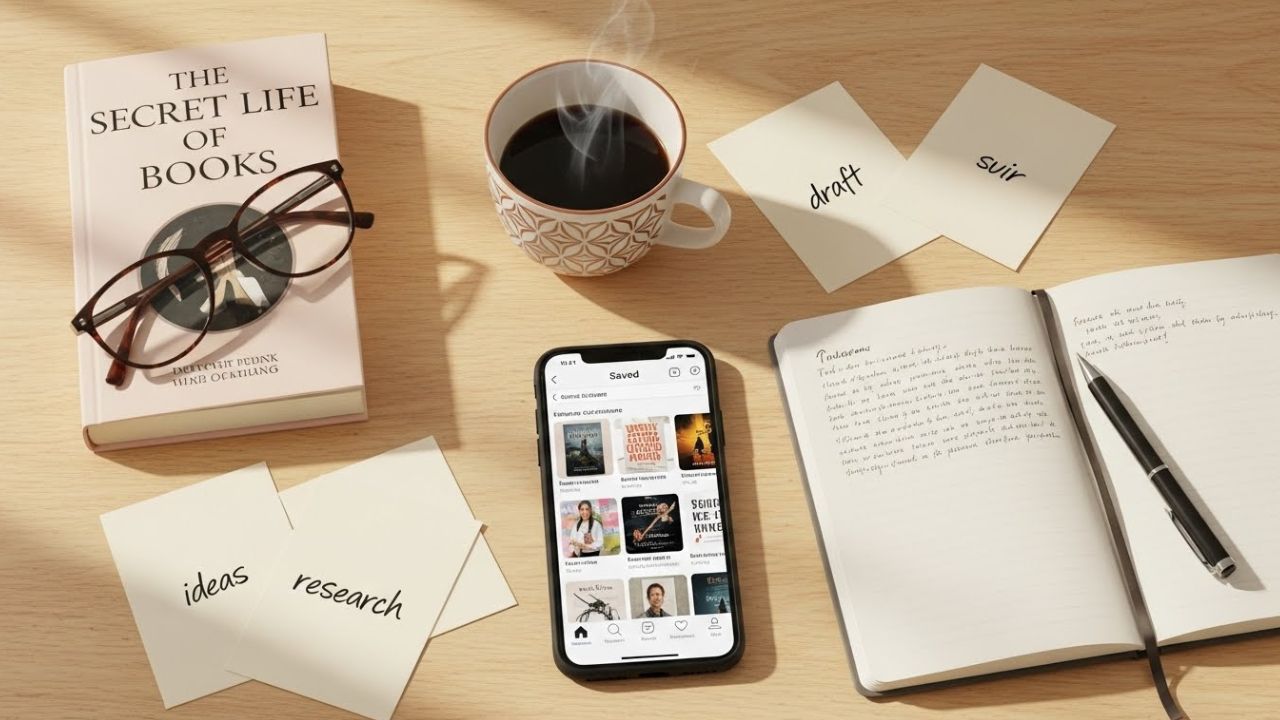
Instagram continues to be one of the most versatile platforms for authors building a personal brand, connecting with readers, and showcasing their creative process. While newer platforms rise and fall, Instagram remains a core hub for storytelling—both visual and written. It’s where authors can blend aesthetics with authenticity, where readers discover books through micro-reviews, and where stories unfold not just between pages but in captions, Reels, and carousels.
But one feature frequently overlooked, or underused, is the Save function.
For many authors, Instagram’s Save button seems like a simple bookmarking tool used to store interesting posts for later. But when used strategically, it becomes a powerful, flexible, fully-customizable content planning system—right inside the app you already use.
This article explores how authors—fiction or nonfiction, published or aspiring—can turn Instagram’s Save feature into a dynamic, personalized content planner that fuels creativity, organizes ideas, and helps maintain a consistent posting schedule.
We’ll break down:
- Why the Save feature is better than third-party planners for idea capture
- How to organize saved posts into thematic collections
- Strategies for gathering inspiration across writing, marketing, and aesthetic
- How to use saved posts to fill content gaps and avoid burnout
- Templates authors can apply instantly
- Practical workflows, tips, and even potential pitfalls
- Bonus: A ready-to-use system and a content calendar derived entirely from your saved posts
- Plus charts, lists, and tables to make the system easy to follow
- All wrapped with examples and even a few emojis to keep things fun! 😄
By the end, you’ll be able to use Instagram not just as a place to post, but as a place to plan, think, and create.
Let’s begin.
PART I — Understanding the Save Feature as a Creative Tool
What Is the Instagram Save Feature?
The Save button (the little bookmark icon under a post) allows users to store posts privately in their personal “Saved” section. These posts can be sorted into Collections, which function like folders.
Most people save posts for vague future reference:
- recipes
- quotes
- aesthetic images
- tutorials
- writing tips
But for authors, these saved posts can become:
- a visual mood board
- a repository of content ideas
- a market research tool
- a writing inspiration gallery
- a roadmap for audience engagement
The beauty lies in its simplicity: no separate app, no extra scheduling tool, no spreadsheets—just a native Instagram feature.
PART II — Why the Save Feature Works Better Than Traditional Content Planners
Here are the top reasons authors should turn Instagram Saves into a content planner:
1. It Captures Inspiration in the Exact Moment Inspiration Happens 💡
Authors are visual thinkers. You may be scrolling leisurely and stumble upon:
- A quote that sparks an idea for a Reel
- A Carousel format you want to try
- A bookstagram layout you love
- A typography style perfect for a writing tip post
Instead of writing a note elsewhere, the Save button captures it instantly.
2. It Reduces App Switching & Friction
Managing multiple platforms can be overwhelming.
The Save feature allows authors to curate ideas inside the same app where content will be published.
No bouncing between:
- Notes apps
- Screenshots
- Canva drafts
- External planners
It keeps your creative energy focused.
3. It Is Visually Organized (Perfect for Authors Who Think in Stories)
Instagram Collections allow you to organize by theme.
This visual organization makes creative patterns easier to spot.
4. It Shows What’s Working on Instagram Right Now
Saved posts act as research:
- Trends
- Editing styles
- Caption formulas
- Topic angles
- Video formats
- Hashtag strategies
You learn from content that already performs well.
5. It Helps You Stay Consistent (Without Posting Just to Post)
A full library of saved inspiration means you never sit wondering:
“What do I post today?”
Your collections become your content bank.
PART III — Setting Up Your Save System: A Simple Framework for Authors
You can create any organizational structure you like, but below is a proven framework designed specifically for authors.
Recommended Saved Collections for Authors
1. Writing Tips & Craft Ideas ✍️
Content you want to use as inspiration for craft-based posts:
| What to Save | How You’ll Use It |
|---|---|
| Writing advice posts | Create your own version with your unique voice |
| Reel transitions | Adapt them for writing or reading content |
| Quote graphics | Create branded versions for your audience |
| Carousel structures | For educational writing tips |
2. Book Promotion Formats 📚🎤
This collection helps with marketing your book in ways that feel natural and engaging.
| Save Posts About | Use Them To |
|---|---|
| Book trailers | Inspire your own snippets |
| Behind-the-scenes videos | Create author process posts |
| Cover reveal formats | Plan your own reveal timeline |
| Launch campaign ideas | Build your strategy |
| Reader review aesthetics | Design templates for sharing testimonials |
3. Aesthetic Inspiration (Branding + Vibes) 🌈
This includes:
- Color palettes
- Photography styles
- Fonts
- Book photos
- Mood boards
- Outfit inspiration (if you appear on camera)
This helps authors maintain visual cohesion.
4. Reader Engagement Ideas 💬
A thriving Instagram account is community-driven.
Save posts that feature:
- Q&A formats
- Poll ideas
- Ask-me-anything layouts
- Trending audio for engagement
- Fun reading challenges
Use these to create community-building content.
5. Character & Story Inspiration (Fiction Authors) 🗝️
Many fiction authors use Instagram as a hub for their worlds.
Save posts for:
- Casting inspiration
- Worldbuilding photos
- Aesthetic reels
- Quotes that match character arcs
- Locations that resemble settings
This becomes an evolving mood board that later inspires posts.
6. Industry News & Best Practices 📈
Save posts from:
- Agents
- Publishers
- Editors
- Author coaches
This keeps you informed and can spark educational content.
7. Personal Inspiration & “You” Content 😄
Your readers follow you for your writing and your personality.
Save:
- Lifestyle content formats
- Humor
- Relatable memes
- Productivity systems
- Desk setups
- “Day in the life” structures
These inspire posts that humanize you.
8. Reels to Recreate 🎬
This is one of the most important collections.
Save:
- Trending audios
- Short storytelling formats
- POV styles
- Transition techniques
Later, you can recreate them with your own author twist.
9. Caption Ideas 📝
Save posts with strong captions you admire.
Captions often drive engagement, emotions, and storytelling.
Table Summary: Recommended Instagram Save Collections
| Category | Purpose | Ideal For |
|---|---|---|
| Writing Tips | Education | Teaching craft, writers’ community |
| Book Promotion | Marketing | Launching books, promoting events |
| Aesthetic Inspiration | Branding | Visual consistency |
| Reader Engagement | Community | Interaction, polls, Q&A |
| Character & Story | Worldbuilding | Fiction authors |
| Industry News | Professionalism | Staying up-to-date |
| Personal Inspiration | Human connection | Showing personality |
| Reels to Recreate | Visibility | Trend-based content |
| Caption Ideas | Storytelling | Improving written posts |
PART IV — How to Use Saved Posts as a Daily Content Planner
Now we’ll turn your saved posts into a living content machine.
Step 1: Review Your Collections Weekly
Every week, spend 10 minutes scrolling through your collections.
Ask:
- What trends are emerging?
- What ideas excite me most?
- What formats keep appearing?
- What can I adapt this week?
Step 2: Pick 5–10 Posts to Repurpose for the Upcoming Week
Not copying; adapting.
Example:
Saved Post: “5 Writing Tips I Wish I Knew Earlier”
Your Version: “5 Writing Habits That Improved My Drafting Speed”
Saved Post: A Reel with a dramatic transition
Your Version: A Reel showing “draft → edited scene.”
Saved Post: Bookstagram aesthetic photo
Your Version: Your book + your workspace, in a similar vibe.
Step 3: Assign Each Adapted Idea to a Day
Example weekly spread:
| Day | Post |
|---|---|
| Monday | Writing tip carousel |
| Tuesday | Aesthetic Reel about your WIP |
| Wednesday | Reader Q&A post |
| Thursday | Book promo (review or excerpt) |
| Friday | Personal/lifestyle post |
| Saturday | Reading meme |
| Sunday | Behind-the-scenes |
Step 4: Batch-Create Content in 30 Minutes
Because your saved posts give you:
- Format
- Structure
- Aesthetic
- Music
- Caption angle
… creation becomes faster.
Step 5: Press Post (or Schedule) With Confidence
Since your ideas came from engaging posts, they are already aligned with Instagram’s current trends.
PART V — The Author’s “Content Categories” System (Using Saves)
Authors thrive when they create content across multiple pillars.
Below are the 5 most effective content categories for authors.
1. Educational Content (30%)
Teach readers—or other writers—something valuable.
Use saved:
- tips
- tutorials
- list posts
- writing wisdom
You transform inspiration into education.
2. Promotional Content (20%)
You shouldn’t promote daily, but regularly.
Save:
- book promo ideas
- launch strategies
- storytelling-style ads
Adapt them to your book.
3. Personal Content (20%)
Readers want to know you, not just your books.
Use saved:
- lifestyle ideas
- memes
- relatable posts
These humanize your brand.
4. Community Content (20%)
Reading and writing thrive through conversation.
Use saved:
- Q&A formats
- Poll examples
- Prompt ideas
These encourage engagement.
5. Inspirational/Aesthetic Content (10%)
Because beautiful posts attract attention.
Use saved aesthetic imagery to shape your brand identity.
PART VI — How to Turn Saved Posts Into a Monthly Content Calendar
Below is a sample monthly plan derived entirely from your saved collections.
Week 1
- Writing tip carousel
- “My writing routine” photo
- Character aesthetic Reel
- Book promotion static post
- Behind-the-scenes caption
Week 2
- Writing myth-busting reel
- Excerpt graphic
- Workspace aesthetic photo
- Community question
- Book review illustration
Week 3
- Craft lesson carousel
- Post using trending audio
- Mood board (from saves)
- WIP update video
- Personal post
Week 4
- Drafting hacks
- AMA Reel
- Bookstore photo
- Quote graphic inspired by saved posts
- Chapter teaser
Using Instagram Saves makes your planning extremely visual and intuitive. No reinventing the wheel—just reimagining it.
PART VII — Templates for Authors Using Saved Posts
1. The “Template Reverse Engineering Method”
- Save a post you like (carousel, reel, static image)
- Identify the structure
- Replace each part with your version
- Post
Example:
Saved Carousel: “4 Ways to Stay Motivated”
Your Version: “4 Ways I Stay Motivated While Revising”
2. The “Aesthetic Emulation Method”
- Save images with a vibe you like
- Observe the colors, lighting, and layouts
- Create your own with similar visual tone
- Maintain consistency across your grid
3. The “Trend Remix Method”
- Save trending audios
- Save reels with clever transitions
- Save humor styles you want to adapt
- Put your author spin on them
PART VIII — Common Mistakes Authors Make (and How Saves Prevent Them)
Mistake #1: Posting Randomly
Saved collections provide direction.
Mistake #2: Lacking Visual Cohesion
Saved aesthetics guide your branding.
Mistake #3: Only Posting Promo
Saved engagement formats help balance content.
Mistake #4: Ignoring Trends
Saved trending audios keep your content fresh.
Mistake #5: Burning Out
Saved posts eliminate idea fatigue.
PART IX — Advanced Techniques for Authors
1. Build Multiple Collections for Columns You Post Regularly
Example:
- “Reels to Recreate – Writing Tips”
- “Reels to Recreate – Humor”
- “Aesthetic Photos – Bookshelves”
- “Aesthetic Photos – Desks”
2. Save Your Own Posts Into Collections
Track what works.
3. Use the Save Feature for Research
Save captions that perform well.
Save posts with high engagement patterns.
4. Save Competitor or Peer Posts
Learn from:
- authors in your genre
- bookstagram creators
- writing coaches
Not to copy—
to understand what resonates.
PART X — Final Thoughts
Instagram’s Save feature is more than a button—it’s a creative ecosystem.
For authors, it becomes:
- a planning tool
- a creativity generator
- a trend tracker
- a visual mood board
- an educational archive
- a marketing guide
- an idea vault
It costs nothing.
It requires zero setup.
It adapts to your creative style.
Using Instagram Saves strategically transforms your social media workflow—from pressure and randomness into clarity and consistency.
For authors who want to show up online without overwhelm, this powerful, underused feature may be your best kept secret.
Now it’s your turn to use it like a pro. 📘✨
Leave a Reply