
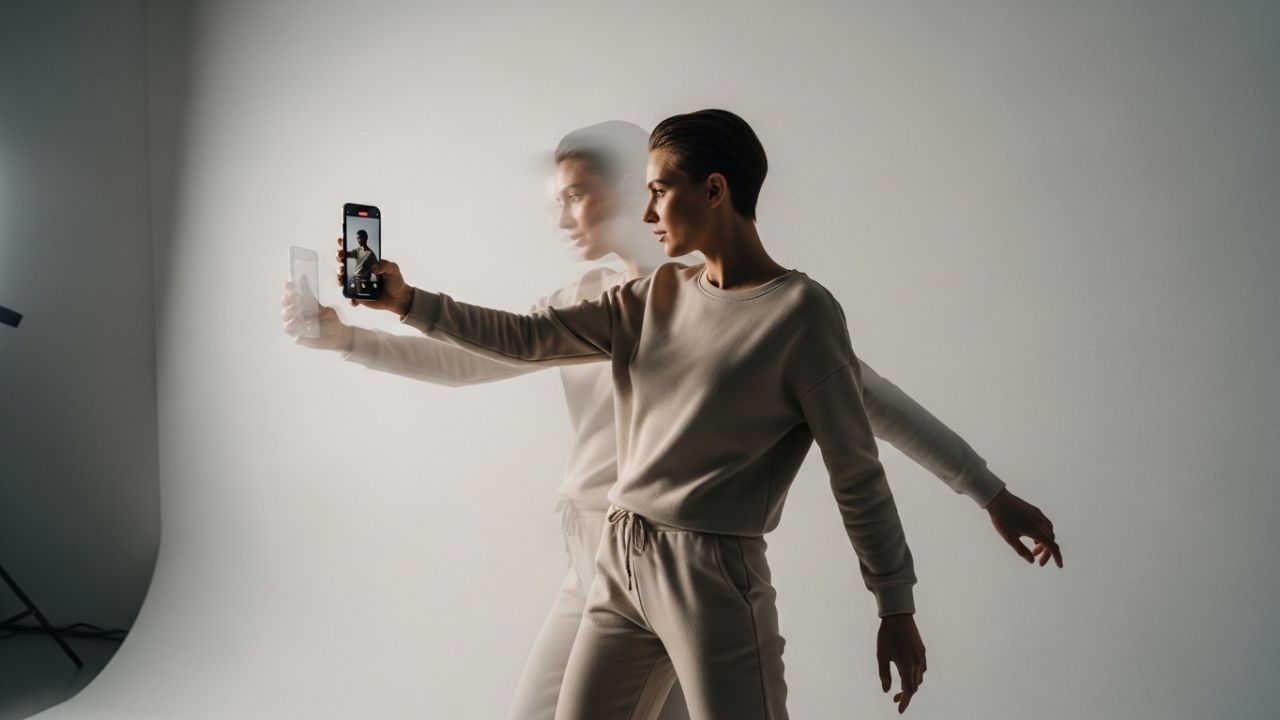
Short-form vertical video has transformed the way creators communicate. Reels move fast. Attention spans are shorter. Competition is fierce. And transitions — when done right — are invisible magic. When done wrong, they scream “beginner.”
If you’ve ever watched a Reel and thought, “Wow, that was smooth — how did they do that?” you’ve witnessed the power of well-designed transitions.
This is your definitive guide to mastering transitions for Reels without looking amateur. We’ll go deep — from psychology to shooting techniques, from editing theory to advanced motion design principles. You’ll learn not just how to transition, but why certain transitions feel professional while others feel awkward.
Let’s begin.
1. What Makes a Transition Look Amateur?
Before learning what works, we need to understand what doesn’t.
Amateur transitions usually suffer from:
- ❌ Random movement with no purpose
- ❌ Inconsistent lighting or exposure
- ❌ Poor alignment between clips
- ❌ No continuity of motion
- ❌ Overuse of flashy effects
- ❌ Mismatched energy levels
- ❌ Bad timing with music
Professional transitions, on the other hand, are:
- ✅ Intentional
- ✅ Motivated by motion
- ✅ Rhythmically aligned
- ✅ Visually clean
- ✅ Story-driven
- ✅ Invisible or satisfying
The goal is not to “show the transition.” The goal is to move the viewer seamlessly through moments.
2. The Psychology Behind Smooth Transitions 🧠
Transitions feel smooth when they respect how the brain processes visual information.
The Brain Loves Continuity
The human brain is wired to:
- Track motion
- Recognize patterns
- Complete missing information
- Predict outcomes
When motion continues logically between cuts, the brain experiences no friction. That’s what we want.
The Rule of Visual Momentum
If something moves right in clip A, it should:
- Continue moving right in clip B
- Or be replaced by something moving right
- Or be replaced by stillness (intentional contrast)
Breaking motion direction without reason creates disorientation.
3. The Foundation: Shooting for Transitions (Not Just Clips)
One of the biggest mistakes beginners make:
They shoot content first, then try to “add transitions” later.
Professionals shoot for transitions.
Always Ask Before Recording:
- Where does this clip begin?
- Where does it end?
- What motion can carry into the next scene?
Transitions start at the recording stage — not in the editing app.
4. Core Transition Types (And How to Master Them)
Let’s break down the most important categories.
4.1 Motion-Based Transitions 🚶♂️➡️
Motion transitions are the backbone of professional Reels.
They rely on physical movement to connect clips.
Examples:
- Walking past the camera
- Turning your body
- Spinning
- Swiping your hand across the lens
- Jump cuts mid-air
Why They Work:
Motion hides the cut.
How to Execute Perfectly:
| Step | What to Do | Why It Matters |
|---|---|---|
| 1 | End clip A mid-motion | Creates natural cut point |
| 2 | Start clip B mid-motion | Continues visual flow |
| 3 | Match speed | Prevents awkward acceleration |
| 4 | Match direction | Maintains spatial logic |
| 5 | Match lighting | Avoids visual shock |
Pro Tip:
Cut at the peak of motion blur. Motion blur disguises edits beautifully.
4.2 Match Cut Transitions 🔄
A match cut connects two shots with similar shapes, movement, or composition.
Example:
- Throwing a jacket in one clip
- Catching it in a different outfit in the next clip
The magic is in matching the position and frame.
How to Do It:
- Record the first action.
- Freeze-frame mentally where it ends.
- Replicate the framing precisely in clip two.
- Align frames in editing.
- Trim aggressively.
Amateur Mistake:
Not aligning the object in the exact same screen position.
4.3 Camera Movement Transitions 🎥
Instead of moving yourself, move the camera.
Types:
- Whip pan
- Push in
- Pull back
- Tilt up/down
- Orbit movement
The Whip Pan (Most Popular)
A whip pan works because fast horizontal blur hides the cut.
How:
- Pan quickly left.
- Cut at maximum blur.
- Start next clip panning left.
- Trim until seamless.
Mistake to Avoid:
Slow pans. If it’s slow, it looks accidental — not intentional.
4.4 Object Cover Transitions 🧢
You briefly block the camera with an object.
Examples:
- Hand covers lens
- Door closes into camera
- Jacket fills frame
- Passing behind a wall
This creates a “natural blackout” moment to cut.
Why It Looks Professional:
It mimics cinematic scene changes.
4.5 Beat-Synced Transitions 🎵
Music transforms everything.
Professional Reels almost always:
- Cut on beat drops
- Change scene at percussion hits
- Transition during rhythm shifts
How to Master Beat Timing:
| Skill | Description |
|---|---|
| Beat anticipation | Cutting just before beat hits |
| Beat impact | Cutting exactly on beat |
| Beat delay | Cutting slightly after beat |
Most amateurs cut randomly — not rhythmically.
5. The 3 Golden Rules of Professional Transitions
Rule 1: Every Transition Must Have Purpose
Ask:
Does this transition enhance the story?
If it exists only to “look cool,” it probably looks amateur.
Rule 2: Simplicity Beats Complexity
Flashy transitions are tempting.
But professionals rely on:
- Clean cuts
- Motion continuity
- Minimal effects
The more invisible, the better.
Rule 3: Energy Consistency
If your first clip is high energy and the next is calm, you need a buffer.
Otherwise, it feels jarring.
6. Lighting Consistency = Professionalism 💡
Nothing screams amateur more than inconsistent lighting between clips.
Common Problems:
- One clip warm, one cool
- One bright, one dark
- Changing shadows
- Flickering exposure
Solution:
Before recording:
- Lock exposure if possible
- Keep light direction consistent
- Avoid auto-white-balance shifts
7. Framing Consistency 📐
Even if lighting matches, framing errors ruin transitions.
Keep These Consistent:
- Head height
- Distance from camera
- Background alignment
- Horizon level
Quick Framing Checklist:
| Element | Keep Constant? |
|---|---|
| Eye level | Yes |
| Camera angle | Yes |
| Focal length | Yes |
| Background position | Ideally |
8. Advanced Techniques That Look Pro 🎬
Let’s go deeper.
8.1 Speed Ramping
Speed ramping changes clip speed dynamically.
Used correctly, it:
- Builds tension
- Adds cinematic feel
- Emphasizes motion
Used poorly, it looks chaotic.
How to Avoid Amateur Speed Ramps:
- Only ramp during motion
- Keep audio aligned
- Don’t overdo it
- Maintain flow
8.2 Masking Transitions
Masking allows part of one clip to reveal another.
Example:
You walk behind a pole — and emerge in another location.
This requires careful frame matching.
Key Elements:
- Clean subject outline
- Static background
- Precise mask tracking
Masking looks incredible — but sloppy masking looks terrible.
8.3 Transition Stacking
Advanced creators combine:
- Motion + Beat Sync
- Object Cover + Whip Pan
- Match Cut + Speed Ramp
But stacking only works if each layer is clean.
Overstacking = amateur.
9. Timing: The Invisible Skill ⏱️
Transitions fail mostly because of timing.
Ideal Transition Lengths:
| Style | Duration |
|---|---|
| Fast aesthetic | 0.2–0.5 seconds |
| Cinematic | 0.5–1 second |
| Dramatic | 1–2 seconds |
| Comedy | Variable |
Most amateur transitions linger too long.
Cut earlier than you think.
10. The Art of the Invisible Cut ✂️
The most professional transition?
A clean cut.
No effect.
No blur.
No zoom.
Just perfect timing.
If motion and framing are correct, you don’t need anything else.
11. Planning Transitions Before Filming 📝
Here’s a professional workflow:
- Outline your Reel.
- Mark transition points.
- Decide motion direction.
- Choose camera movement.
- Record with transitions in mind.
Sample Transition Plan Table:
| Scene | Ending Motion | Transition Type | Next Scene Start |
|---|---|---|---|
| Outfit 1 | Spin right | Motion cut | Continue spin |
| Coffee shop | Push in | Whip pan | Push in |
| Street walk | Hand swipe | Object cover | Reveal interior |
Planning reduces editing stress massively.
12. Common Amateur Habits to Eliminate 🚫
1. Overusing Built-in App Effects
If everyone uses it, it feels generic.
2. Zooming Randomly
Random zooms = visual panic.
3. Jump Cuts Without Motion
Jump cuts need purpose.
4. Excessive Transitions
Too many transitions create fatigue.
5. Ignoring Audio
Bad audio transitions feel worse than visual ones.
13. The 5-Level Transition Mastery Framework 🏆
Level 1 – Clean Cuts
No visible transitions.
Level 2 – Motion Continuity
Simple motion matching.
Level 3 – Beat Sync
Rhythmic editing.
Level 4 – Cinematic Movement
Whip pans, push-ins, ramps.
Level 5 – Seamless Illusion
Masking and spatial storytelling.
Climb gradually.
14. Audio Transitions: The Secret Weapon 🔊
Professionals blend sound.
Techniques:
- L-cut (audio from next clip starts early)
- J-cut (audio overlaps)
- Sound effects to mask cuts
- Ambient noise continuity
Even if viewers don’t notice, they feel it.
15. Color Grading Consistency 🎨
Color mismatch destroys professionalism.
Tips:
- Use the same preset
- Adjust exposure per clip
- Avoid over-saturation
- Keep skin tones natural
Consistency > intensity.
16. Transition Styles by Content Type
Different niches require different styles.
| Niche | Best Transition Style |
|---|---|
| Fashion | Match cuts + spins |
| Fitness | Jump cuts + beat sync |
| Travel | Whip pans + masking |
| Comedy | Hard cuts |
| Educational | Minimal transitions |
| Luxury | Slow cinematic push-ins |
Match transition to brand identity.
17. The “Less Is More” Principle 🌿
The more experienced you become, the fewer transitions you use.
High-end creators:
- Use fewer cuts
- Let shots breathe
- Trust composition
Amateurs hide weak footage behind effects.
Professionals improve the footage.
18. Recording Tips for Cleaner Transitions 📱
- Stabilize your phone
- Use grid lines
- Lock exposure
- Shoot extra frames before and after action
- Repeat motion multiple times
Always give yourself editing flexibility.
19. Practice Drills to Improve
Drill 1:
Record 5 outfit transitions using only spins.
Drill 2:
Create a Reel using only clean cuts.
Drill 3:
Make 10 transitions using one object cover.
Drill 4:
Edit a Reel where every cut lands on a beat.
Repetition builds intuition.
20. How Professionals Think About Transitions 💼
They don’t think:
“How do I add a transition?”
They think:
“How does this moment naturally flow into the next?”
That mindset changes everything.
21. Visual Flow Checklist Before Posting ✔️
Before publishing, ask:
- Does motion direction stay logical?
- Are lighting levels consistent?
- Are transitions too long?
- Does audio blend smoothly?
- Is any transition unnecessary?
- Does the Reel feel smooth without sound?
If it works muted, it’s strong.
22. Advanced Composition Transitions
You can transition using composition alone.
Techniques:
- Align subject center in both frames
- Use negative space consistently
- Match horizon lines
- Use similar background geometry
This feels cinematic without effects.
23. The Emotional Side of Transitions ❤️
Transitions aren’t technical only.
They shape emotion.
Fast cuts = urgency
Slow fades = reflection
Hard cuts = comedy
Smooth motion = elegance
Ask yourself:
What emotion should this moment carry?
Then transition accordingly.
24. When to Break the Rules
Sometimes you want:
- Abrupt chaos
- Sudden disruption
- Visual shock
But break rules intentionally — not accidentally.
Professional chaos is controlled chaos.
25. The Ultimate Transition Blueprint 🧩
If you want one simple formula:
- Start with motion.
- Match direction.
- Cut at peak blur.
- Sync with audio.
- Keep lighting consistent.
- Remove unnecessary effects.
- Shorten the cut.
- Test muted.
- Export.
- Rewatch objectively.
26. Final Thoughts: The Invisible Advantage
The best compliment you can receive is:
“That felt smooth.”
Not:
“Nice transition.”
When transitions are noticed, they often become the star.
When they’re invisible, your story becomes the star.
And that is the difference between amateur and professional.
Conclusion 🎬
Transitions are not about tricks.
They’re about continuity.
They’re about rhythm.
They’re about intention.
Master motion.
Master timing.
Master consistency.
And you’ll never look amateur again.
The moment you stop trying to “impress” with transitions — and start designing flow — your Reels will feel elevated, cinematic, and undeniably professional.
Now go create something smooth. 🚀
Leave a Reply