
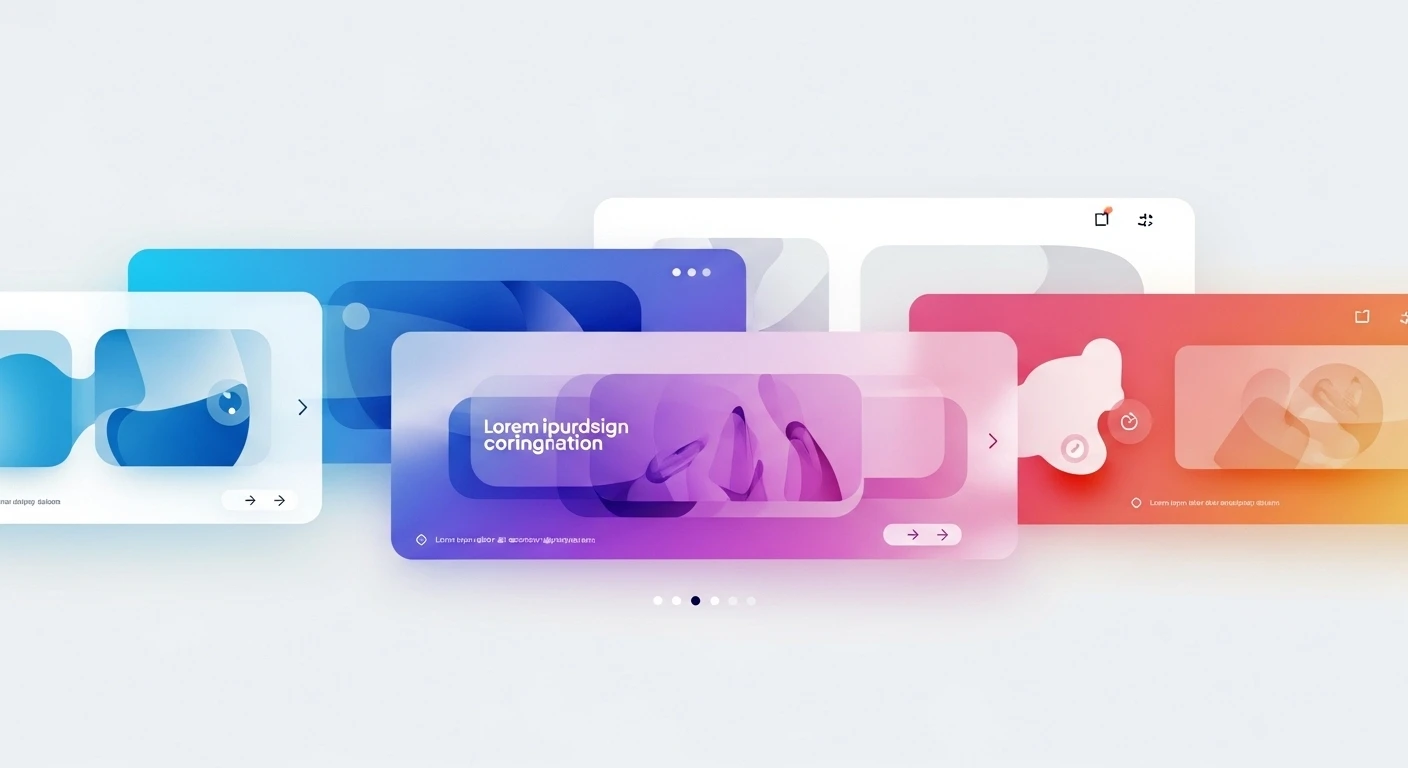
In modern digital design, carousels have become one of the most recognizable and widely used interface patterns. From e-commerce product displays to portfolio showcases and storytelling experiences, carousels offer a compact way to present multiple pieces of content within limited screen space. But not all carousels are created equal.
One of the most sophisticated evolutions of this pattern is the infinite carousel—a looping, seamless experience where users can scroll endlessly without hitting a hard stop. Unlike traditional sliders that abruptly end or require navigation resets, infinite carousels create a sense of continuity, immersion, and flow.
However, building an effective infinite carousel is not just about making slides loop. The real challenge lies in designing connections between slides—ensuring that each transition feels natural, meaningful, and visually cohesive.
This article explores in depth how to design infinite carousels that truly connect slides, covering principles, techniques, UX strategies, motion design, layout systems, and implementation considerations. 🚀
1. Understanding Infinite Carousels
1.1 What Is an Infinite Carousel?
An infinite carousel is a UI component that allows users to scroll through content in a continuous loop. When the user reaches the last item, the carousel seamlessly returns to the first without interruption.
Key Characteristics:
- 🔁 Endless looping
- 🎯 No visible start or end
- ⚡ Smooth transitions
- 🧠 Perceived continuity
1.2 Why Use Infinite Carousels?
Infinite carousels are particularly effective when:
| Use Case | Benefit |
|---|---|
| E-commerce | Keeps users browsing longer |
| Portfolios | Showcases work without interruption |
| Storytelling | Maintains narrative flow |
| Media galleries | Enhances exploration |
1.3 The Problem With Poorly Designed Carousels
Bad carousels:
- Feel repetitive
- Break immersion
- Confuse navigation
- Create cognitive fatigue
The key to solving this lies in connecting slides visually and conceptually.
2. The Core Principle: Continuity 🧩
At the heart of infinite carousel design is one idea: continuity.
Continuity means:
- Visual consistency
- Logical progression
- Motion harmony
- Context preservation
When slides feel connected, users perceive the carousel as a single flowing system, not isolated frames.
3. Visual Design Techniques for Connected Slides 🎨
3.1 Shared Visual Elements
One of the simplest ways to connect slides is to maintain shared elements across them.
Examples:
- Persistent background gradients
- Repeating shapes or patterns
- Consistent color palette
Tip:
Keep at least 30–50% visual overlap between slides.
3.2 Edge-to-Edge Continuity
Design elements that extend beyond slide boundaries.
Instead of:
[ Slide 1 ] [ Slide 2 ]
Think:
[ Slide 1 -----> Slide 2 ]
Techniques:
- Cropped images that continue into next slide
- Backgrounds spanning multiple slides
- Objects partially visible across edges
3.3 Transitional Anchors
Anchors are elements that guide the eye between slides.
Examples:
- A line that continues across slides
- A character moving from one frame to another
- A product rotating through perspectives
3.4 Color Flow 🌈
Gradual color transitions help unify slides.
| Slide | Color |
|---|---|
| 1 | Blue |
| 2 | Purple |
| 3 | Pink |
| 4 | Red |
This creates a visual gradient journey rather than abrupt shifts.
3.5 Typography Consistency
Typography plays a subtle but powerful role.
- Same font family
- Consistent hierarchy
- Predictable placement
But you can still introduce variation:
- Scale changes
- Motion effects
- Emphasis shifts
4. Motion Design: The Glue Between Slides 🎬
Motion is what transforms a carousel into an experience.
4.1 Seamless Transitions
Avoid:
- Hard cuts
- Sudden jumps
Use:
- Easing curves
- Continuous motion
- Directional consistency
4.2 Directional Flow
Always maintain a clear direction:
- Left → right
- Right → left
- Circular motion
Switching directions breaks immersion.
4.3 Object Persistence
Instead of removing elements, transform them.
Example:
- A card becomes another card
- A product rotates into a new angle
- A shape morphs into another
4.4 Parallax Effects
Layered motion adds depth.
| Layer | Speed |
|---|---|
| Background | Slow |
| Midground | Medium |
| Foreground | Fast |
This creates a cinematic feel 🎥
4.5 Loop Illusion Techniques
To achieve true infinity:
- Duplicate slides invisibly
- Use mirrored content
- Reset position without visual jump
5. Structural Design: Layout Systems 🧱
5.1 Grid Consistency
Use a consistent grid across all slides.
Benefits:
- Alignment continuity
- Predictable layout
- Easier transitions
5.2 Modular Design
Think in reusable blocks.
Example modules:
- Image block
- Text block
- CTA block
Slides become rearrangements of the same components.
5.3 Spatial Relationships
Maintain consistent spacing:
- Margins
- Padding
- Element positioning
This creates rhythm.
6. Narrative Flow: Connecting Meaning 📖
6.1 Sequential Storytelling
Each slide should feel like a chapter.
Example:
- Problem
- Solution
- Benefit
- Call to action
6.2 Circular Narratives
Since the carousel loops, the last slide must connect back to the first.
Techniques:
- Repeat visual motifs
- Echo messaging
- Use cyclical themes
6.3 Micro-Interactions
Small interactions reinforce continuity:
- Hover effects
- Subtle animations
- Feedback loops
7. UX Considerations 🧠
7.1 Avoid Disorientation
Infinite loops can confuse users.
Solutions:
- Progress indicators
- Subtle hints of repetition
- Visual landmarks
7.2 Navigation Control
Provide:
- Swipe
- Drag
- Buttons
- Keyboard support
7.3 Accessibility
Ensure:
- Screen reader compatibility
- Pause controls
- Reduced motion options
7.4 Performance Optimization ⚡
Infinite carousels can be heavy.
Tips:
- Lazy load images
- Use GPU-accelerated animations
- Minimize DOM elements
8. Advanced Techniques 🚀
8.1 3D Carousels
Use depth and rotation:
- Cylindrical layouts
- Card flipping
- Perspective shifts
8.2 AI-Driven Personalization
Content adapts dynamically:
- User preferences
- Behavior patterns
- Context awareness
8.3 Hybrid Scrolling
Combine:
- Vertical scroll
- Horizontal carousel
8.4 Gesture-Based Interaction
Advanced gestures:
- Flick momentum
- Elastic drag
- Snap physics
9. Common Mistakes ❌
9.1 Repetitive Content
Users notice repetition quickly.
9.2 Over-animation
Too much motion causes fatigue.
9.3 Lack of Hierarchy
Everything feels equally important.
9.4 Broken Loop Illusion
Visible resets destroy immersion.
10. Design Checklist ✅
Visual
- Shared elements across slides
- Color continuity
- Edge-to-edge design
Motion
- Smooth transitions
- Consistent direction
- Object persistence
UX
- Clear navigation
- Accessible controls
- Performance optimized
11. Practical Example
Scenario: Product Carousel
| Slide | Content | Connection |
|---|---|---|
| 1 | Product overview | Full image |
| 2 | Feature zoom | Zoom transition |
| 3 | Usage context | Background morph |
| 4 | CTA | Returns to slide 1 style |
12. Future Trends 🔮
12.1 Immersive Interfaces
Carousels blending into spatial UI.
12.2 Mixed Reality
AR/VR infinite browsing.
12.3 Emotional Design
Carousels that react to user mood.
Conclusion
Infinite carousels are more than a looping mechanism—they are an opportunity to create fluid, immersive, and engaging experiences. The key lies not in the slides themselves, but in the connections between them.
By focusing on continuity, motion, structure, and narrative, designers can transform simple carousels into powerful storytelling tools that captivate users and encourage exploration.
In the end, the best infinite carousel is one where users don’t notice the loop—they simply enjoy the journey. 🔄💡
Leave a Reply